13
User manual RF-KIT Power Amplifier RF2K-S
5.2.2.1 Ext. Antenna switch
This device supports the use of an external antenna switch, which can be
used to select up to 16 antennas (each of them can be a mono or multiband
antenna). The associated antenna tuner settings data can be stored.
When an external antenna selector is in use, selected antenna data should
be supplied to the amplifier via the multi-function socket (12) Pins 1-4.
For details on addressing and pin assignment, refer to chapter „3.2 Opera-
ting elements and connections“ on page 6.
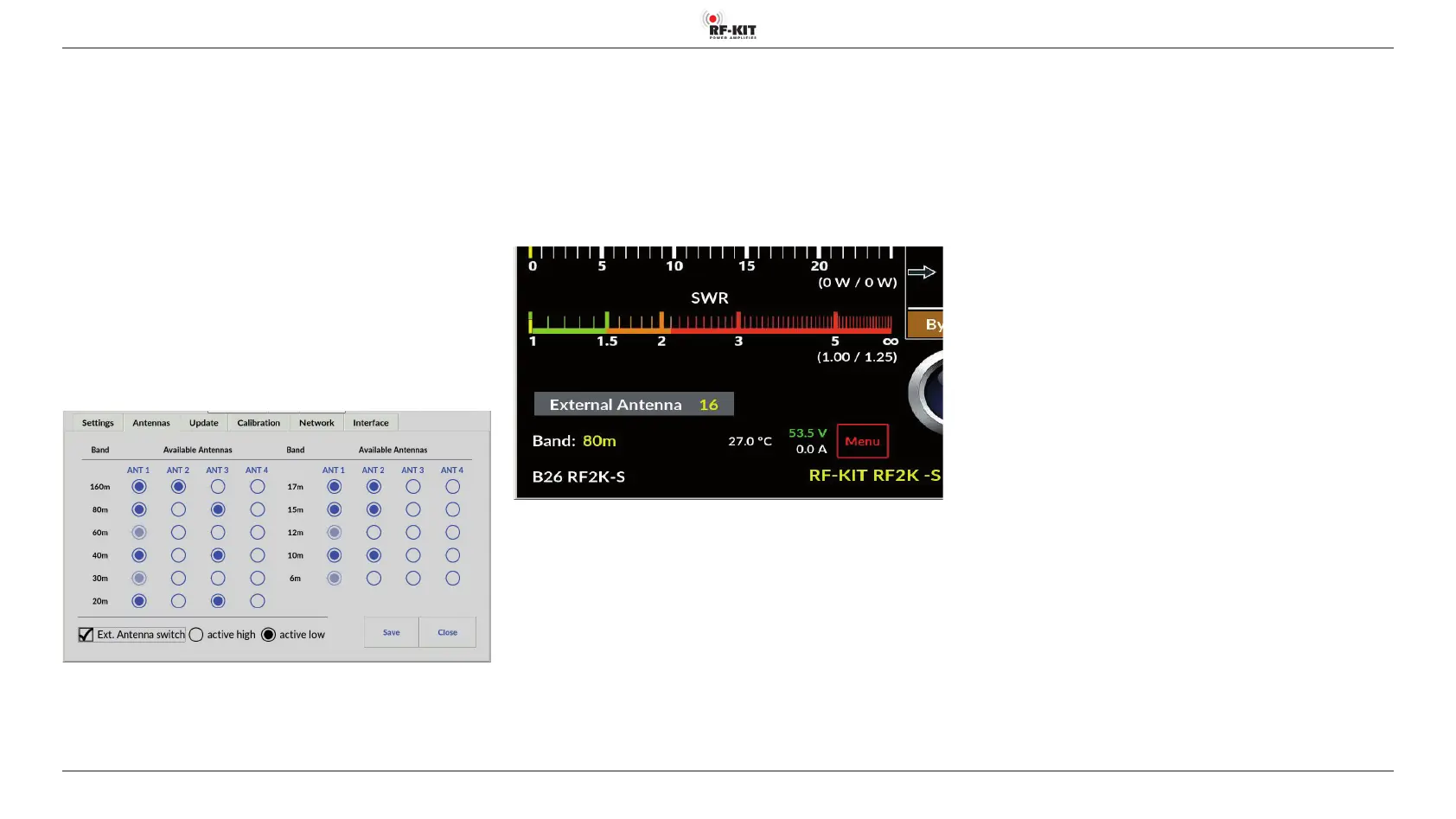
To activate a correctly connected external antenna selector switch via the
user menu, please proceed as follows:
► Tap the switching area Menu.
The Touch screen (2) shows the user menu.
► Tap the switching area Antennas.
► Tap the switching area Ext. Antenna switch.
The previously empty square is now displayed checked, indicating the ac-
tivated use of an external antenna switch.
Depending on the model, an external antenna selector switch provides a
„low“ or a „high“ signal as activation instruction:
► Tap the switching area active high resp. active low for selection.
The circle field is now black confirming your selection.
► Tap the switching area Save to store the settings.
After returning to the main screen, the display area of currently selected
antenna is now shown as follows:
In the example shown above, the selection of antenna 16 is displayed for
the external antenna switch („External Antenna 16“).



 To Next Page