12
User manual RF-KIT Power Amplifier RF2K-S
Switching area Close
Touching this switching area closes the user menu;
subsequently the main screen will be displayed
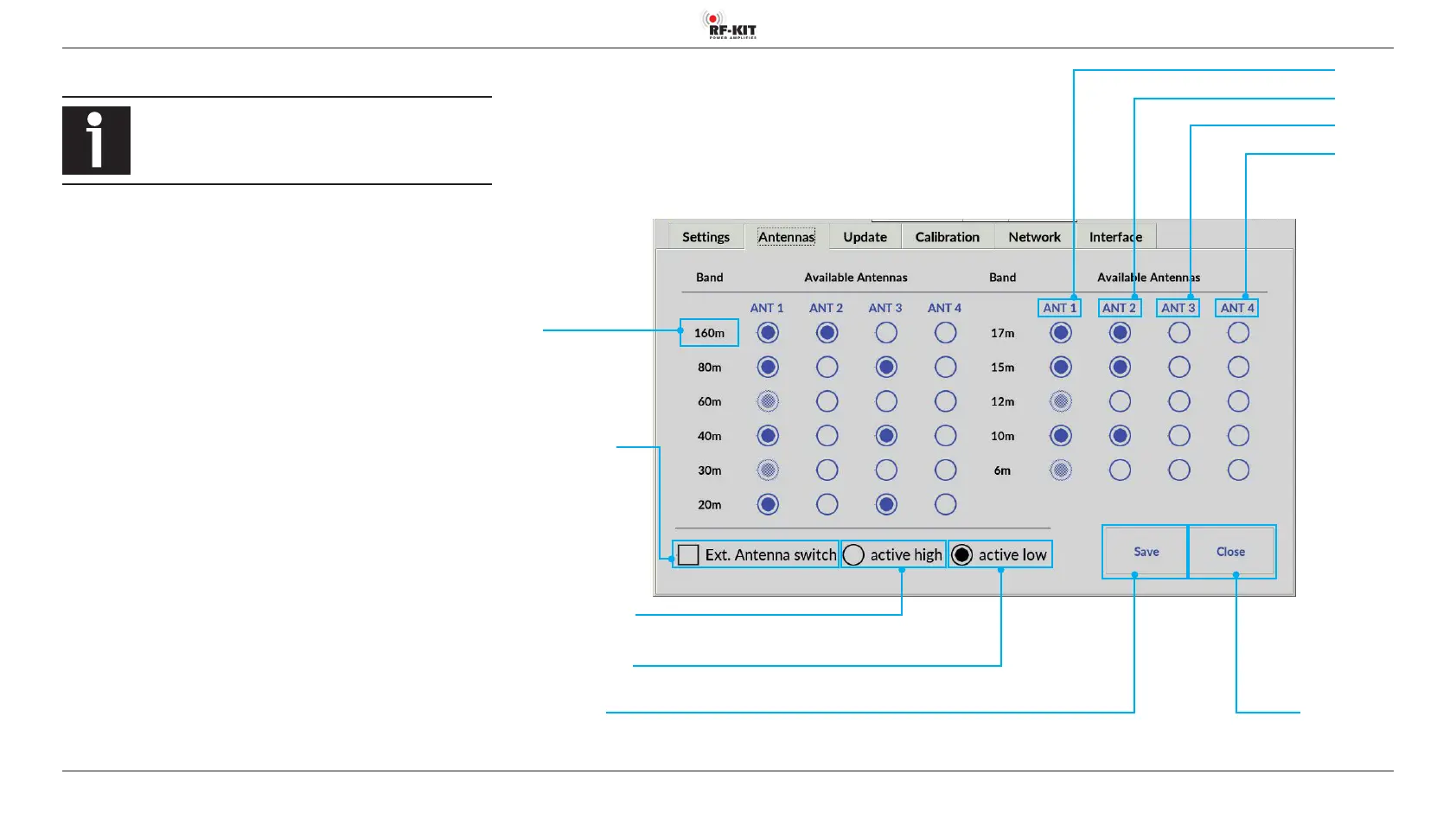
5.2.2 Antennas
When changing bands, always the last antenna connector
used for the respective band is selected.
To assign an Antenna Socket to a band:
► Tap the circle field in the corresponding column/row.
The circle field is now displayed in blue confirming the antenna connec
-
tor/band assignment.
► Tap the switching area Save to store the selected assignment(s).
Name
Band
Name ANT 4
Name ANT 3
Name ANT 2
Name ANT 1
Switching area Save
Activating this switching area
stores the selected assignments and adjustments
Switching area
Ext. Antenna switch
Enables the use of an external
antenna switch, with which up
to 16 additional antennas can
be addressed, selected and the
associated setting data of the
antenna tuner stored
Switching area active high
The setting is made depending on the external antenna switch used
Switching area active low
The setting is made depending on the external antenna switch used



 To Next Page