21
User manual RF-KIT Power Amplifier RF2K-S
Switching area Close
Touching this switching area closes the user menu;
subsequently the main screen will be displayed
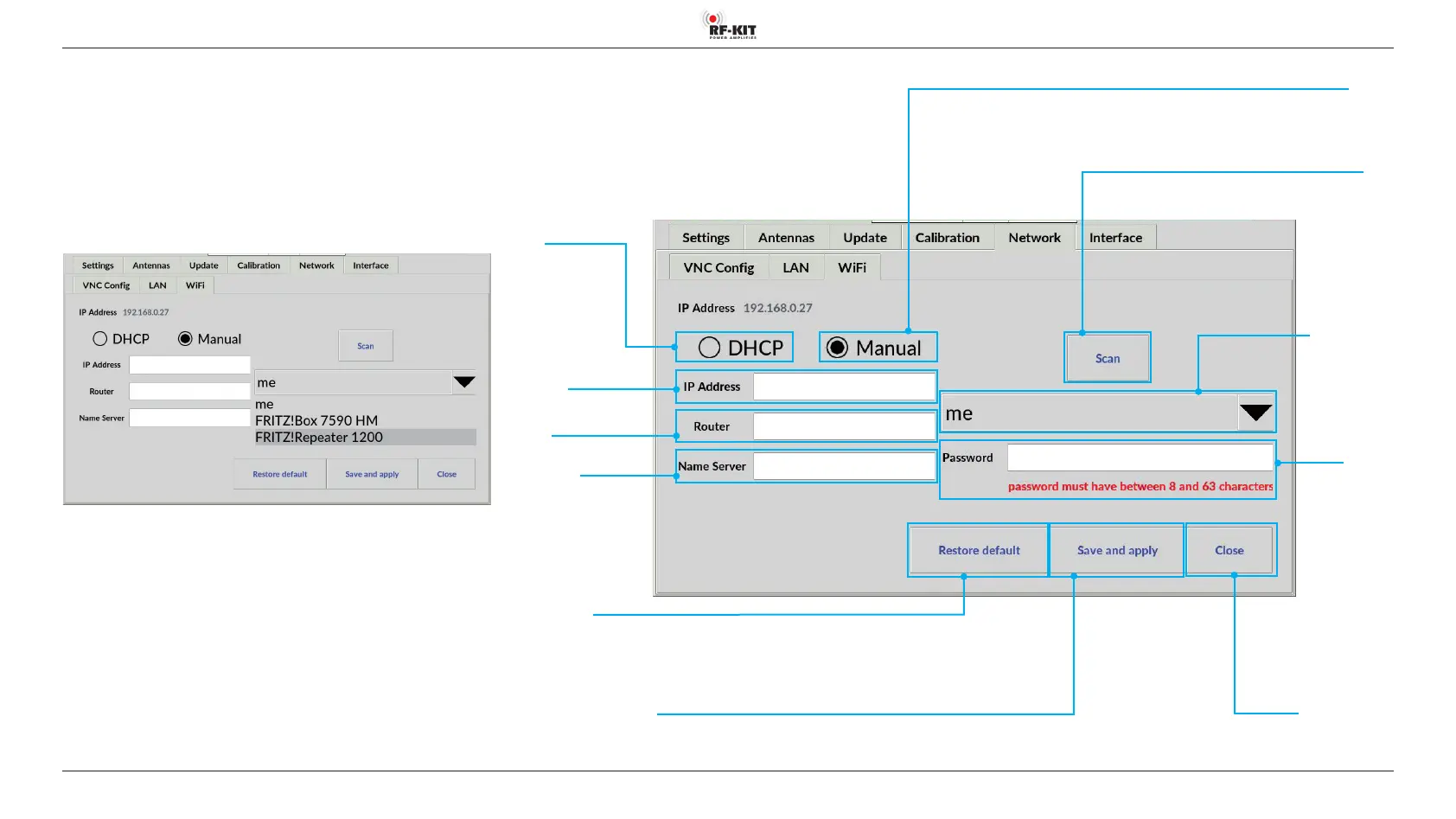
5.2.5.3 Wi-Fi
Search and view available Wi-Fi networks
► Tap the switching area Scan.
The device searches for available Wi-Fi networks.
► Tap on the black triangle of the Wi-Fi networks selection menu.
Available Wi-Fi networks are displayed:
► Select the desired Wi-Fi network and tap the black triangle of the
selection menu again.
The selection menu closes and the selected Wi-Fi network is displayed.
Switching area
DHCP
for Wi-Fi connection
with dynamic IP address
Switching area
Restore default
Resetting the Wi-Fi settings to the delivery state
Switching area
Manual
for Wi-Fi connection
with xed IP address
Switching area Save and apply
Saving the established Wi-Fi connection
Input eld IP address
Router
Input eld IP address
Name Server
Switching area
Scan
Starts a search
for available
Wi-Fi networks
Input eld
IP Address
Indication area /
Selection menu
Wi-Fi network
Display current
Wi-Fi network /
Selection of a
Wi-Fi network
Input eld
Password
Enter the password
for the currently
selected
Wi-Fi network



 To Next Page