22
User manual RF-KIT Power Amplifier RF2K-S
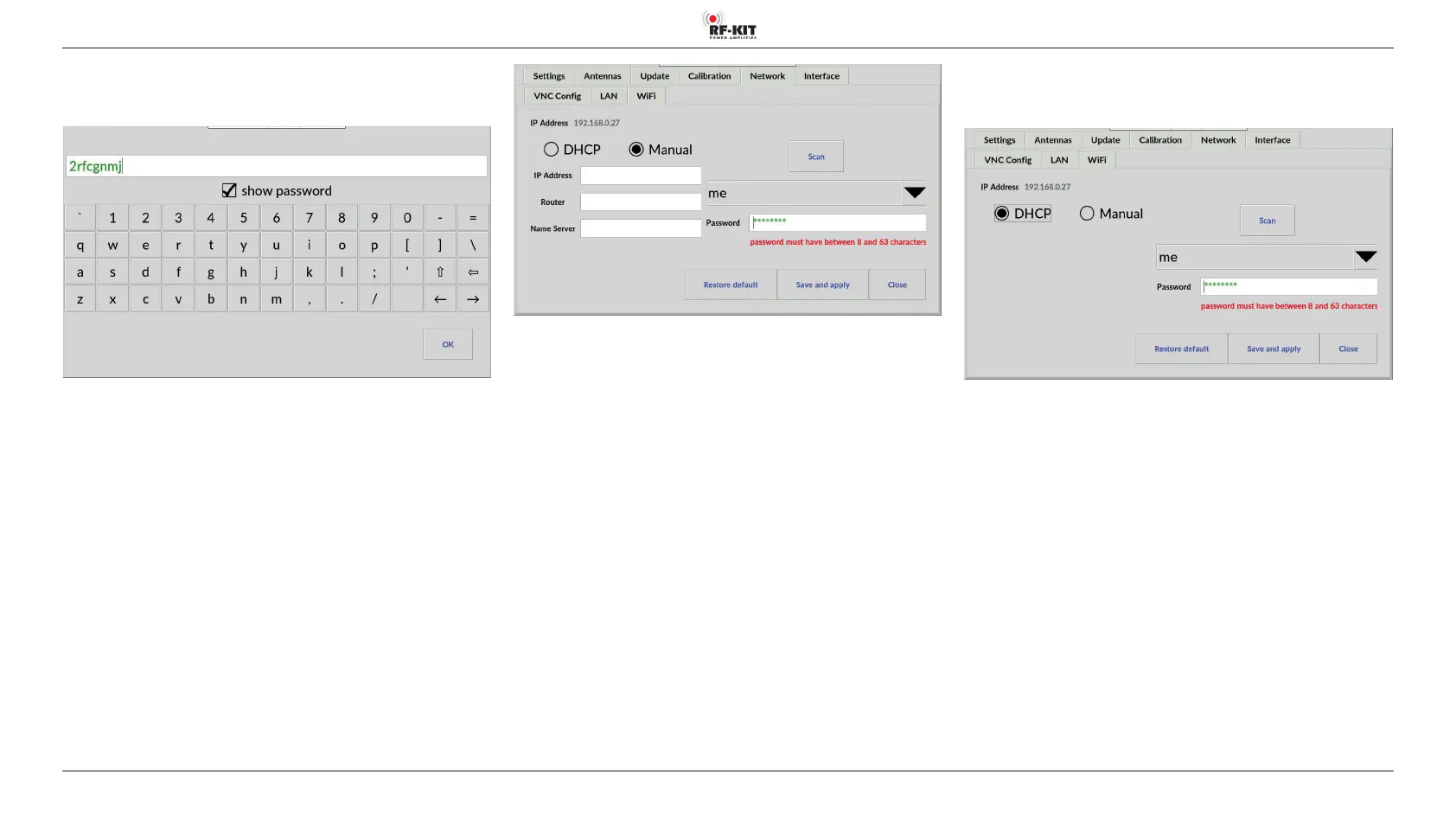
► Tap into the input field Password.
A virtual keyboard appears for entering the password:
► If necessary, tap the switching area show password to make the
entered characters visible.
As long as the minimum number of characters (= 6) for a valid new VNC
password is not reached, the characters entered up to that point are dis
-
played in red.
From the 8th character on, the Wi-Fi password is valid and therefore dis-
played in green.
► Finish the Wi-Fi password entry by tapping switching area OK.
The Wi-Fi Config screen is then displayed again.
► Tap the switching area Save and apply to save and apply the Wi-Fi
settings.
Set up Wi-Fi connection with dynamic IP address (DHCP)
► Tap the switching area DHCP.
► Tap the switching area Save and apply to save and apply the Wi-Fi
settings.



 To Next Page