23
User manual RF-KIT Power Amplifier RF2K-S
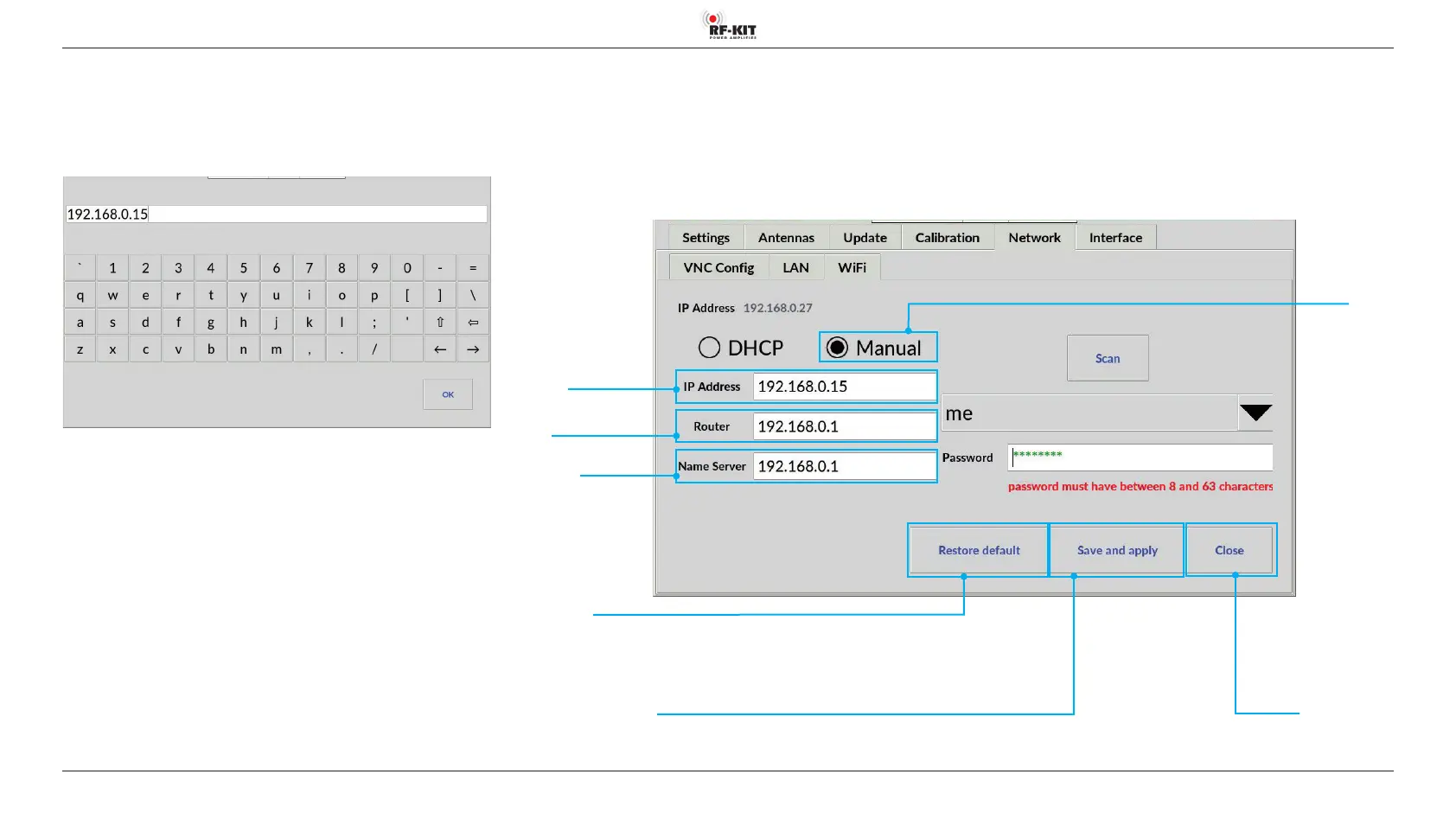
Set up Wi-Fi connection with xed IP address:
► Tap the switching area Manual.
► Tap the input field IP-Address (Router / Name Server).
A virtual keyboard appears:
The IP addresses are entered in the Router or Name Server input fields in
the same way.
► Finish the entry by tapping switching area OK.
The Wi-Fi screen is then displayed again.
► Tap the switching area Save and apply to save and apply the Wi-Fi
settings.
Switching area Close
Touching this switching area closes the user menu;
subsequently the main screen will be displayed
Switching area
Restore default
Resetting the Wi-Fi settings to the delivery state
Switching area
Manual
for Wi-Fi connection
with xed IP address
Switching area Save and apply
Saving the established Wi-Fi connection
Input eld IP address
Router
Input eld IP address
Name Server
Input eld
IP Address



 To Next Page