Add: 5F
, No.4 building, No 4. Yard, life Rd, life science park,
Tel:010-53275118 Fax
8
“ ”
9
“ ”+“
2.3 Detailed
information for buttons function
Name
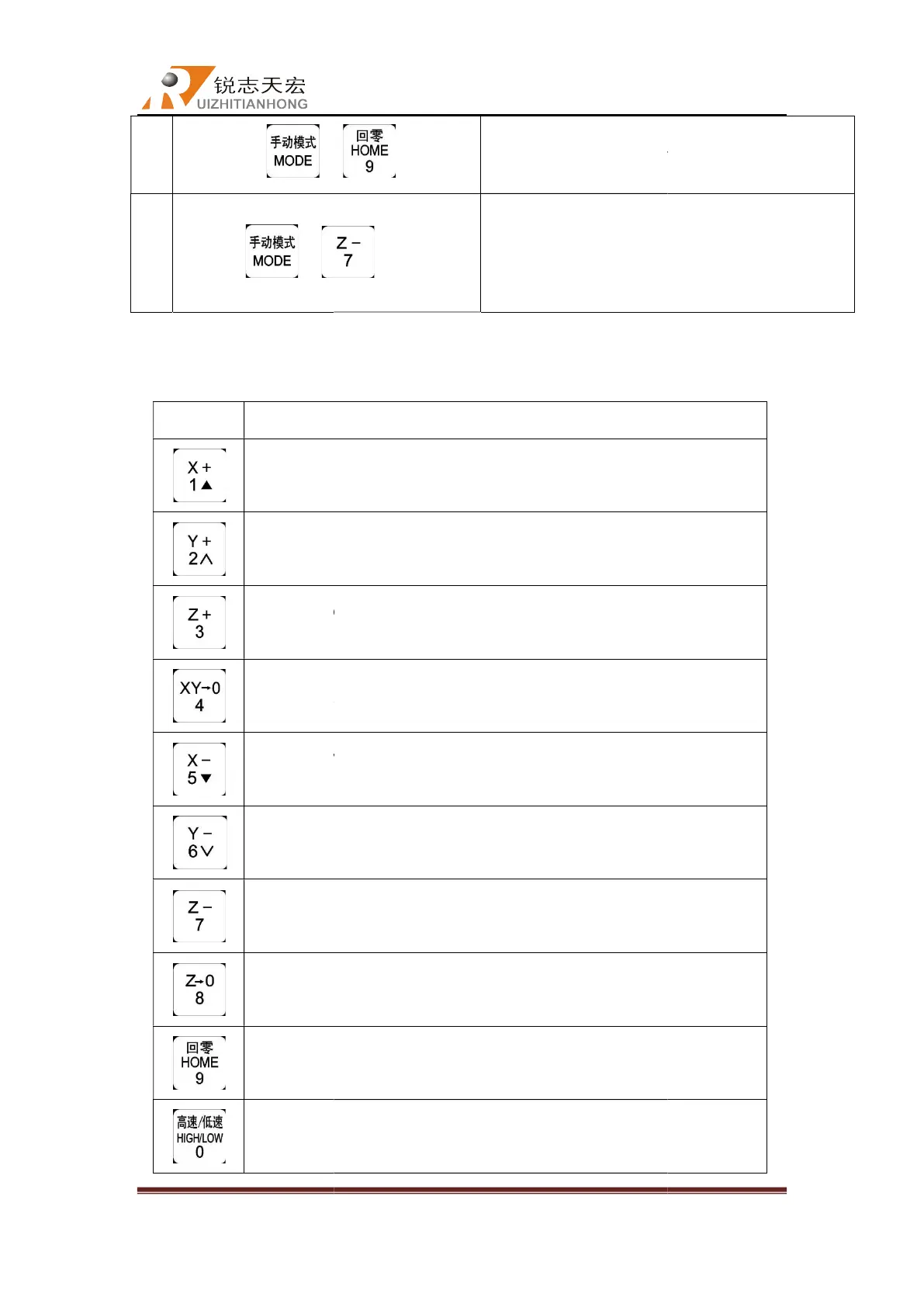
Positive movement of X axis, menu upward , figure 1 inputting
Positive
movement of Y axis, speed
Positive movement of Z axis, figure 3 inputting, increase
Set X axis and Y axis work origin, figure 4 inputting
Negative movement of X axis,
Negative movement of Y axis,
Negative movement of Z axis, figure 7 inputting, reduce spindle
Machine back home, figure 9 inputting,
High or low speed selection under manual mode, figure 0
Beijing RichAuto S&T Co., Ltd
, No.4 building, No 4. Yard, life Rd, life science park,
Beiqing St., Changping d
010-53275110/53275111 Web site:
“ ”
lathe grinding cycle processing file
”
Lathe grinding cycle machining
information for buttons function
function
Positive movement of X axis, menu upward , figure 1 inputting
movement of Y axis, speed
-up
2 inputting
Positive movement of Z axis, figure 3 inputting, increase
speed during processing
Set X axis and Y axis work origin, figure 4 inputting
Negative movement of X axis,
menu
inputting
Negative movement of Y axis,
slow down
different property selecting in Menu
Negative movement of Z axis, figure 7 inputting, reduce spindle
speed during processing
Set Z axis work origin, figure 8 inputting
Machine back home, figure 9 inputting,
processing
High or low speed selection under manual mode, figure 0
change work coordinate & mechanical coordinate
during processing
Beijing RichAuto S&T Co., Ltd
Beijing, China
8
lathe grinding cycle processing file
selection
Lathe grinding cycle machining
Positive movement of X axis, menu upward , figure 1 inputting
Positive movement of Z axis, figure 3 inputting, increase
spindle
Set X axis and Y axis work origin, figure 4 inputting
different property selecting in Menu
Negative movement of Z axis, figure 7 inputting, reduce spindle
High or low speed selection under manual mode, figure 0
change work coordinate & mechanical coordinate



 To Next Page