Add: 5F
, No.4 building, No 4. Yard, life Rd, life science park,
Tel:010-53275118 Fax
4.2.2 File Operation
1. Copy File
Copy files from U disk to Inner.
2. Delete File
Delete inner files.
3. View File
View G codes of each line of the
4. Working Info(
To count the times of all
completed processing according to the file names. The data will
be cleared if system is powered off.
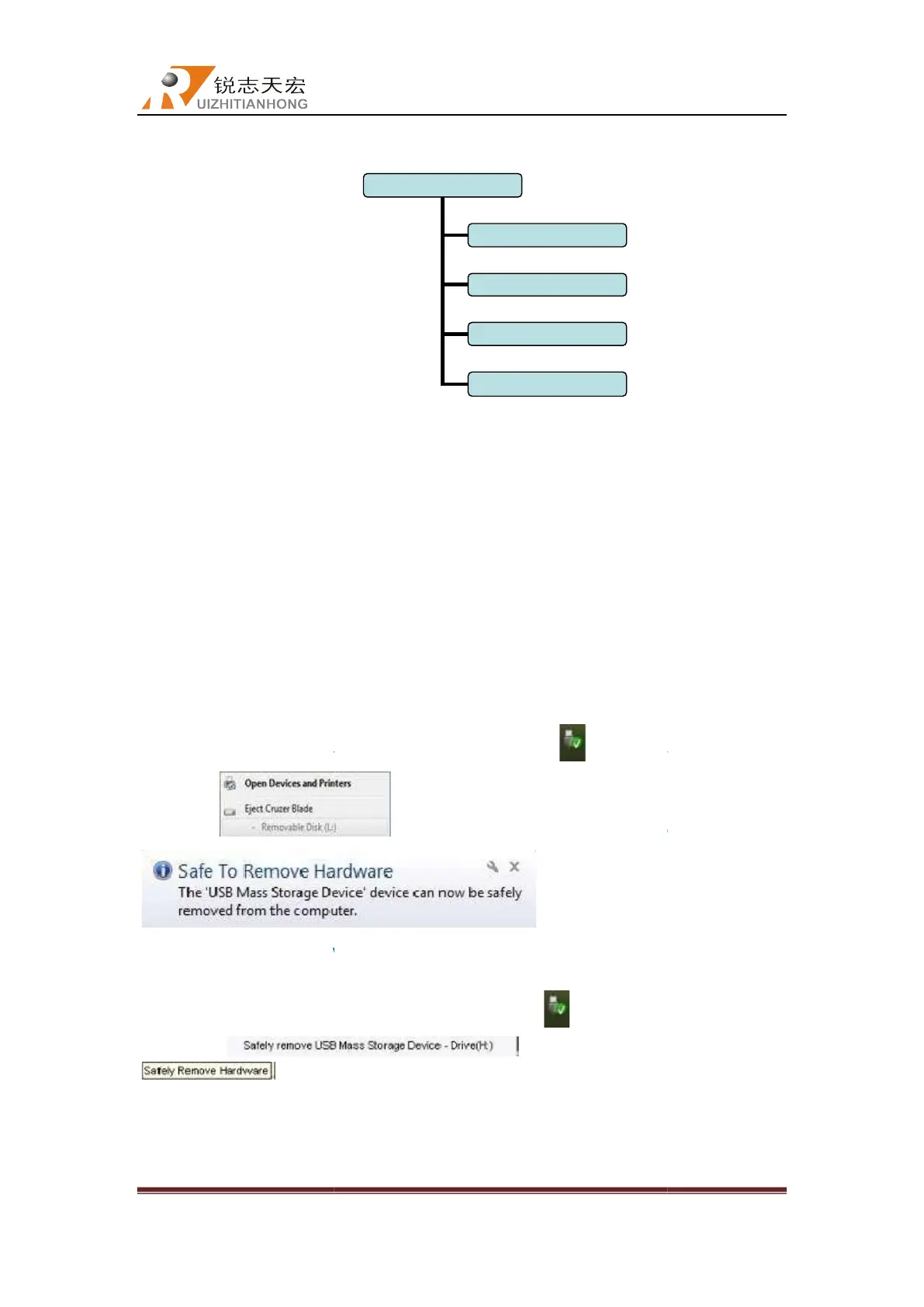
PS: Plesae pull out the U disk correctly after copying files from computer, otherwise the
controller may not recognize the U disk.
1.Win7(32 bit) system:a
fter copying files, please press“
prompt
computer successfully. Now user can insert the U disk to the controller to start the file
operation.
2.Win XP system:
prompt
indicates the U disk pull out from computer successfully. Now user
can insert the U disk to the controller to start the file operation.
Beijing RichAuto S&T Co., Ltd
, No.4 building, No 4. Yard, life Rd, life science park,
Beiqing St., Changping d
010-53275110/53275111 Web site:
Copy files from U disk to Inner.
View G codes of each line of the
file in U disk or inner.
)
completed processing according to the file names. The data will
be cleared if system is powered off.
PS: Plesae pull out the U disk correctly after copying files from computer, otherwise the
controller may not recognize the U disk.
fter copying files, please press“ ”
on the bottom right corner
,choose “remove disk”. The it shows
, indicates the U disk pull out from
computer successfully. Now user can insert the U disk to the controller to start the file
please press“
” on the bottom right corner
indicates the U disk pull out from computer successfully. Now user
can insert the U disk to the controller to start the file operation.
Beijing RichAuto S&T Co., Ltd
Beijing, China
23
completed processing according to the file names. The data will
PS: Plesae pull out the U disk correctly after copying files from computer, otherwise the
on the bottom right corner
,
,choose “remove disk”. The it shows
, indicates the U disk pull out from
computer successfully. Now user can insert the U disk to the controller to start the file
” on the bottom right corner
,
indicates the U disk pull out from computer successfully. Now user



 To Next Page