Add: 5F
, No.4 building, No 4. Yard, life Rd, life science park,
Tel:010-53275118 Fax
PS2.
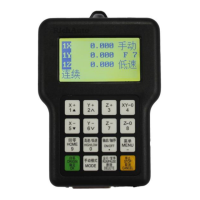
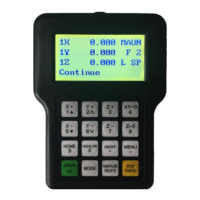
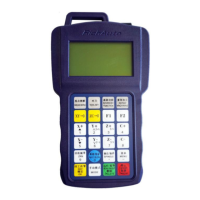
Operations of handle communicating with
computer
RichAuto-
A1X series numerical system has been added a ne
Disk Mode” start from
the hardware serial number A010XXXX(E.g.A010203)
software number rz-
1967(Contains subsequent updates, needs to update if the
version is less than 1967)
portable storage device
internal storage space
U disk at hand or the USB socket damaged.
Operation steps:
1. Press any two buttons
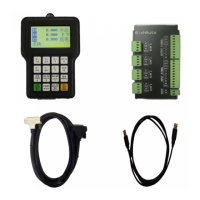
2. Connect handle and computer via an USB cable
on by computer,
loosen the buttons after power on.
3. Handle screen displays
Connect successfully and can communicate normally.
4. Open“My Computer”,
and you will find portable storage device,
A0101203(H:): Handle,
Users can copy processing files into
5. Connect handle and machine
NOTE:
Users can check “hardware type” and see the supported hardware type in “Version
View. If the “U flash disk mode” is not in that list, means the controller is not
function.
Beijing RichAuto S&T Co., Ltd
, No.4 building, No 4. Yard, life Rd, life science park,
Beiqing St., Changping d
010-53275110/53275111 Web site:
Operations of handle communicating with
A1X series numerical system has been added a ne
w
the hardware serial number A010XXXX(E.g.A010203)
1967(Contains subsequent updates, needs to update if the
version is less than 1967)
.
Connect handle and computer by USB cable, users can find
copy processing files from computer to handle
keep on the normal processing when there is no
U disk at hand or the USB socket damaged.
(for example:“ ”+“
2. Connect handle and computer via an USB cable
,
it means that the handle is powered
loosen the buttons after power on.
Connect successfully and can communicate normally.
and you will find portable storage device,
Users can copy processing files into
5. Connect handle and machine
,Choose internal file to start processing.
Users can check “hardware type” and see the supported hardware type in “Version
View. If the “U flash disk mode” is not in that list, means the controller is not
优盘模式
Flash disk mode
Beijing RichAuto S&T Co., Ltd
Beijing, China
44
Operations of handle communicating with
U Flash
the hardware serial number A010XXXX(E.g.A010203)
,
1967(Contains subsequent updates, needs to update if the
Connect handle and computer by USB cable, users can find
copy processing files from computer to handle
keep on the normal processing when there is no
”).
it means that the handle is powered
Users can check “hardware type” and see the supported hardware type in “Version
View. If the “U flash disk mode” is not in that list, means the controller is not
support this


 To Next Page