Display
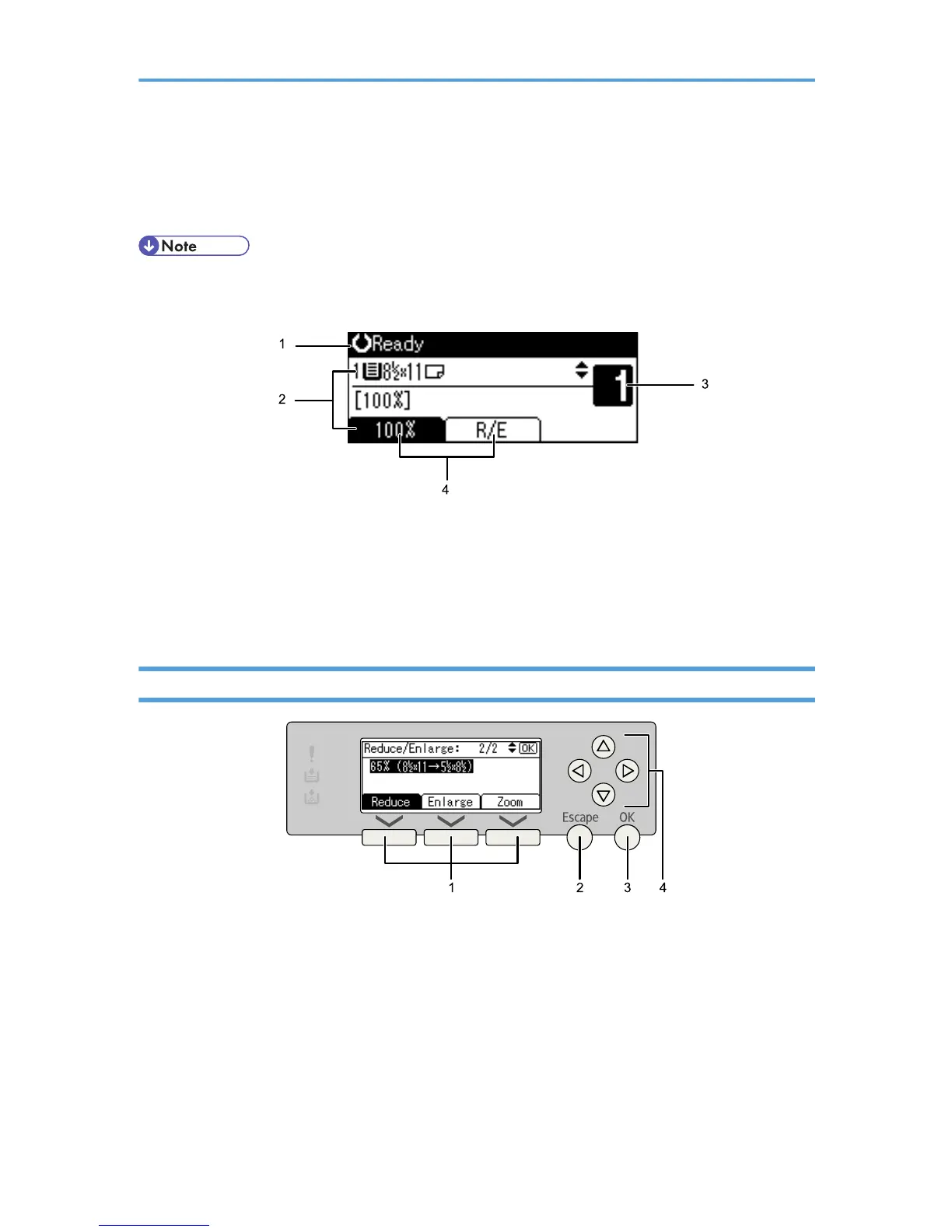
This section explains how to read the display and how to use the selection keys on the initial copy display.
• The copy display is set as the default screen when the machine is turned on.
Initial copy display
1. Displays operational status and messages.
2. Displays the current paper tray and selected items that appear in brackets.
3. Displays the number of copies set.
4. Displays frequently used functions.
Reading the Display and Using Keys
1. Selection keys
Correspond to items at the bottom line on the display.
Example:
• When the instruction “press [Reduce]” appears in this manual, press the left selection key.
• When the instruction “press [Enlarge]” appears in this manual, press the center selection key.
• When the instruction “press [Zoom]” appears in this manual, press the right selection key.
2. [Escape] key
Press to cancel an operation or return to the previous display.
8



 To Next Page