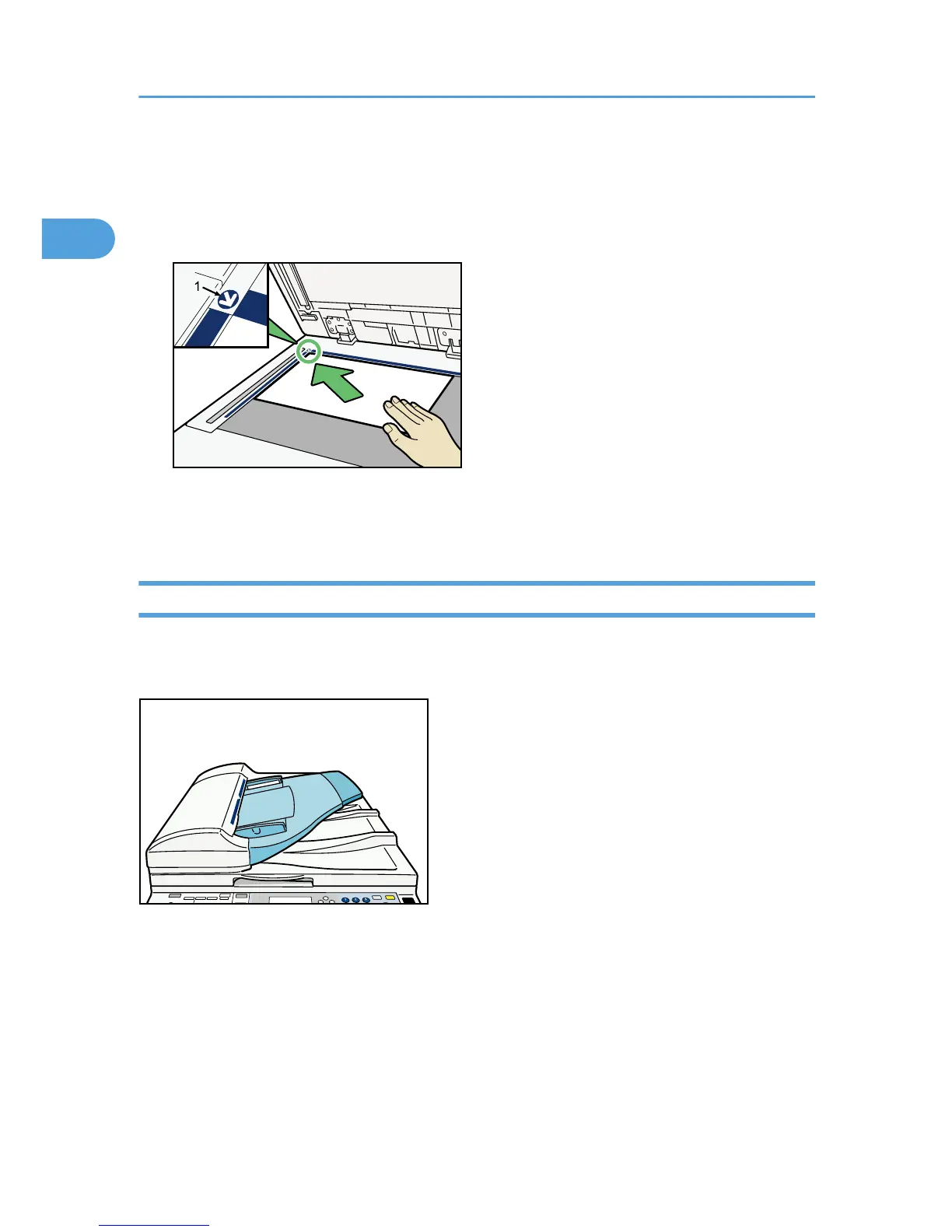
1. Lift the exposure glass cover or ADF.
2. Place the original face down on the exposure glass. The original should be aligned to the
rear left corner.
Start with the first page to be copied.
1. Positioning mark
3. Lower the exposure glass cover or ADF.
Placing Originals in the ADF
Place originals in the ADF.
Settings should be made when placing custom size originals.
When placing custom size originals:
See “Custom sizes” and “Copying onto Custom Size Paper”.
1. Adjust the document guides to the original size.
2. Set the aligned originals face up into the ADF.
Do not stack originals beyond the limit mark.
The first page should be on the top.
1. Placing Originals
16



 To Next Page