1. Placing Originals
This chapter describes the types of originals you can set and how to place originals.
Originals
This section describes the types of originals that can be placed, and missing image area.
Sizes and Weights of Recommended Originals
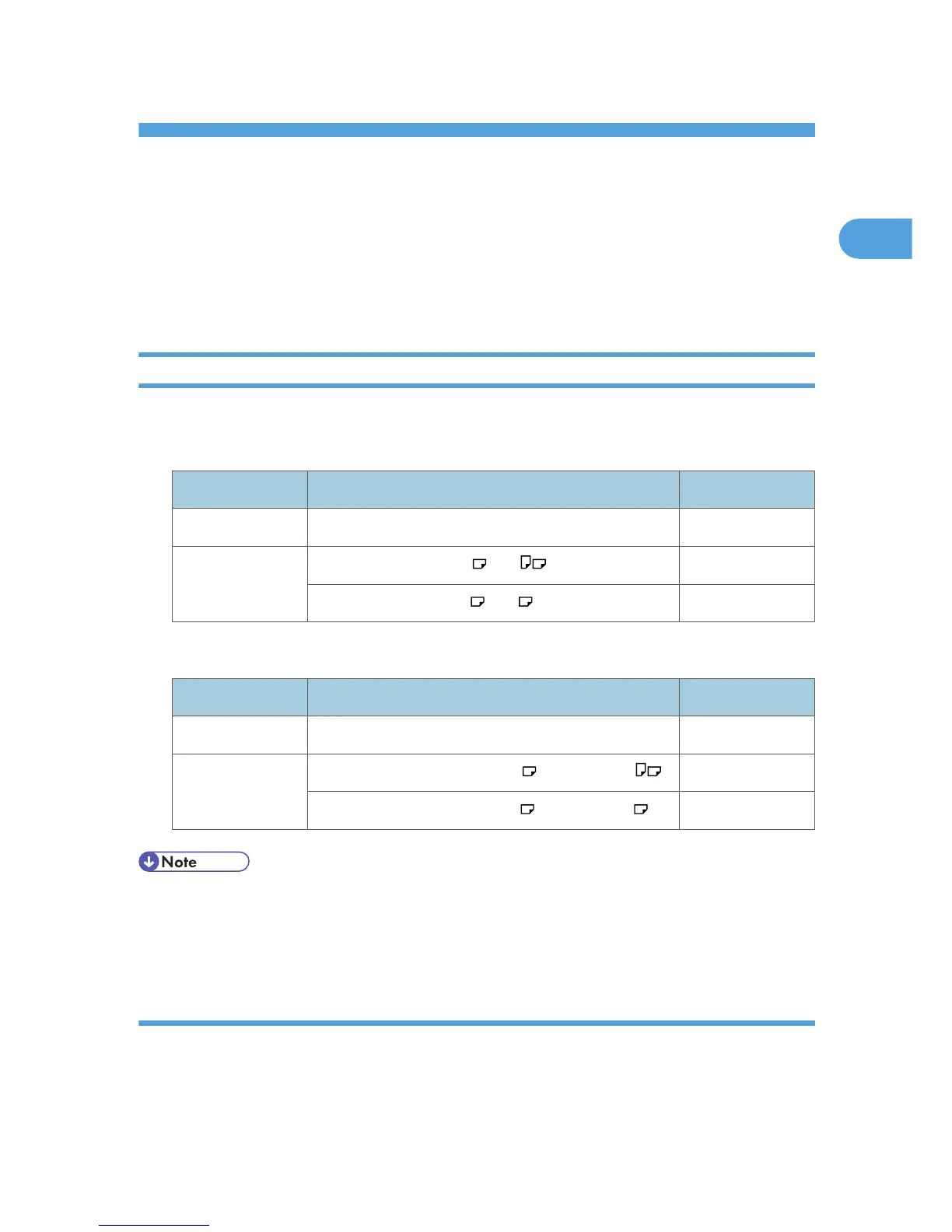
The following describes recommended paper sizes and non-recommended originals for the ADF:
Metric version
Original location Original size Original weight
Exposure glass Up to A4 -
ADF One-sided originals: A4 - A5 52 - 105 g/m
2
Two-sided originals: A4 - A5 52 - 105 g/m
2
Inch version
Original location Original size Original weight
Exposure glass Up to 8
1
/
2
× 14 -
ADF One-sided originals: 8
1
/
2
× 14 - 5
1
/
2
× 8
1
/
2
14 - 28 lb.
Two-sided originals: 8
1
/
2
× 14 - 5
1
/
2
× 8
1
/
2
14 - 28 lb.
• About 50 originals (80 g/m
2
, 20 lb.)
can be loaded in the ADF.
• Do not place 2-sided originals in the ADF if they are 64 g/m
2
(17 lb.) or less in weight and 356 mm
(14 inches) or more in length. Place them on the exposure glass instead.
Non-compatible originals for the ADF
Placing unsuitable originals in the ADF can cause paper misfeeds or light and black lines, or result in
damage to the originals.
Place the following types of originals on the exposure glass instead.
11



 To Next Page