EasyManua.ls Logo

Ricoh 920F - Reducing or Enlarging Originals; Preset Reduce;Enlarge

Ricoh 920F
76 pages
Print Icon
To Next Page IconTo Next Page
To Previous Page IconTo Previous Page
Loading...
Reducing or Enlarging Originals
This section describes methods of reducing or enlarging images by specifying a reproduction ratio.
Preset Reduce/Enlarge
This function allows you to reduce or enlarge images by selecting a preset ratio.
BAS030S
Base Point
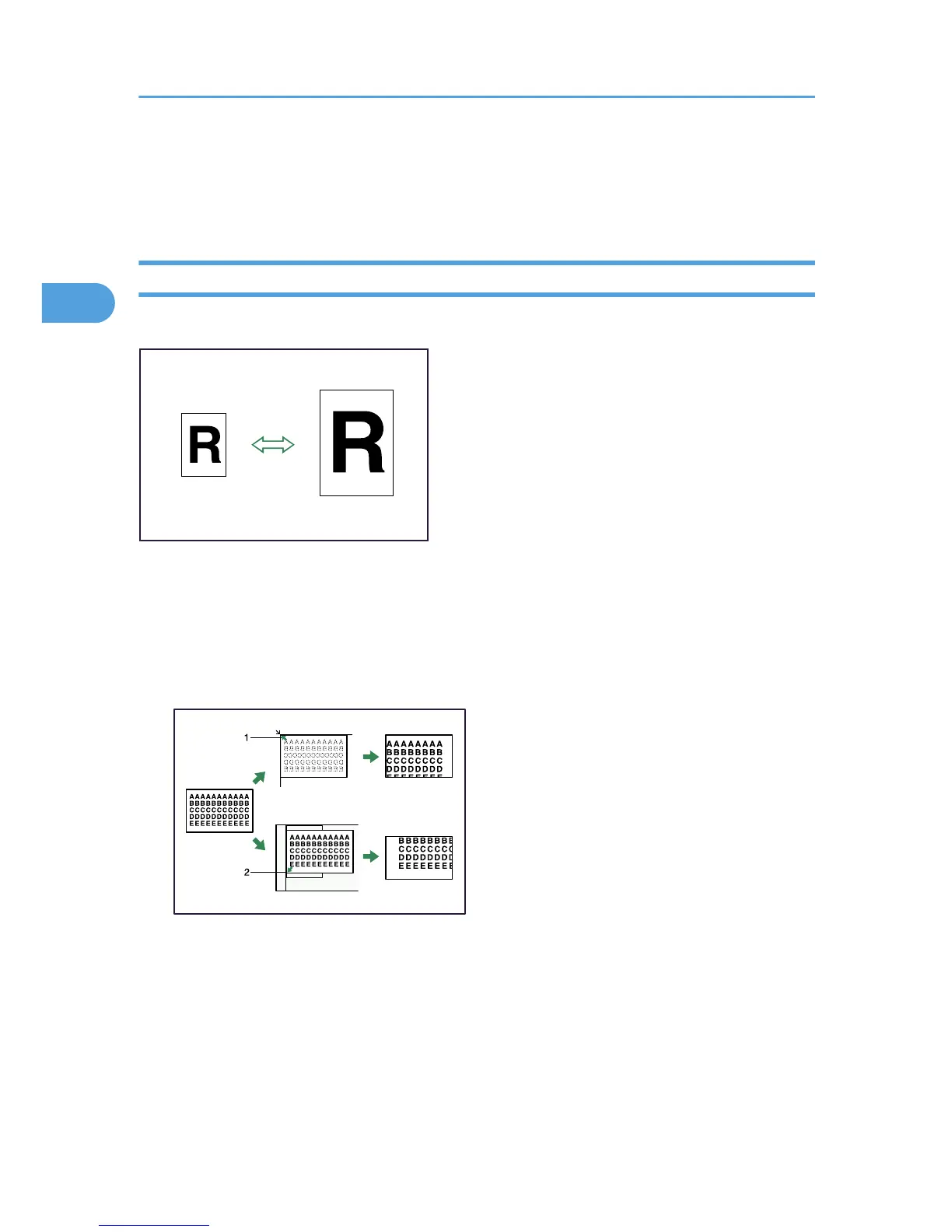
The base point of Reduce/Enlarge differs depending on how the original is scanned. When the
original is placed on the exposure glass, the upper left corner will be the base point. When it is placed
in the ADF, the bottom left corner will be the base point.
The figure below is the resulting copy images that differ depending on how the original is scanned.
BAT031S
1. Base point when placed on the exposure glass
2. Base point when placed in the ADF
2. Copying
38
2

Related product manuals