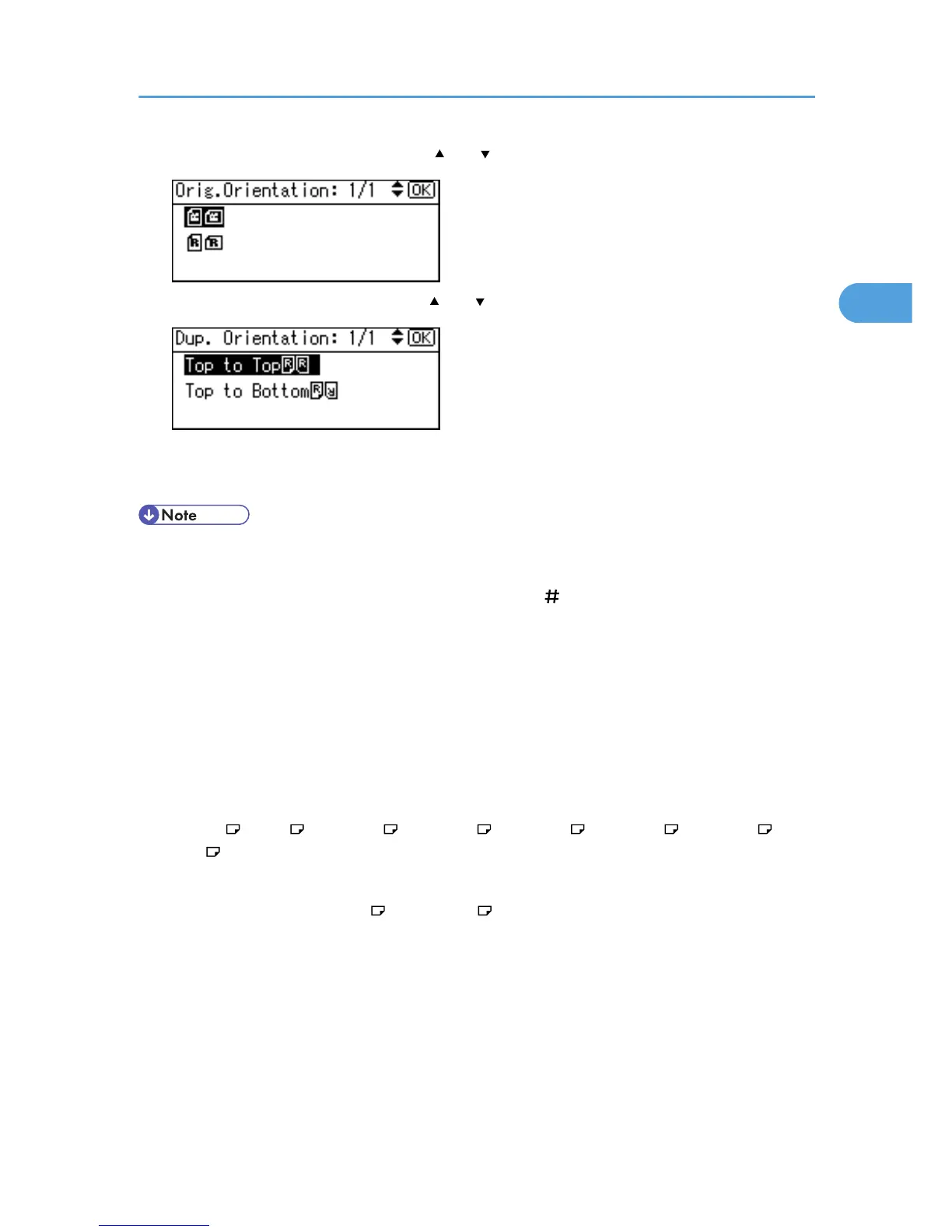
3. Select the original orientation using [ ] or [ ], and then press the [OK] key.
4. Select the duplex orientation using [ ] or [ ], and then press the [OK] key.
The "Programmed" message appears.
5. Place the originals, and then press the [Start] key.
• When placing an original on the exposure glass, start with the first page to be copied. When placing
originals in the ADF, set so that the first page is on the top.
• When placing originals on the exposure glass, press the [ ] key after all the originals have been
scanned.
• To display the screens in steps 3 and 4, select [Always Specify] for [Orientation] with Copier Features
in User Tools. If [Do not Specify] is selected, proceed to step 5. For details about Orientation, see
“User Tools Menu”.
• You can change the margins of duplex copies under Duplex Margin in User Tools. If you set a binding
margin that is too wide, parts of the image may not be copied. For details about Duplex Margin, see
“User Tools Menu”.
• You can use the following copy paper with this function:
• A4 , B5 JIS , 8
1
/
2
× 14 , 8
1
/
2
× 13 , 8
1
/
2
× 11 , 8
1
/
4
× 14 , 8
1
/
4
× 13 , 16K
• You cannot use the following copy paper with this function:
• Paper smaller than B5 JIS or 8
1
/
2
× 11
• Paper thicker than 90 g/m
2
(24 lb.)
• Paper thinner than 64 g/m
2
(17 lb.)
• Translucent paper
• Label paper (adhesive labels)
• OHP transparencies
• Thick paper
• Envelopes
Duplex Copying
45



 To Next Page