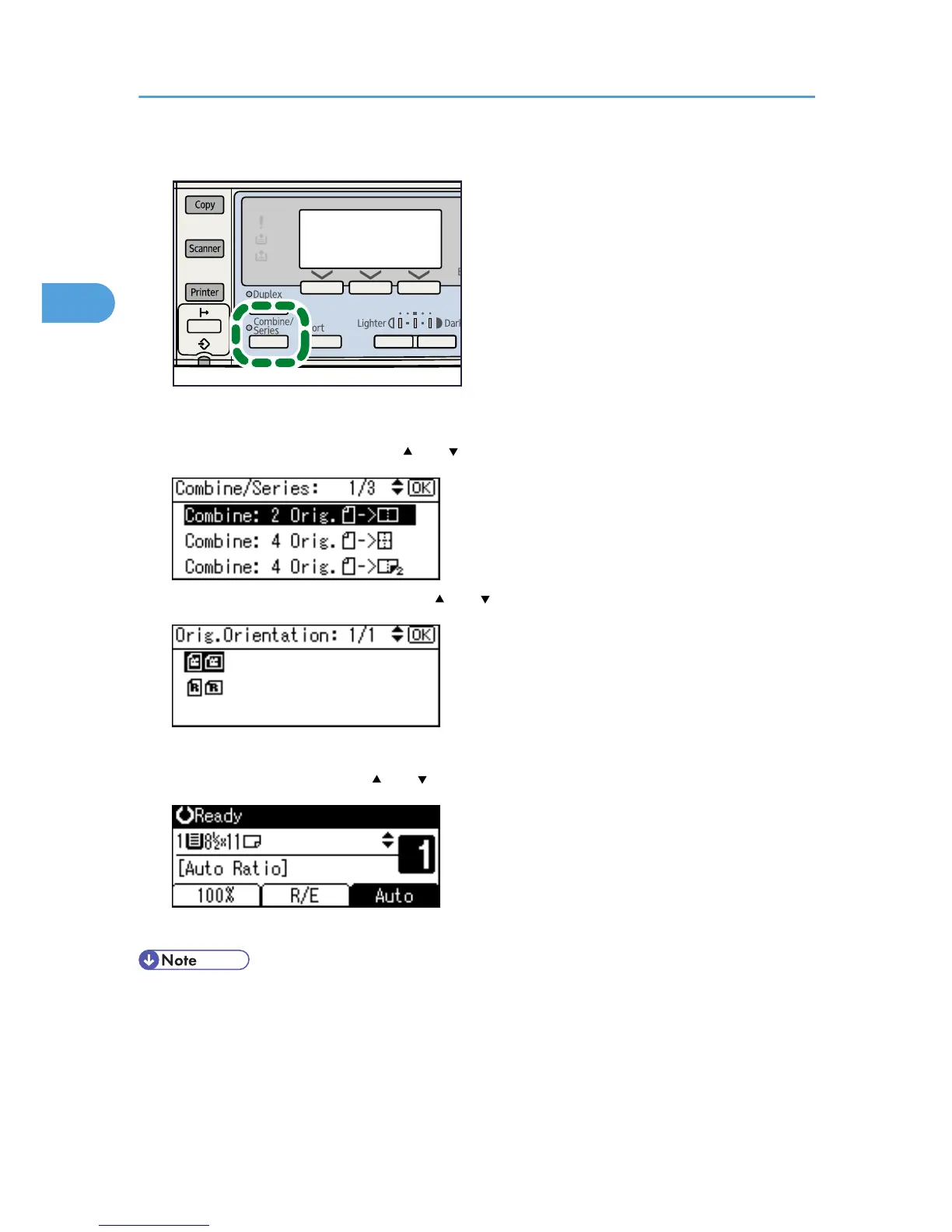
The indicator goes on.
2. Select the combine mode using [ ] or [ ], and then press the [OK] key.
3. Select the original orientation using [ ] or [ ], and then press the [OK] key.
The "Programmed" message appears.
4. Select the paper size using [ ] or [ ], and then press the [OK] key.
5. Place the originals, and then press the [Start] key.
• You cannot apply this function to sheets of 357 mm (14 inches) or longer that are fed from the bypass
tray.
• To cancel the One-Sided Combine function in step 1, press the [Combine/Series] key again. Make
sure the indicator goes off.
2. Copying
50



 To Next Page