Changing the number of sets
You can change the number of copy sets during copying.
• This function can only be used when the Sort function is selected.
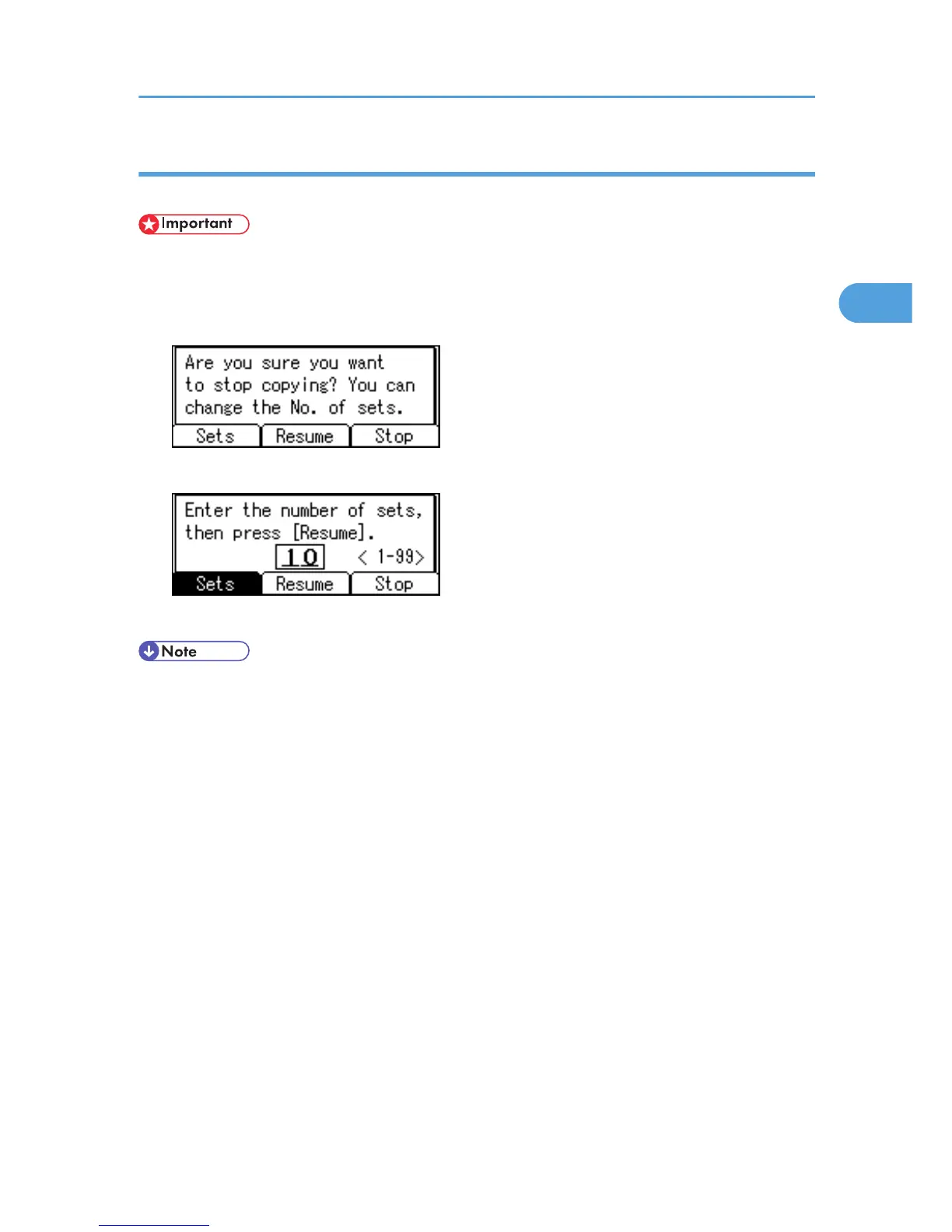
1. While "Copying..." is displayed, press the [Clear/Stop] key.
2. Press [Sets].
3. Enter the number of copy sets with the number keys, and then press [Resume].
Copying starts again.
• The number of sets you can enter in step 3 differs depending on when the [Clear/Stop] key is pressed.
Finishing
57



 To Next Page