1.Replacement and Adjustment
33
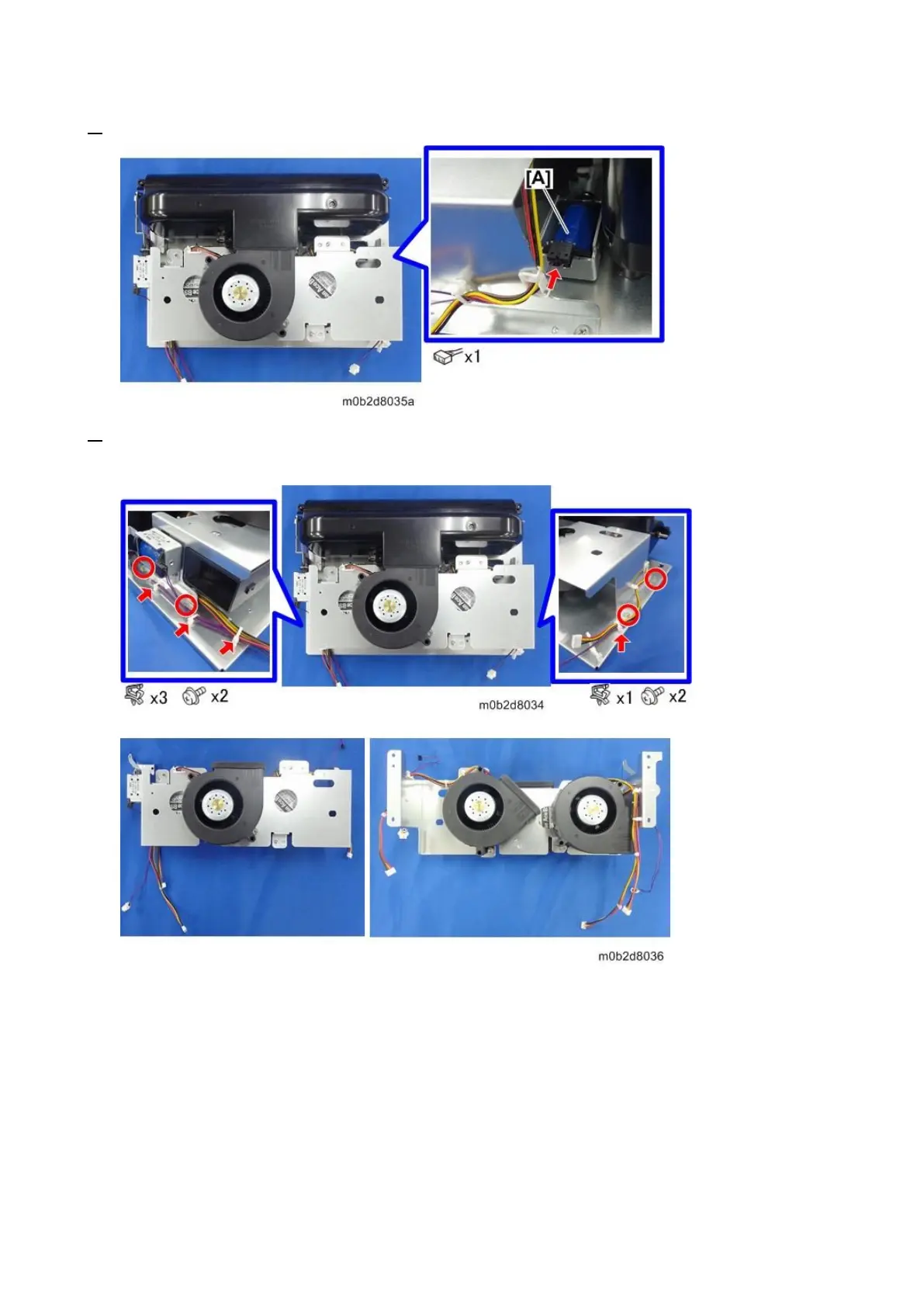
3. Disconnect the connector of the return solenoid [A].
4. Release the clamp of the float/separation/return fan bracket, remove the screws and then remove
the float/separation/return fan brackets.
Notes for Installing the Float/Separation/Return Fan Bracket
When attaching the float / separation / return fan bracket, insert the covering sponge of the float fan /
separation fan all around the duct firmly so that there is no gap.
Float Fan Bracket



 To Next Page