1.Replacement and Adjustment
23
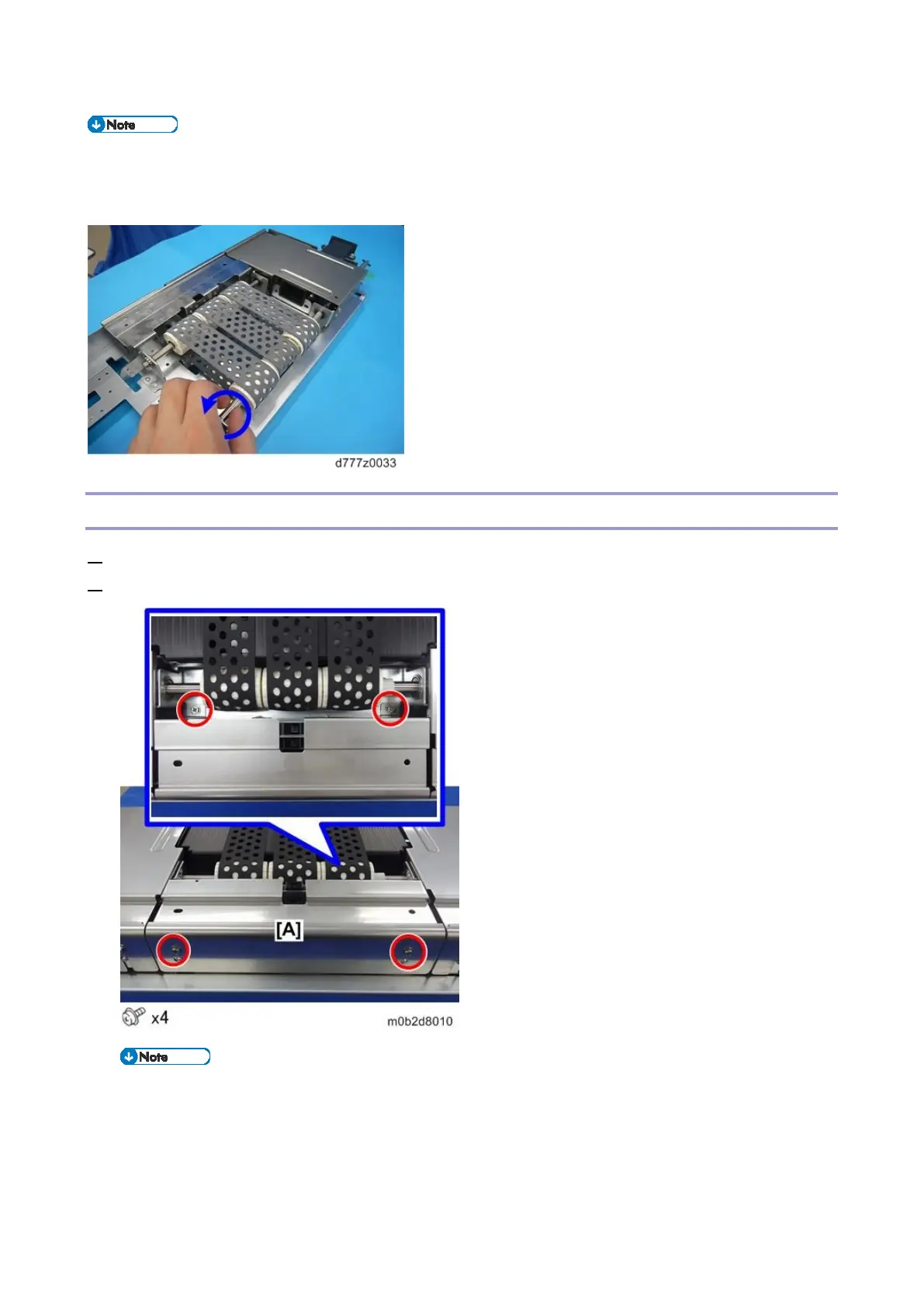
During installation, turn the shaft to correct belt deflection before installing the chamber.
When all parts have been assembled, turn the shaft once more to check for deflection,
resistance and other abnormalities before replacing the paper tray.
Paper End Sensor 1
1. Remove the paper feed belt unit (Paper Feed Belt Unit)
2. Remove the center guide plate [A].
Paper end sensor 1 position [A]
Paper end sensor 2 position [B]



 To Next Page