1.Replacement and Adjustment
74
Vertical Feed Unit
When the LCIT is not docked to the main unit, do not pull out all the trays in the LCIT, because
it could fall over.
Vertical Feed Unit
1. Remove the upper inner cover (Upper Inner Cover)
2. Remove the lower inner cover (Lower Inner Cover)
3. Remove the rear right and left covers (Rear Right Cover, Rear Left Cover).
4. Remove each vertical transport unit cooling fan bracket. (Vertical Transport Unit Cooling Fan)
5. Remove the vertical transport exit motor bracket (Vertical Transport Exit Motor)
6. Remove the tray 2 vertical transport motor 2 bracket (Tray 2 Vertical Transport Motor 2)
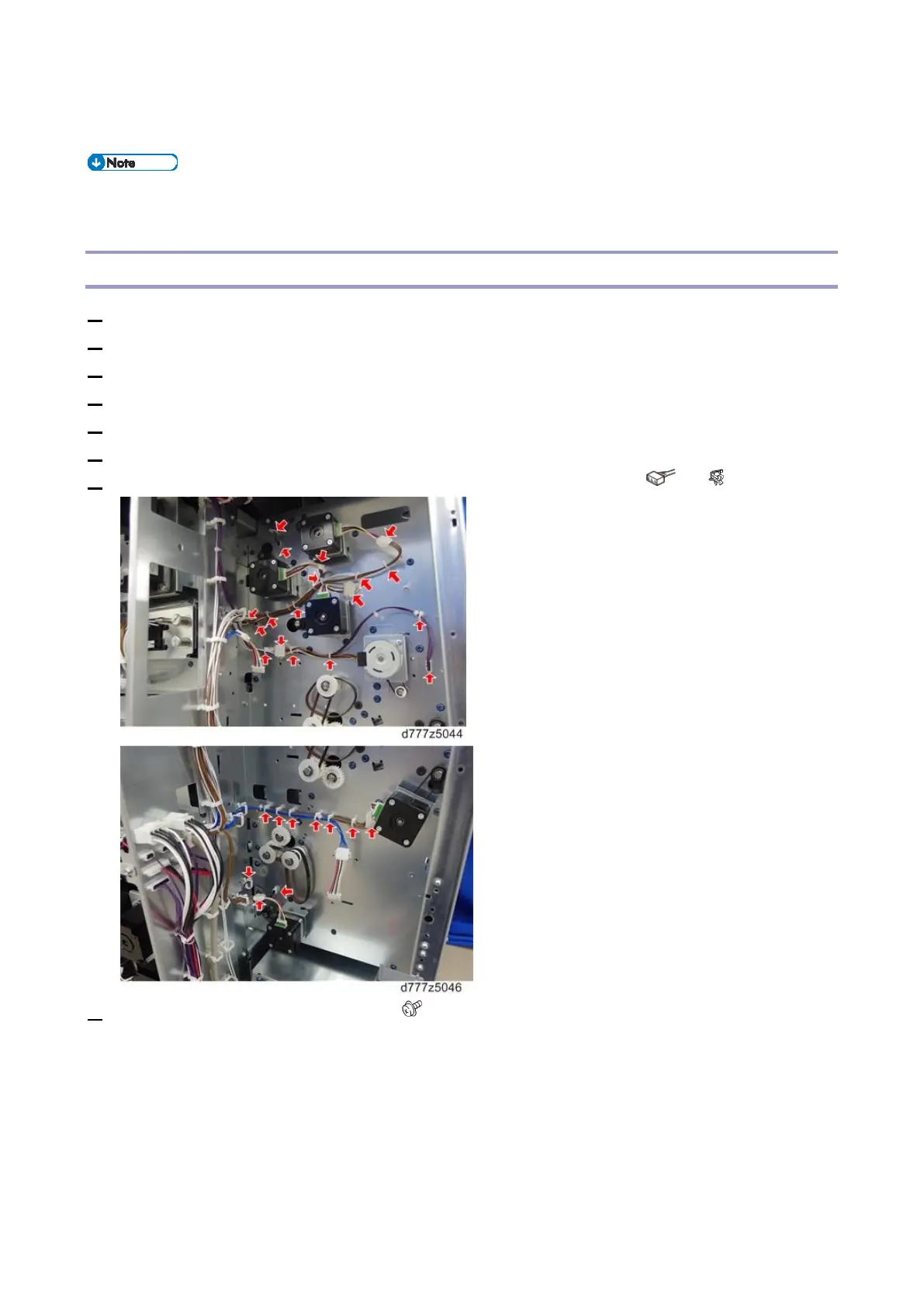
7. Disconnect all the harnesses that are connected to the vertical feed unit ( x all, x all).
8. Remove the stay [A] from the left side ( x4).



 To Next Page