EasyManua.ls Logo

Ricoh GXR - User Manual

Ricoh GXR
204 pages
Print Icon
To Next Page IconTo Next Page
Loading...
Before You Begin
Before using your camera body, take a few moments to familiarize
yourself with the controls and displays (pages 1–10). Refer to this
section as you read through the rest of the manual.
Basic Photography and Playback
Read this section before using the camera for the rst time. It covers the
steps involved in readying the camera for use, taking photographs,
and playing them back (pages 11–44).
Reference
Read this section for information on topics not covered in “Basic Photography
and Playback. It covers advanced shooting and playback options, and
describes how to print photographs, customize camera settings,
and copy pictures to a computer (pages 45–187).
The rechargeable battery needs to be charged before use. The
battery is not charged at the time of purchase.
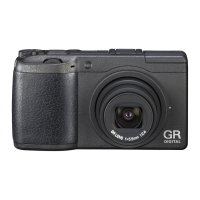
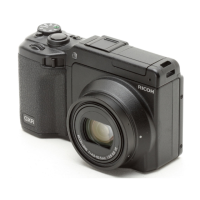
GXR DIGITAL CAMERA BODY
Camera Body User Guide
The product serial number can be found on the bottom of
the camera body.

Table of Contents

Other manuals for Ricoh GXR

Question and Answer IconNeed help?

Do you have a question about the Ricoh GXR and is the answer not in the manual?

Ricoh GXR Specifications

General IconGeneral
BrandRicoh
ModelGXR
CategoryDigital Camera
LanguageEnglish

Summary

Package Contents

Safety Precautions

Warning Symbols

Explanation of symbols used in the manual indicating danger, warning, or caution.

Sample Warnings

Examples of symbols indicating actions that must or must not be performed.

Reference

More on Photography

Information on P, A, S, M, SCENE, and MY modes and shooting menu options.

Playback Functions

How to view movies and MP files on the camera.

Basic Photography and Playback

First Steps

Essential steps to prepare the camera for use, including charging and inserting components.

Taking Photographs

Instructions on how to hold the camera and take a photograph.

Viewing and Deleting Photographs

How to view, navigate, and delete captured images.

Camera Settings

Copying Pictures to a Computer

Technical Notes

Troubleshooting

Solutions for common error messages and camera problems.
Related product manuals