29
Fig. 38
OPERATION
TO USE THE MITER GAUGE
See Figure 38.
The miter gauge provides greater accuracy in angled cuts.
For very close tolerances, test cuts are recommended.
There are two miter gauge channels, one on either side of
the blade. When making a 90° cross cut, you can use either
miter gauge channel. When making a beveled cross cut (the
blade tilted in relation to the table) the miter gauge should
be located in the slot on the right so that the blade is tilted
away from the miter gauge and your hands.
The miter gauge can be turned 60° to the right or left. Positive
stops at 0° and 45° can be located by pushing in the stop pin.
Slide the miter gauge in the miter gauge slot.
Loosen the lock knob by turning it counterclockwise.
Pull out the stop pin and rotate the gauge until the desired
angle is reached on the scale.
Retighten the lock knob by turning it clockwise.
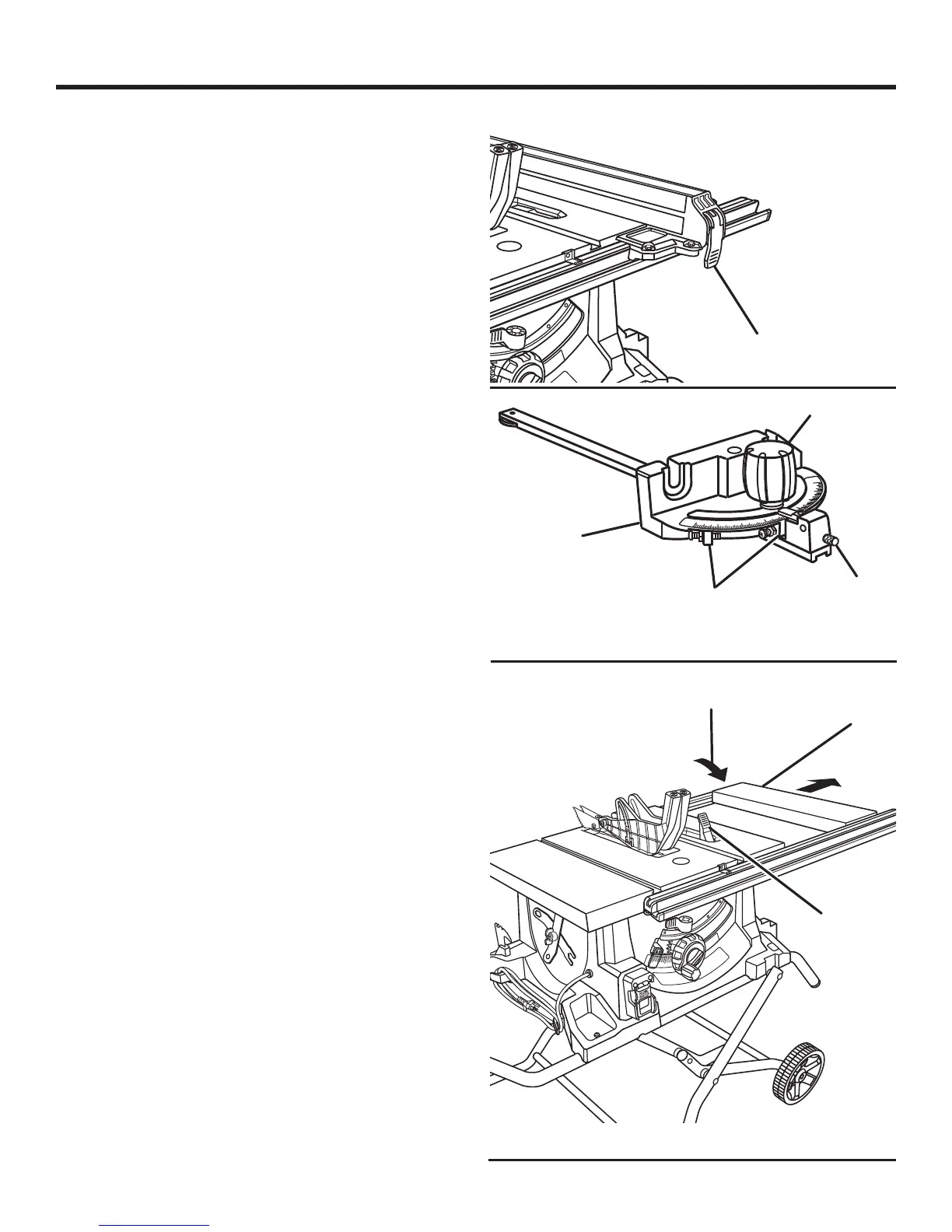
TO USE THE SLIDING TABLE EXTENSION
See Figure 39.
Increase the length of the saw table by using the sliding table
extension. To provide sufficient material support when us-
ing the table extended, only set the fence beyond the arrow
marked on the label on the rear rail.
Remove the rip fence.
Unlock the sliding table extension by lifting the table
extension lock lever.
Slide the table extension to the desired width.
NOTE: Use the scale on the front rail when a specific
width is desired.
Once the extension table is set to the desired width,
relock the lever by pushing the lever back towards the
saw base.
STOP
PIN
LOCK KNOB
Fig. 39
POSITIVE
STOPS
TO
UNLOCK
TABLE
EXTENSION
LOCK LEVER
SLIDING TABLE
EXTENSION
MITER
GAUGE
Fig. 37
LOCKING
LEVER


 To Next Page