41
TO CHECK AND ADJUST THE ALIGNMENT OF
THE RIP FENCE
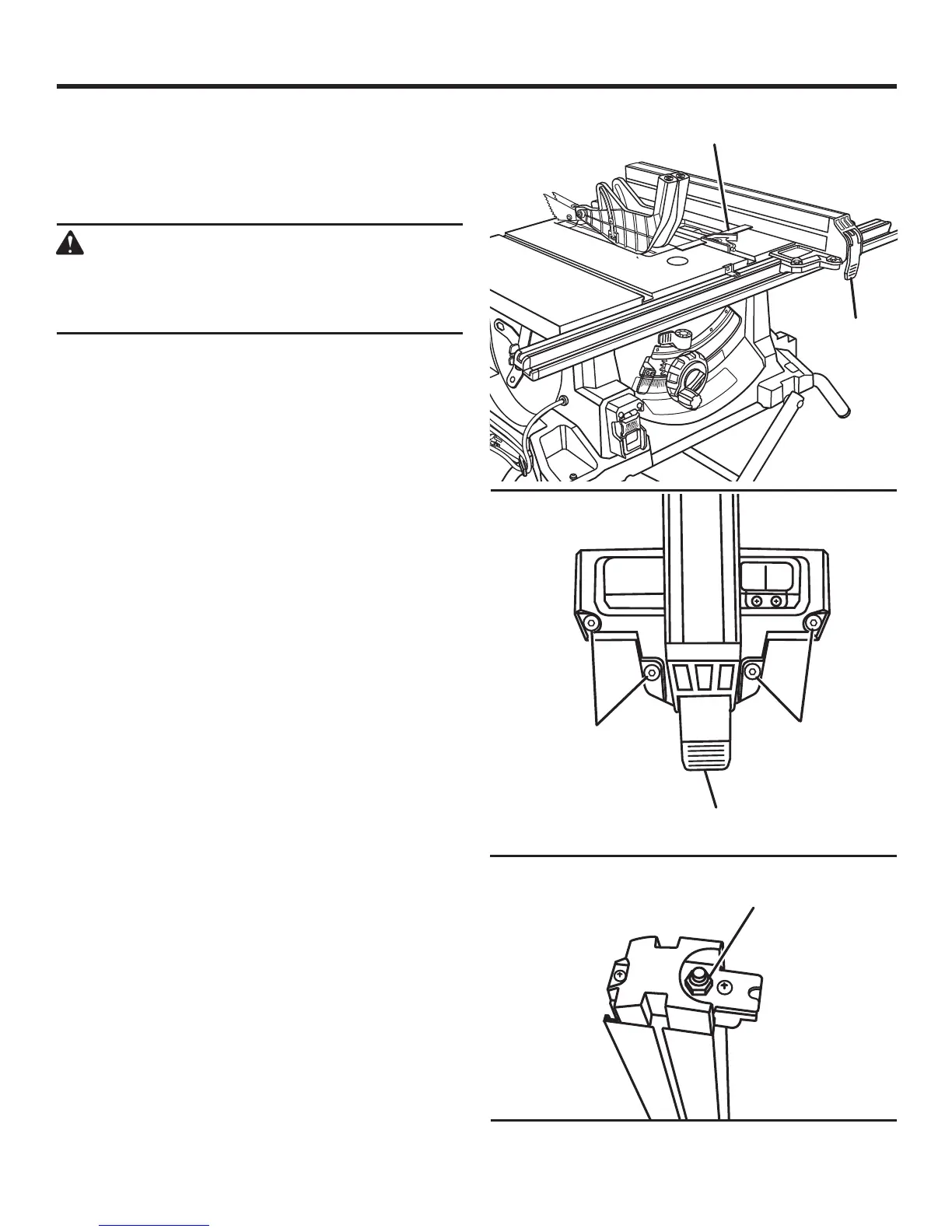
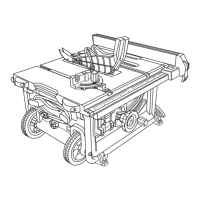
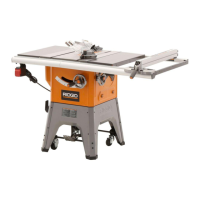
See Figures 61 - 63.
The rip fence must be parallel to the saw blade and the miter
gauge grooves.
WARNING:
A misaligned rip fence can cause kickbacks and
jams. To reduce the risk of injury, always maintain
proper rip fence alignment.
Unplug the saw.
Move the rip fence along side the miter gauge groove
and lock the rip fence in place with the locking lever.
If the rip fence is not parallel, loosen the four hex head
cap screws located to each side of the locking handle.
Place the blade of the combination square in the right
miter gauge groove.
Slide the rip fence against the blade of the combination
square.
Alternately tighten the hex head cap screws. Recheck
alignment.
Repeat steps as needed until rip fence is correctly aligned.
The locking lever on the rip fence should hold the rip fence
securely against the front and back rails. The lever should
not be difficult to push down and lock. To assure proper
fence lock adjustment:
Lock the rip fence in place.
Try moving the fence from side-to-side. If the fence moves,
tighten the adjusting nut 1/4 turn.
With the rip fence in the locked position, recheck rip
fence parallelism with the miter gauge groove and adjust
if necessary.
ADJUSTMENTS
Fig. 61
Fig. 63
Fig. 62
LOCKING LEVER
HEX HEAD
CAP
SCREW
ADJUSTING
NUT
LOCKING
LEVER
COMBINATION
SQUARE
HEX HEAD
CAP
SCREW


 To Next Page