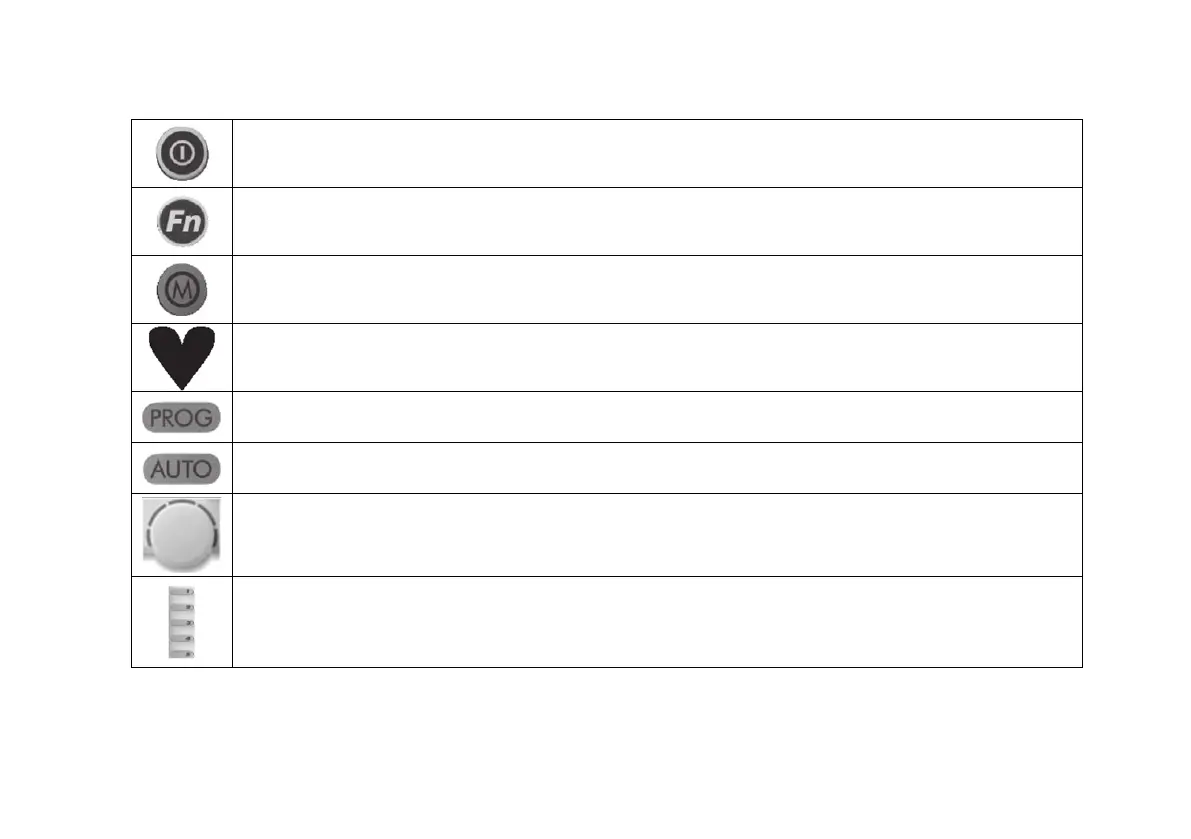
Table 1: Networker NC-6 Functions
This is the button to turn the Networker ON or OFF
The Function Key, when used in conjunction with Keys “1” & “2”, allows the user to perform specialised functions such as
message repeating and Networker locking
If both Heating and Cooling systems are connected to the Networker, this Key allows you to switch between them.
When an appliance is selected, the mode will appear at the bottom of the screen e.g. “Heating” or “Cooling”
A flashing heart icon in the bottom right hand corner indicates that the room temperature is being sensed from this Networker
This control Key is used to set the Networker's automatic program
The auto function allows the user to switch between the Auto Program and the Manual Operation.
This Dial is used to change the settings and parameters
The Keys numbered “1” - “5” vary their function depending on the program or mode displayed. They will only have a function if text
appears on the screen beside the Key and in some cases a black rectangular box. Keys used for zone function may also display an Arrow.


 To Next Page