Utility Software Guides
<Column> About RISO-PRINT
41
6
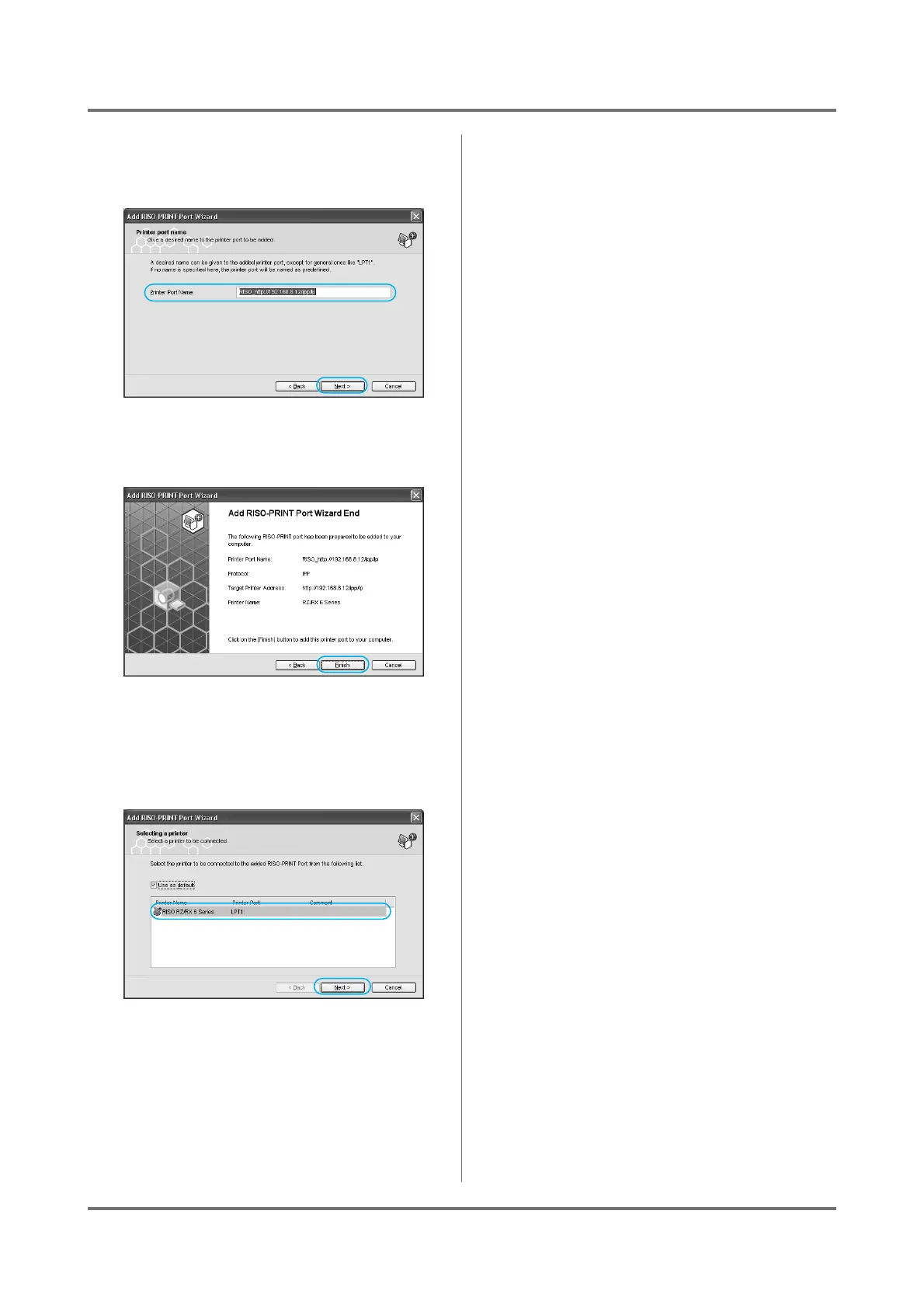
Confirm the [Printer Port Name], and
click on the [Next] button.
7
Click on the [Finish] button.
8
Select a RISO printer from the
[Printer Name] list, and click on the
[Next] button.
If you check the [Use as default] box, the printer
selected in the list will be designated as the
default printer.
9
Click on the [Finish] button.



 To Next Page