Fan
62 © robatherm
Removing transport lock
Requirements:
• The sections are set up and connected (see chapter "Casing connection", page 23)
Remove transport locks as follows:
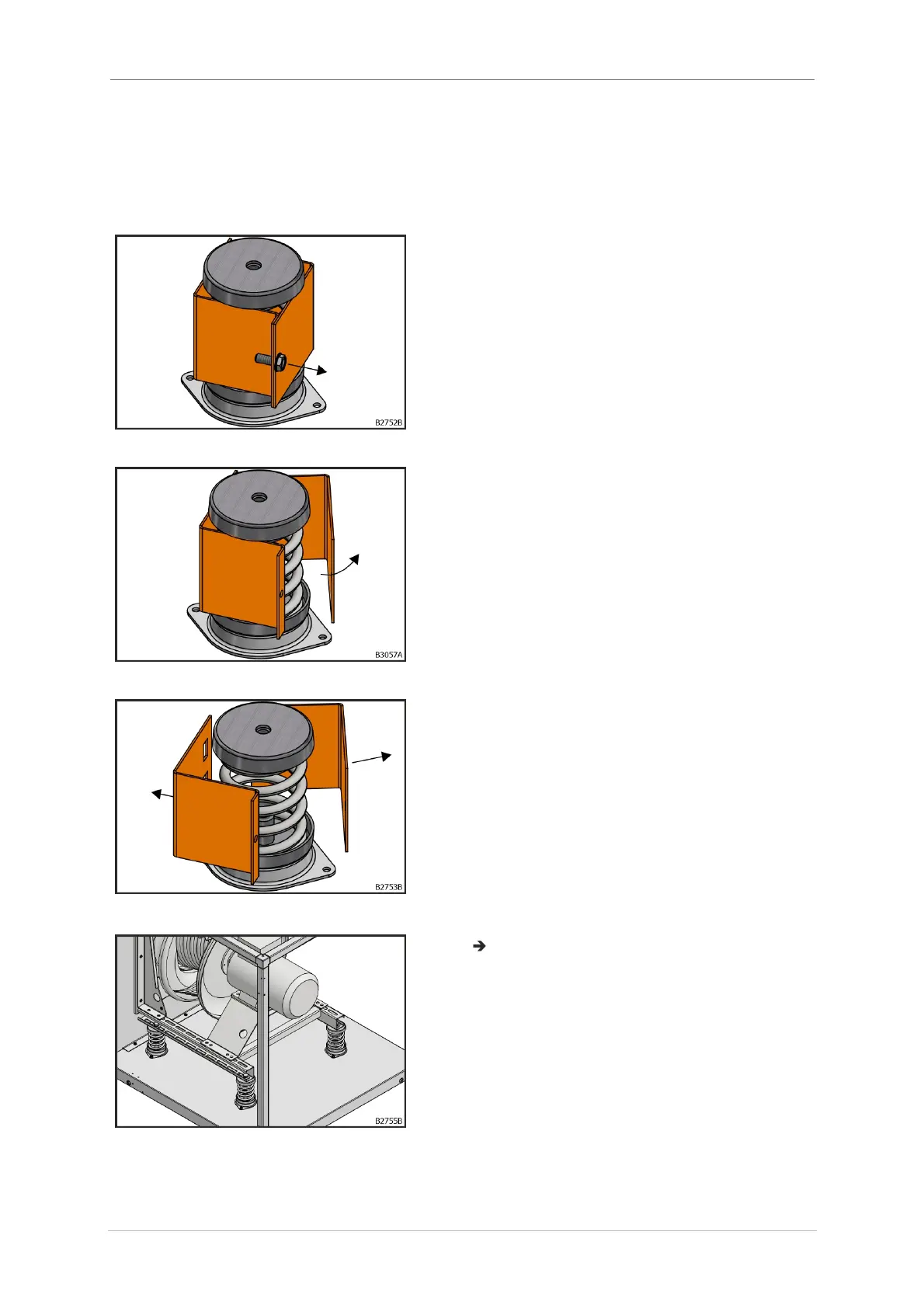
1. Remove hexagonal screw.
Fig. 117: Removing screws
2. Fold up the two-piece transport lock.
Fig. 118: Unfold transport lock
3. Remove the two-piece transport lock.
Fig. 119: Removing transport lock
Transport locks have been removed.
Fig. 120: Fan without transport lock



 To Next Page