30
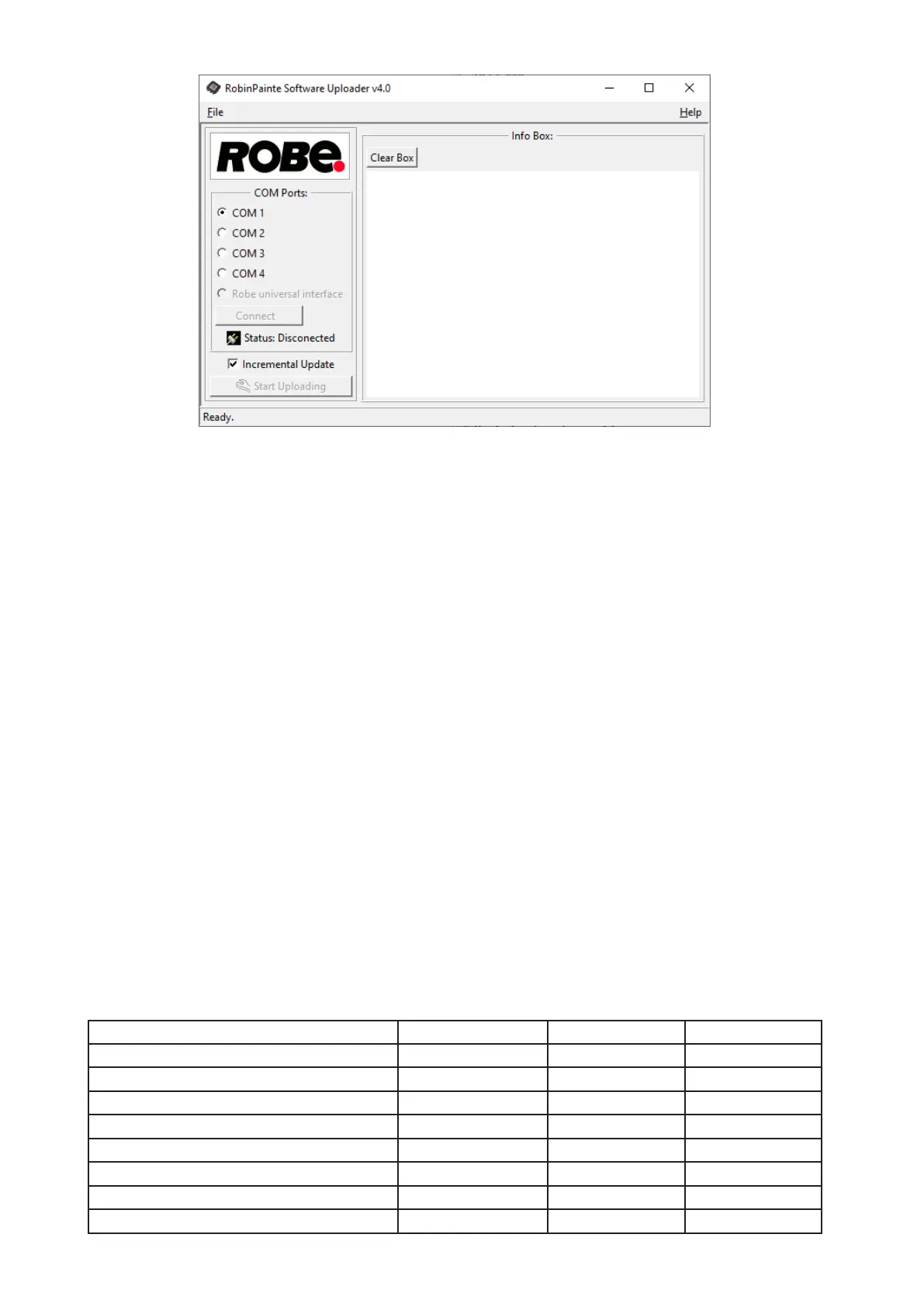
6. Select correct "COM " number if you use a
Flash cable RS232/DMX
or select "
Robe Universal Interface "
if you use the
Robe Universal Interface/Robe Universal Interface WTX
and then click on the "Connect" button.
7. If the connection is OK, click the “Start Uploading" button to start software uploading. It will take several
minutes to perform software update.
If the option "Incremental Update" is not checked, all processors will be updated (including processors with
the same software version).
If you wish to update only processors with new version of software, check the “Incremental Update box“.
Avoid interrupting the process. Update status is being displayed in the "Info Box" window.
When the update is nished, the line with the text “Fixture is successfully updated“ will appear in
this window.
In case upload process is interrupted (e.g. power loss), the xture stays in “Updating mode” and you will have
to repeat the software update again.
Another way, how to update software in the xtures (especially large installation of xtures) is to use the ROBE
Uploader. It is a software for automatized software update of Robe xtures. It takes advantage of RDM
support).
For more information please see https://www.robe.cz/robe-uploader/.
7. RDM
This xture supports RDM operation. RDM (Remote Device Management) is a bi-directional communications
protocol for use in DMX512 control systems, it is the new open standard for DMX512 device conguration and
status monitoring.
The RDM protocol allows data packets to be inserted into a DMX512 data stream without adversely aecting
existing non-RDM equipment. By using a special „Start Code,“ and by complying with the timing specications
for DMX512, the RDM protocol allows a console or dedicated RDM controller to send commands to and receive
messages from specic moving lights.
RDM allows explicit commands to be sent to a device and responses to be received from it.
The list of commands for Robin Painte is the following.
Parameter ID Discovery command SET command GET command
DISC_UNIQUE_BRANCH *
DISC_MUTE *
DISC_UN_MUTE *
DEVICE_INFO *
SUPPORTED_PARAMETERS *
SOFTWARE_VERSION_LABEL *
DMX_START_ADDRESS * *
IDENTIFY_DEVICE * *



 To Next Page