8
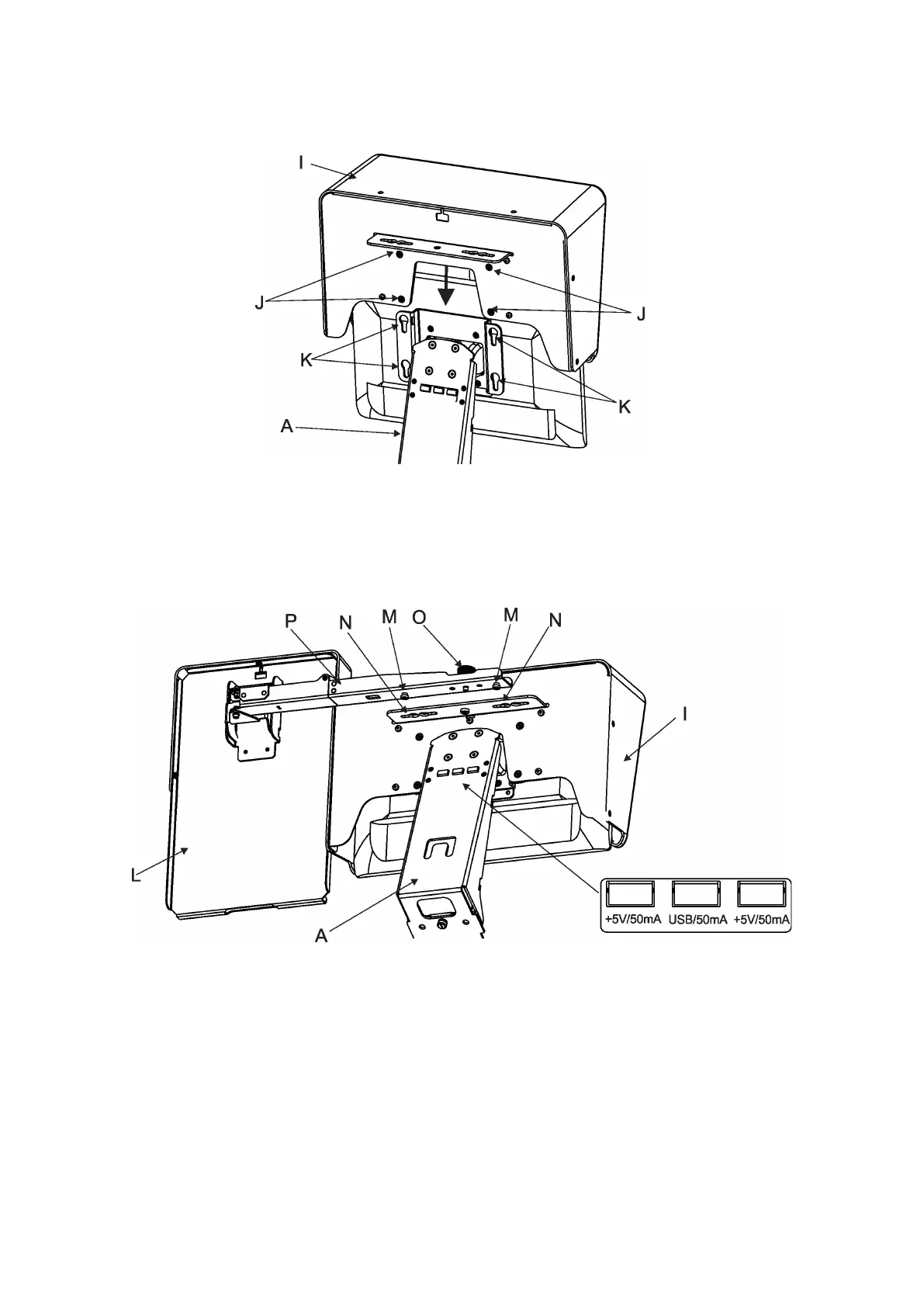
3.1 Monitor shield and note holder installation
1. Place the monitor shield (I) on the monitor holder (A) in this way that pins (J) of the monitor shield snap to
apertures (K) in the monitor holder and move the monitor shield down until you rich a stop.
2. Place the note holder (L) on the monitor shield (I) in this way that pins (M) of the arm (P) snap to the apertures
(N) of the monitor shield (I) and move the arm (P) to the left until you rich a stop.
3. Secure the note holder to the monitor shield by means of the knob (O).
4. Connect two cables of USB lamps to the sockets marked +5V/50mA on the monitor holder.
Note. The arm (P) of the note holder (L) can be turned by 180°, this turned position of the arm allows you to
install the note holder on the opposite site of the monitor shield.















 To Next Page