23
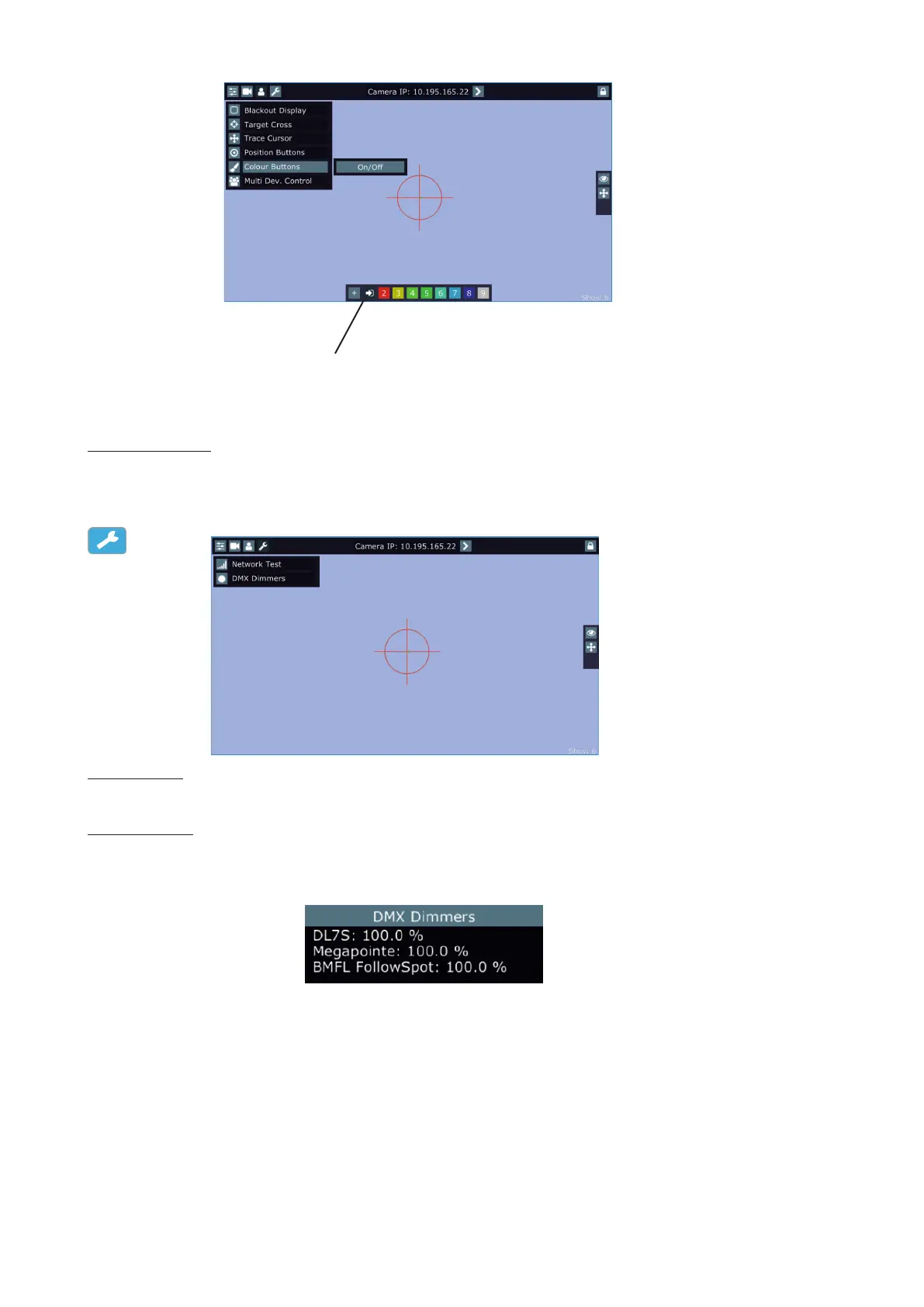
Desired colour can be activated by touching its button in the colour bar.
To delete a colour button, touch and hold a nger on the button for a while.
The Desk Colour button passes colour channels on to the control from a desk.
Multi Dev.Control - the menu serves for activating and setting control of xtures in the multi device operation.
For more information please see the chapter Multi device control.
Service menu
Network Test - the item runs a connection test between a camera and the RoboSpot. During the test, do not
touch any buttons on the FollowSpot controller.
DMX Dimmers - the item shows value of dimmer for each xture (in %). This dimmer value of
the corresponding xture is calculated from a DMX value of dimmer sent from a desk to the xture and a position
of fader or Jog-wheel (depends on xture mapping).
E.g. DMX value for dimmer sent from the desk to a xture is 120, by means of the fader (Jog-wheel) this value
can be changed from 0 DMX to 120 DMX.
5.4 Streaming a camera video
If you wish to stream a camera video over computer network, use a rtsp stream supported media player (e.g.
VLC media player, SMPlayer,...) running on your computer and type the following to your media player:
rtsp://IP address of camera/prole2/media.smp
example: rtsp://10.195.165.223/prole2/media.smp
Important: max. number of VLC clients for one camera is 1.
Desk colour button















 To Next Page