22
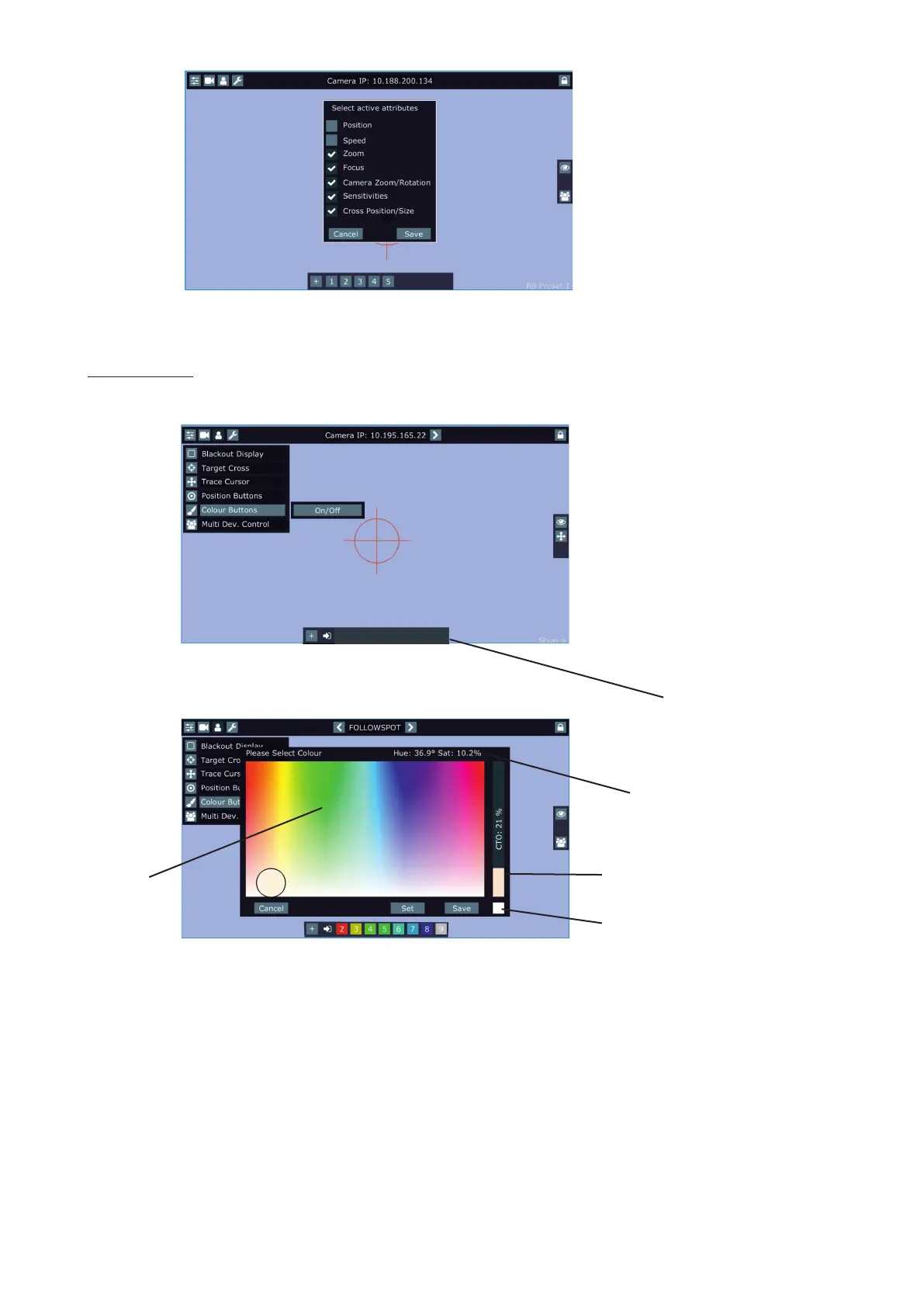
Colour bar
Values of Hue (°) and Saturation
(%) for current colour
Picker CTO slider
Reset button, when you touch it,
the picker goes to white colour
and the CTO slider to 0%.
Colour Buttons - the function allows you to change colour on used xtures together. The function controls colour
channels (Red/Green/Blue/White/CTO channels at LEDs xtures and Cyan/Magenta/Yellow channels at lamp
xtures). When choosing desired colour, corresponding channels are taken over from a desk to the Robospot.
Touch the button + and the following screen will appear.
Use the circular picker to choose a desired colour. The chosen colour can be "send" to xtures by pressing the
button Set or saved to the colour bar at the bottom of the screen by pressing the button Save. Up to 8 colour
buttons can be saved to the colour bar. Only RGB or CMY colors can be controlled via the circular picker.















 To Next Page