59
6.2 Menu Show Library
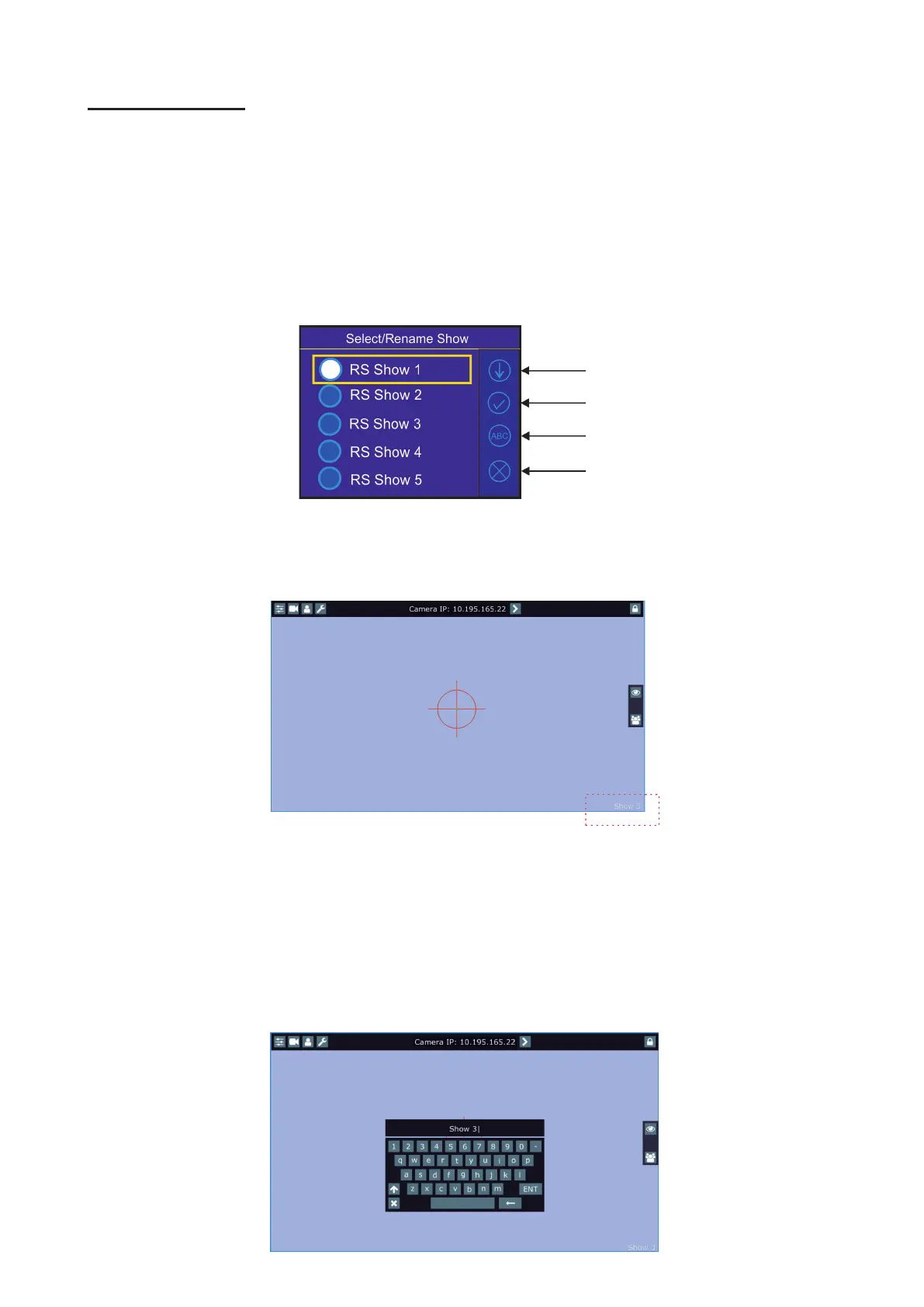
Select/Rename Show - the menu item oers 10 shows. In the show is saved setting of the RoboSpot system:
Functions mapping
FollowSpot Controller presets
Sensitivity of jog-wheels
Faders switching and inversion
Position buttons
DMX addresses and modes of connected devices
RDM information about connected devices (only if the option "Manual" is selected in the menu "Discovery
Settings")
Note: values in the menu Ethernet settings (menu Settings) are not saved to the show.
The show can be saved on a USB ash drive and loaded back to the RoboSpot .
To select a show.
Select desired show by touching its button and conrm it. The notice: "Switch To Show OK" will appear for a
moment on the screen.
Selected show is displayed in the bottom right corner of the LCD screen.
Error and notice messages:
"Already In selected Show"- it means that you are trying to switch to active show .
"Switch To Show Error" - it means that some problem in desired show le occurred.
All changes in setting of the RoboSpot made by the user are immediately saved into
the selected show.
To rename a show.
1. Select desired show by touching its button.
2. Touch the Rename icon. The virtual keyboard will appear on the LCD screen with selected show, e.g. Show 3.
3. Now you can edit the name of the show and conrm it by the key ENT.
Conrm
Conrm
Down
Rename
Cancel















 To Next Page