39
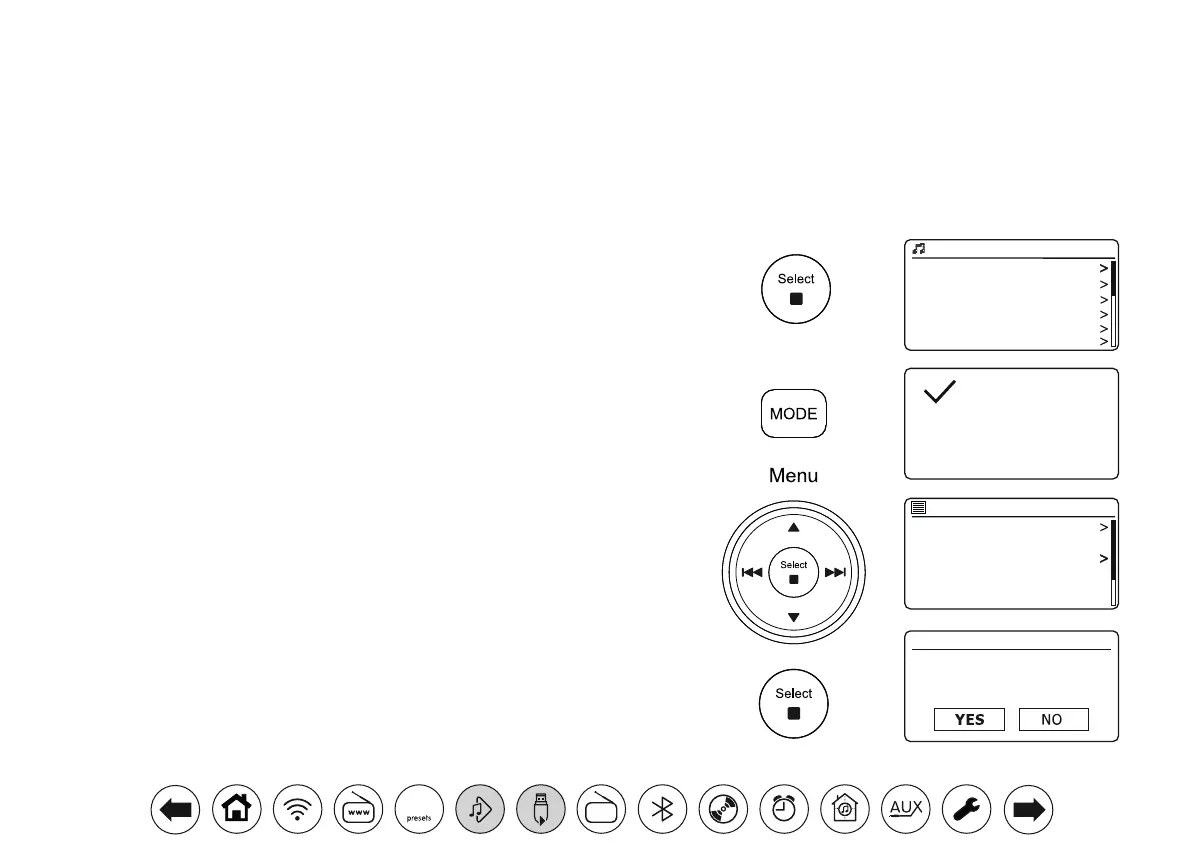
Addingasingletrack,entirealbumorfoldertoyourplaylist
1. When selecting (or when playing) a track using a UPnP server or a USB memory
device applyalongpress on Select and the display will show 'Added to My playlist'.
2. The track will be added to the playlist for playback later.
3. When using a UPnP server or a USB memory device highlight the chosen album,
artist or folder and applyalongpress on Select. The display will show 'Added to
My playlist'.
4. Each of the tracks within the album, artist or folder selection will be added to the
playlist individually. This allows any unwanted tracks to be removed from the playlist
if needed (see below).
Viewingyourplaylist
1. Press Mode as needed until the Music Player mode is shown. If needed press
Menu. The Music Player menu will then be shown on the display.
2. Choose 'My playlist' to enter the playlist.
3. Press Menu Up or Down to scroll through the playlist. Tracks which are served via
UPnP will show their track name and USB tracks will show their le name.
Erasingatrackfromtheplaylist
1. Press Menu and then choose 'My Playlist'.
2. Press Menu Up or Down until the track you wish to erase is highlighted. Apply a
longpresson Select.
3. To delete the track highlight 'YES', then press Select to conrm the deletion. If
you do not wish to delete the track from the list highlight 'NO' and press Select to
cancel the operation.
Playlists
You may wish to set up a list of music tracks or albums which can then be played as background music for a party, for example. Your audio system
can be congured to hold a queue of up to 500 tracks in a playlist menu. The tracks or albums for the playlist can be selected from your UPnP server
and from a USB memory device. The playlist is held in the memory in your audio system until the external power is removed, or until the playlist is
cleared from the menu.
Love Me Do
From Me to You
She Loves You
I Want to Hold Your Hand
Can’t Buy Me Love
A Hard Day’s Night
1 - The Beatles
Added to My
playlist
Shared media
USB playback
My playlist
Repeat play: Off
Shuffle play: Off
Clear My playlist
Music player
My playlist
Delete from
My playlist?
DAB
30



 To Next Page