64
ClockandAlarms.
Sleep timer
Your audio system can be set to turn off after a preset time has elapsed. The sleep
timer can be adjusted between 15 and 120 minutes.
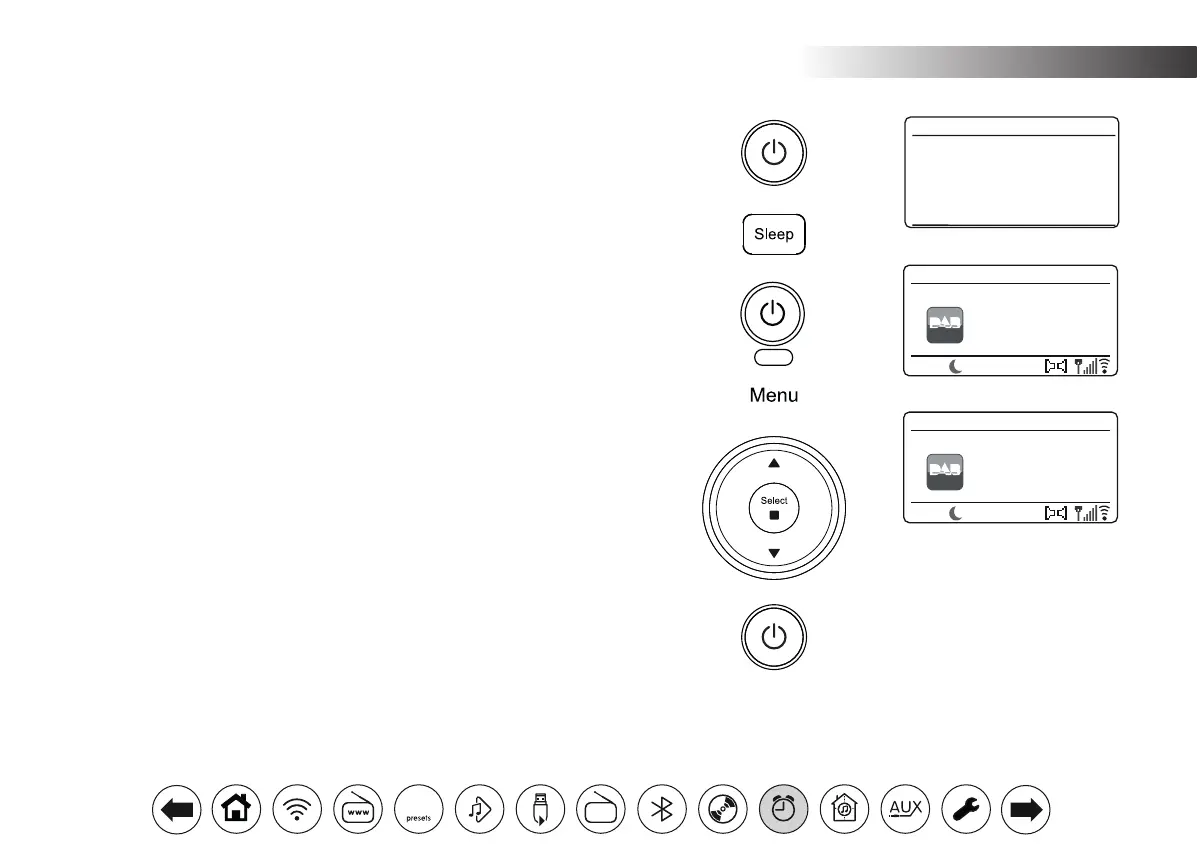
1. Press On/Standby to switch on the audio system.
2. Press the Sleep button (on the remote control) or applyalongpress on the
sleep button (on the unit) to enter the sleep options.
3. Repeatedly, press the Sleep button (on the remote control) or rotate the Tuning
control (on the unit) to choose the required sleep time setting. The sleep timer
can be set to between 15 and 120 minutes, or to Off. Press Select to conrm
the setting.
4. To set the sleep time using the menu, press Menu and then choose 'Main
menu', 'Sleep' and the required sleep time. Press Select to conrm the setting.
5. Your audio system will switch into Standby mode after the preset time has
elapsed.
6. An active sleep timer is shown using a small timer indicator at the bottom of
the playing displays. This indicator also shows the sleep time remaining before
the audio system switches itself into Standby mode.
7. To cancel the sleep time before the preset time has elapsed and to turn off the
audio system, press On/Standby to turn the audio system off manually.
8. To cancel the sleep timer and leave the audio system playing, go back into the
sleep timer settings (steps 2 to 3 above) and select the Off option in step 3.
15 minutes
Set sleep time
15
Londons Biggest
Conversation - LBC
DAB
12:34
LBC
DAB Radio
13
Londons Biggest
Conversation - LBC
DAB
12:34
LBC
DAB Radio
Sleep
DAB
30



 To Next Page