79
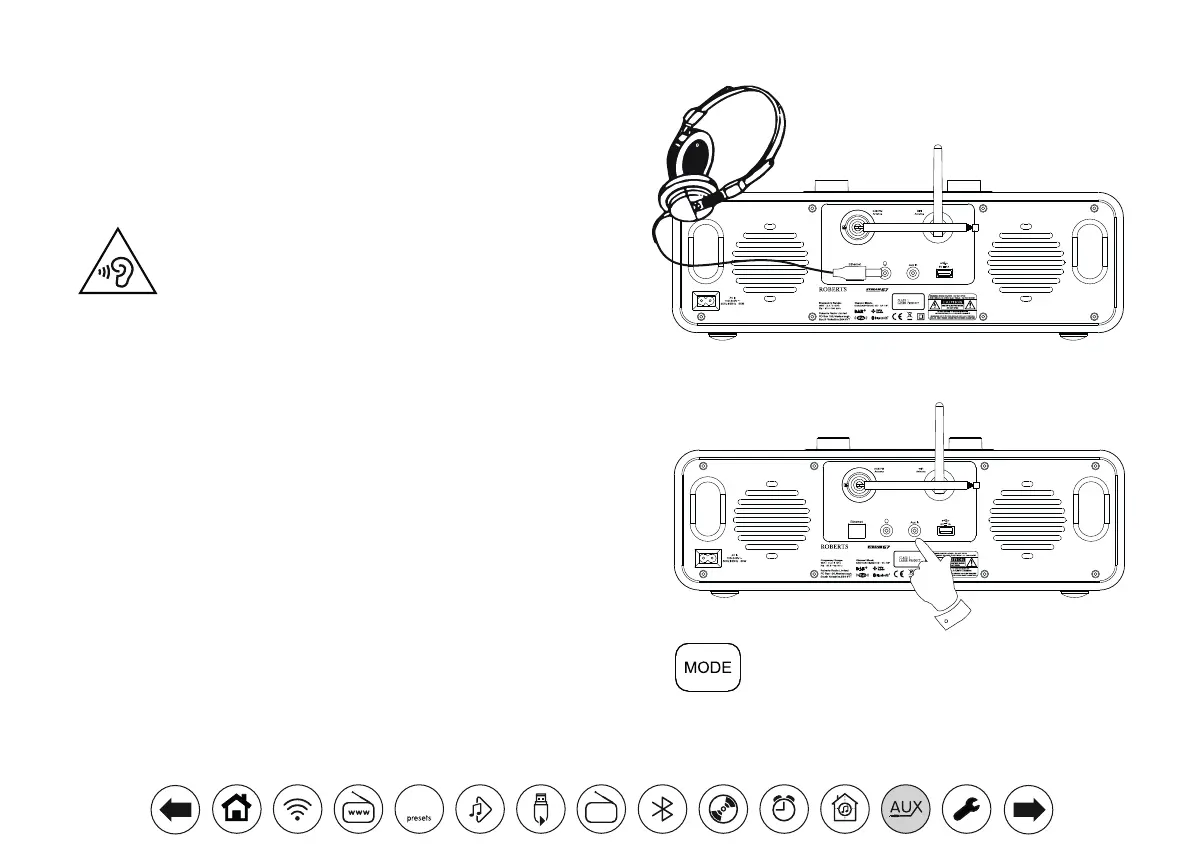
Headphone socket
A 3.5mm Headphone Socket located on the rear of your audio system is
provided for use with headphones. Inserting a plug automatically mutes the
internal loudspeakers. Please be aware that the sensitivity of headphones can
vary widely. We therefore recommend setting volume to a low level before
connecting headphones to the audio system. IMPORTANT: Excessive sound
pressure from earphones and headphones can cause hearing loss.
To prevent possible hearing damage, do not listen at high volume
levels for long periods.
Auxiliary input socket
A 3.5mm Auxiliary Input socket located on the rear of your audio system is
provided for connecting the audio signal from an external audio source such
as an MP3 or CD player.
1. Connect a stereo lead from the headphone output of your MP3 or CD player
to the Aux In socket located on the rear of the audio system. Typically this
lead will have a 3.5mm stereo plug at both ends.
2. Switch on your audio system and press the Mode button until 'AUX in'
mode is shown on the display.
3. Press 'play' on the connected audio device. If you are using its headphone
output for the connection, set its volume control to a level of somewhere
between two-thirds and maximum (the objective is to get a strong audio
signal but without too much distortion). Then adjust the volume on the
audio system as required.
Note, if using an iPod as the sound source, you may need to set its output
to maximum to get an adequate audio signal level.
4. After use, disconnect your player in order to listen to your audio system
conventionally.
Smart Audio System
Internet Radio/DAB/DAB+/FM RDS/Bluetooth/CD/USB
Smart Audio System
Internet Radio/DAB/DAB+/FM RDS/Bluetooth/CD/USB
DAB
30



 To Next Page