46
DABRadio.
FindingnewDABradiostations
Should you wish to use your audio system for DAB reception in a new location, or if no
stations were detected during the initial scan, you can follow this procedure to allow your
audio system to nd out which DAB radio stations are available.
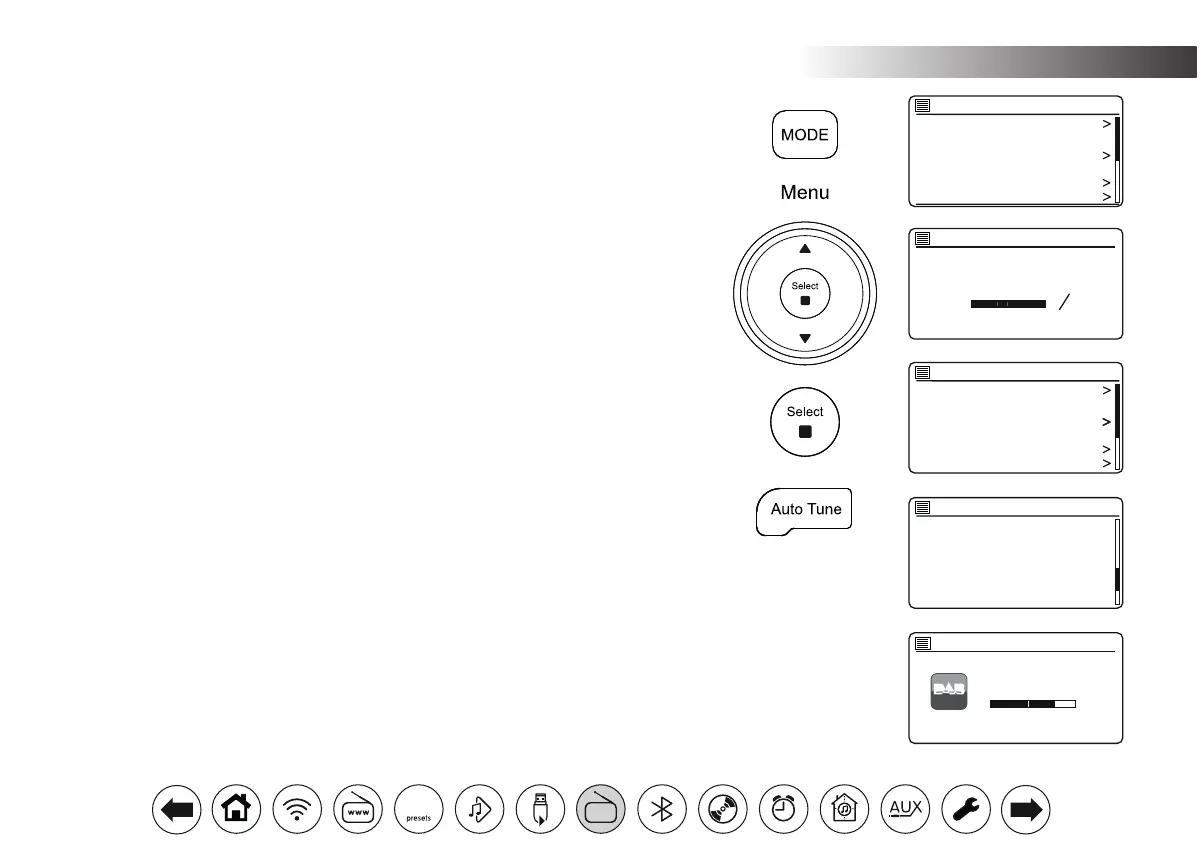
1. Press Mode as needed to select the DAB Radio mode.
2. Press Menu.
3. Choose 'Scan'.
4. Press Select. The display will show 'Scanning' and your audio system will perform a
scan of the Band III DAB frequencies. As new stations are found the station counter
will increase and stations will be added to the list. The bar graph indicates the progress
of the scan.
5. Alternatively, press the Auto Tune button on the remote control to initiate a scan of
the DAB band III frequencies. The Auto Tune button may not operate in all display
modes. In this case use the menu option above.
ManualTuning
Manual tuning allows you to tune your audio system to a particular DAB frequency in Band
III. Any new stations found will be added to the station list. This function can also be used
to assist the positioning of the telescopic aerial or the audio system to optimise reception
for a specic channel or frequency.
1. When in DAB mode, press Menu. Choose 'Manual tune'.
2. Choose the required DAB channel. Press Select.
When the radio has tuned, the display shows the channel number and frequency, and
the name of the DAB multiplex found (if any). A bar graph shows the signal strength
and is useful if you need to reposition the audio system or its aerial. The minimum
signal marker 'I' which separates the left and right parts of the signal graph shows the
minimum signal level required for satisfactory reception. Any new radio stations found
on the tuned DAB multiplex will be added to the list stored in the audio system.
3. Press Menu or Back to choose a different frequency.
4. Press Menu or Back a second time to access the main DAB menu then select 'Station
list' to return to normal tuning.
Station list
Scan
Manual tune
Prune invalid
DRC
Station order
DAB
Scan
Stations: 24
Scanning
Station list
Scan
Manual tune
Prune invalid
DRC
Station order
DAB
11B 218.640 MHz
11C 220.352 MHz
11D 222.064 MHz
12A 223.936 MHz
12B 225.648 MHz
12C 227.360 MHz
Manual tune
11C 220.352 MHz
Strength:
Manual tune
12:34
Heart
DAB Radio
DAB
30



 To Next Page