83
Software version display
The software version display is provided for reference and customer support purposes.
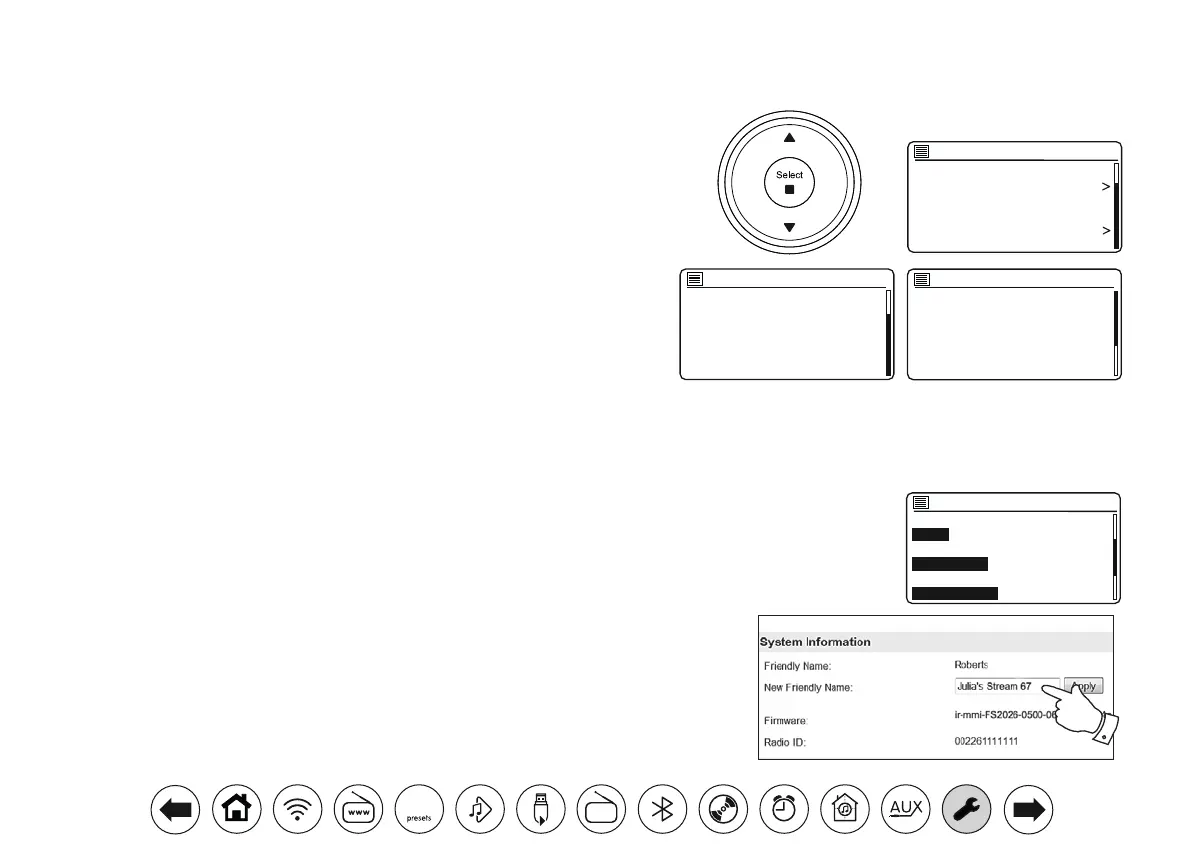
1. Press Menu. Choose 'System settings' and then 'Info'. The display will show
the software version and radio ID. Press Menu Up or Down to display further
information.
2. Press Menu to exit.
AudioFAQ
Your audio system can access some audio help for Internet Radio use.
1. With your audio system switched on and in Internet Radio mode, press Menu.
Choose 'Station list' and then 'Help' to enter the Help menu.
2. Select 'FAQ' to display some frequently asked questions.
3. Choose a question that suits your requirements. Adjust the volume as needed.
SW version:
ir-mmi-FS2026-0500-06
41_V2.13.4c.EX70052-1A
13
Spotify version:
0.1.2.3-abcde7a35
Info
0.1.2.3-abcde7a35
Radio ID:
012345A12A1B
Friendly Name:
Roberts Revival Stream 67 0012
34a12a1a
Info
Factory Reset
Software update
Setup wizard
Info
Multi-room
Subwoofer
System settings
1. Press Menu and choose 'System settings', 'Network' and then 'View settings'. The current
network settings will be displayed.
2. Press Menu Up or Down until the IP address is showing on the display. This is the local
IP address used by your audio system on your network. In the example screen to the
right the IP address is 192.168.1.27. Make a note of the IP address shown on your audio
system's display for the next stage.
3. Ensure that your computer is on the same network as the audio system. On your computer
enter the IP address noted above into the address bar of your web browser. For example,
enter 192.168.1.27 followed by Return. This will allow you to view some of the audio
systems settings and will allow you to change the friendly name. Type the new name in
the box as shown and then click Apply to save the name. The new Friendly Name will now
be visible to network connected devices.
Friendly name
Your audio system uses a Friendly Name so that it is identiable within remote control software such as the UNDOK app, UPnP server and control
software, and the Spotify app. By default, your audio system's Friendly Name will be shown as the "Roberts Stream 67" followed by a 12 digit
alphanumeric code which is the network MAC address that is unique to your audio system. If you would like to change this name to something more
personalised you may either use the UNDOK app or follow the instructions below.
View settings
DHCP enable
SSID:
Julia S
IP address:
192.168.1.27
Subnet mask:
DAB
30



 To Next Page