gf11
11
Manual Robin SlimLine ENG - v. 1.0.0
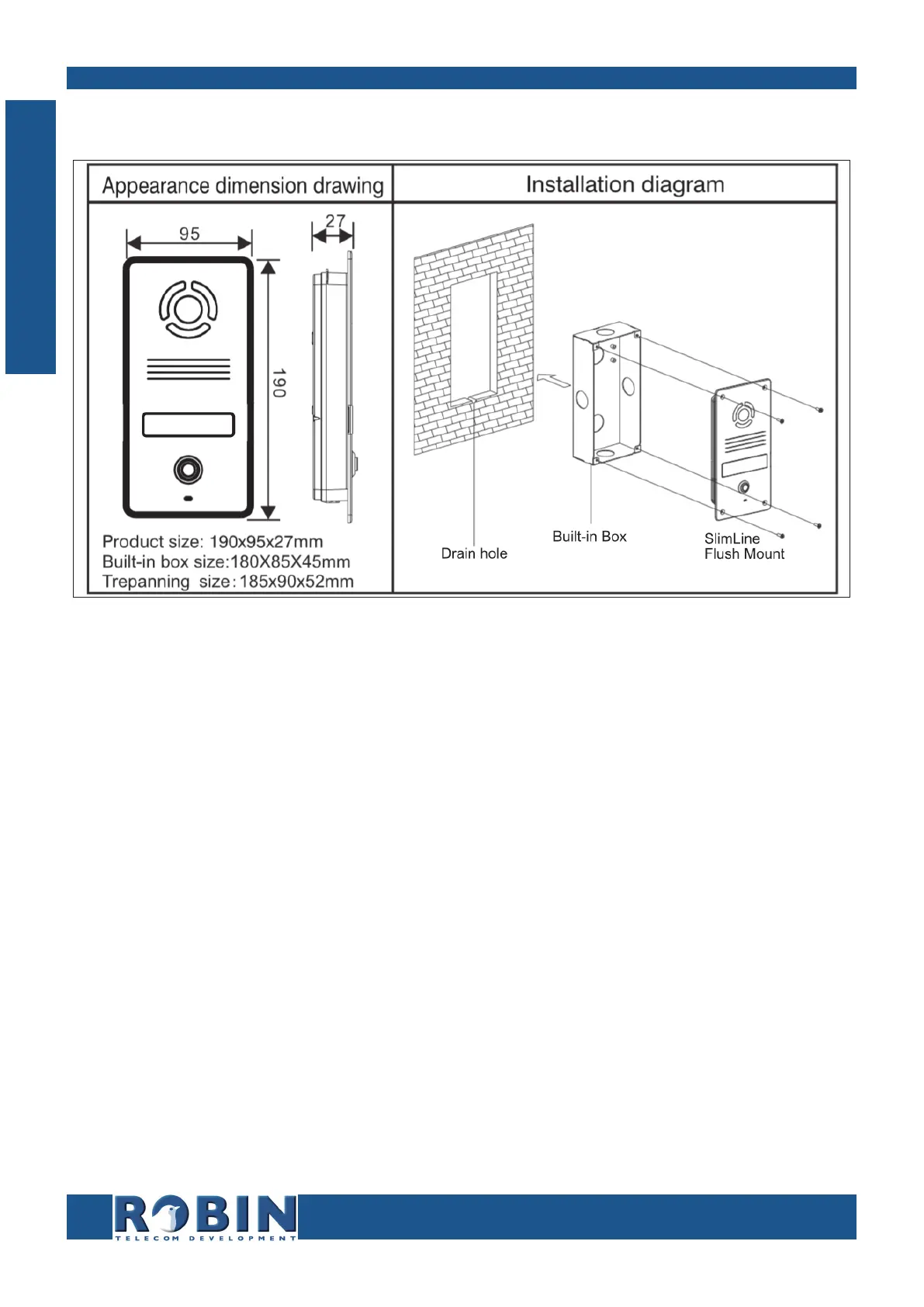
3.4 Flush mounting instructions
Follow the step-by-step plan described below for problem-free mounting of the Robin.
Step-by-step plan:
1. Mount the Robin built-in box in the wall. Note: Create a drain hole in the wall (see
drawing).
2. Feed the cables (Ethernet and (optional door lock) wires) through the built-in box.
3. Connect the Ethernet cable to the Robin SlimLine.
4. Optional - connect the cable for operating the door switch to the supplied connector and
connect the connector to the Robin.
5. Mount the Robin using the four supplied screws.
I
Installation



 To Next Page