gf48
48
Manual Robin SlimLine ENG - v. 1.0.0
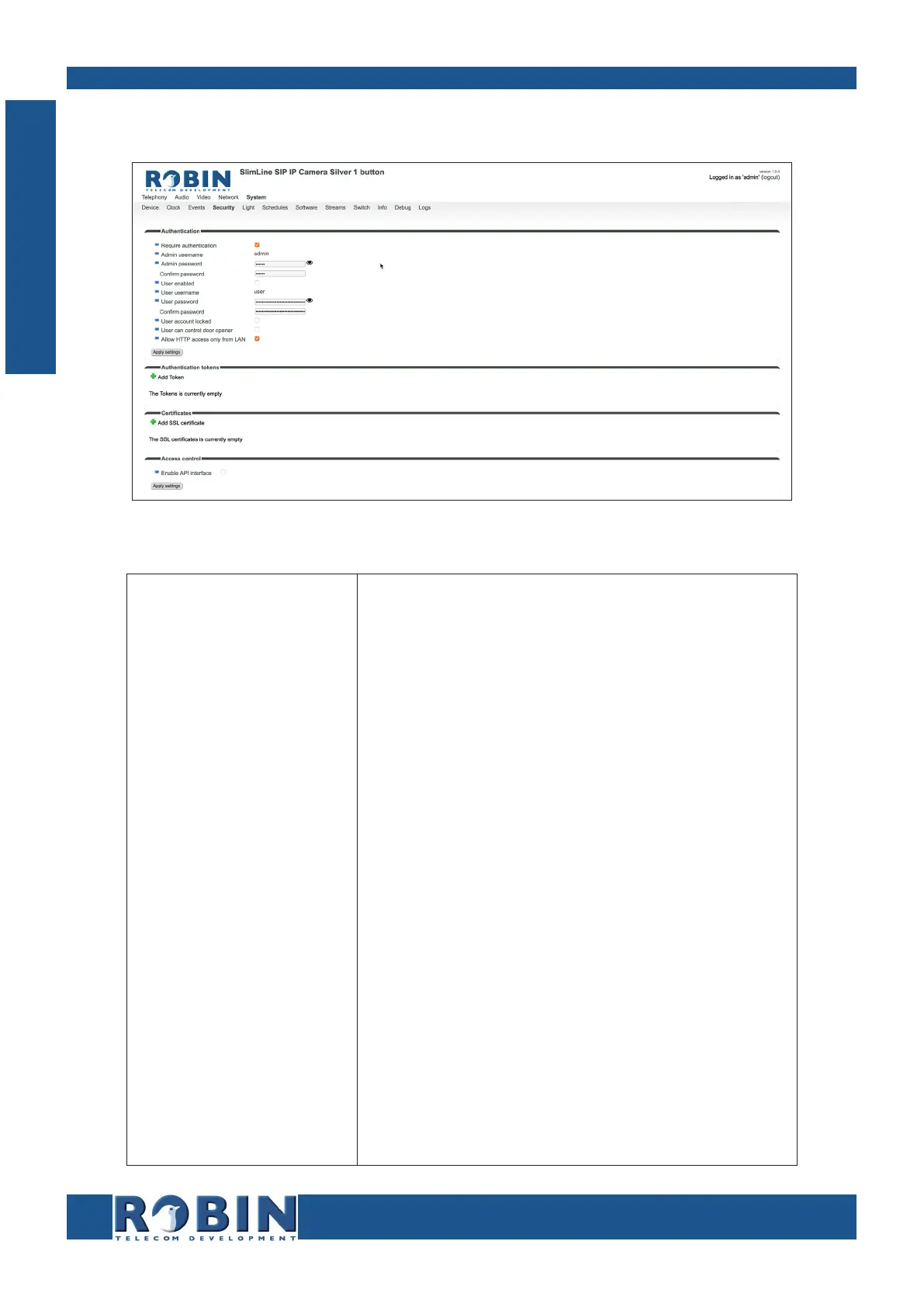
5.2.5.4 System / Security
Authentication:
Require Authentication
Admin username
Admin password
User enabled
User username
User password
User account locked
User can control door
opener
Allow HTTP access only
from LAN
Disable secure access to the web interface ! Note:
Disabling Authentication is not recommended. !
The Administrator username (admin)
Change the default password of the Administrator
(default: 123qwe)
Activate the User (disabled by default)
The User username (user)
Change the password of the User
When enabled, the User can only login during
a period of one hour after a call is made by the
intercom.
Displays three buttons below the Live video frame
(menu -Video-Live-) to control the built-in relay
switch
Increases the security of the Robin. Access to the
WEB interface is only allowed from the same network
as the Robin. ! Note: Disabling this feature is not
recommended. !
C
Configuration



 To Next Page