'37
Q
303
-
P P
p
P
127
12i
Pp
000000
E
00111:127
077J:7'33Øf9J7J7 '3201:
17,O10J13,0l20ll2l
00
2,77117
0
7
0
1337
33:
0
1
010
oObo
11
,
117
0777:
72110231: 727 '3722:137
77121: 377
127
1
:2
232,3702.
1TT1
Copy(C)
2
Paste(P)
Initial Pose
Delete(D)
6
7
Insert New Scene(N)
8
File Load and Insert(L)
9
.
Syrnrnetry(M)
Modify lempoCT)
Shift Value of Selected Scene(W)
©
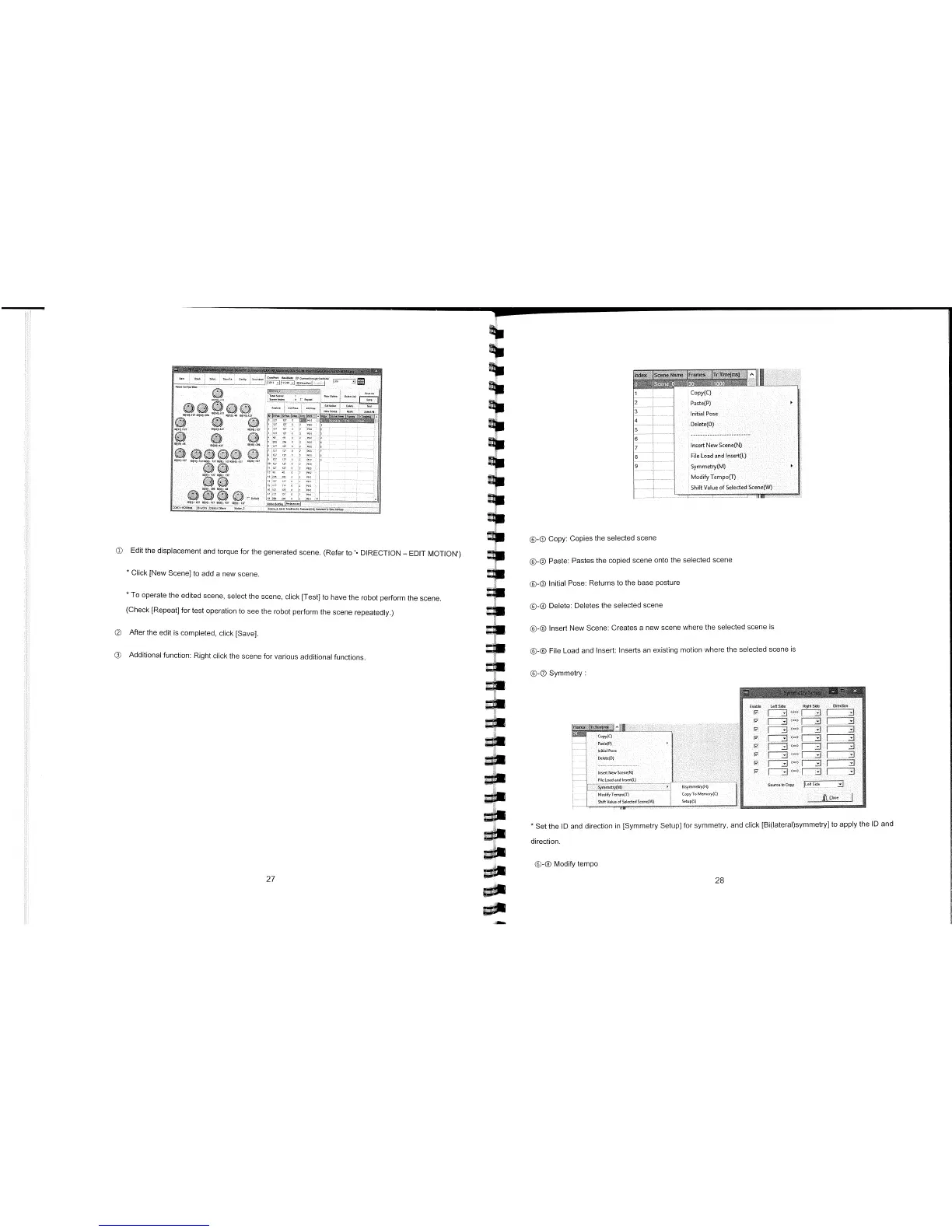
Edit the displacement and torque for the generated scene. (Refer to'- DIRECTION
-
EDIT MOTION')
*
Click [New Scene] to add a new scene.
*
To operate the edited scene, select the scene, click [Test] to have the robot perform the scene.
(Check [Repeat] for test operation to see the robot perform the scene repeatedly.)
©
After the edit is completed, click [Save].
©
Additional function: Right click the scene for various additional functions.
®-®
Copy: Copies the selected scene
©-®
Paste: Pastes the copied scene onto the selected scene
©-®
Initial Pose: Returns to the base posture
©-®
Delete: Deletes the selected scene
©-®
Insert New Scene: Creates a new scene where the selected scene is
©-®
File Load and Insert: Inserts an existing motion where the selected scene is
©-®
Symmetry:
Enable
ry
Left
Side
ftitt Side
Uirectioro
ri
F
J>l
2JET
ry
F
7=>
1
F
-
7-:
1
Fii
13
flJ
<==>
[TJ
Source to
Copy
jLell Side
fl Close
Copy(C)
IoitiI P000
Delete(D)
-----------------------
03017
No'3: Soor,o(N)
File L000t end 01171(L)
Symmot2y(M)
....
.......................
7
fllylolo3tTJ(H)
M37d,fyToropo(T)
:
Copy ToMoroo,y(C)
Shift Volo of Sekoted Soeoo8'O
:
Setp(S)
*
Set the ID and direction in [Symmetry Setup] for symmetry, and click [Bi(IateraI)symmetry] to apply the ID and
direction.
©-®
Modify tempo
27
09
go



 To Next Page