W W W.ROCCAT.ORG / SUPPORT
mAiN CONTROL
Integrated mouse clicks
Another special feature of the ROCCAT driver
is that it allows you to include mouse clicks in a
macro along with keyboard commands. You can
program a mouse action to be executed after,
before or between a key sequence.
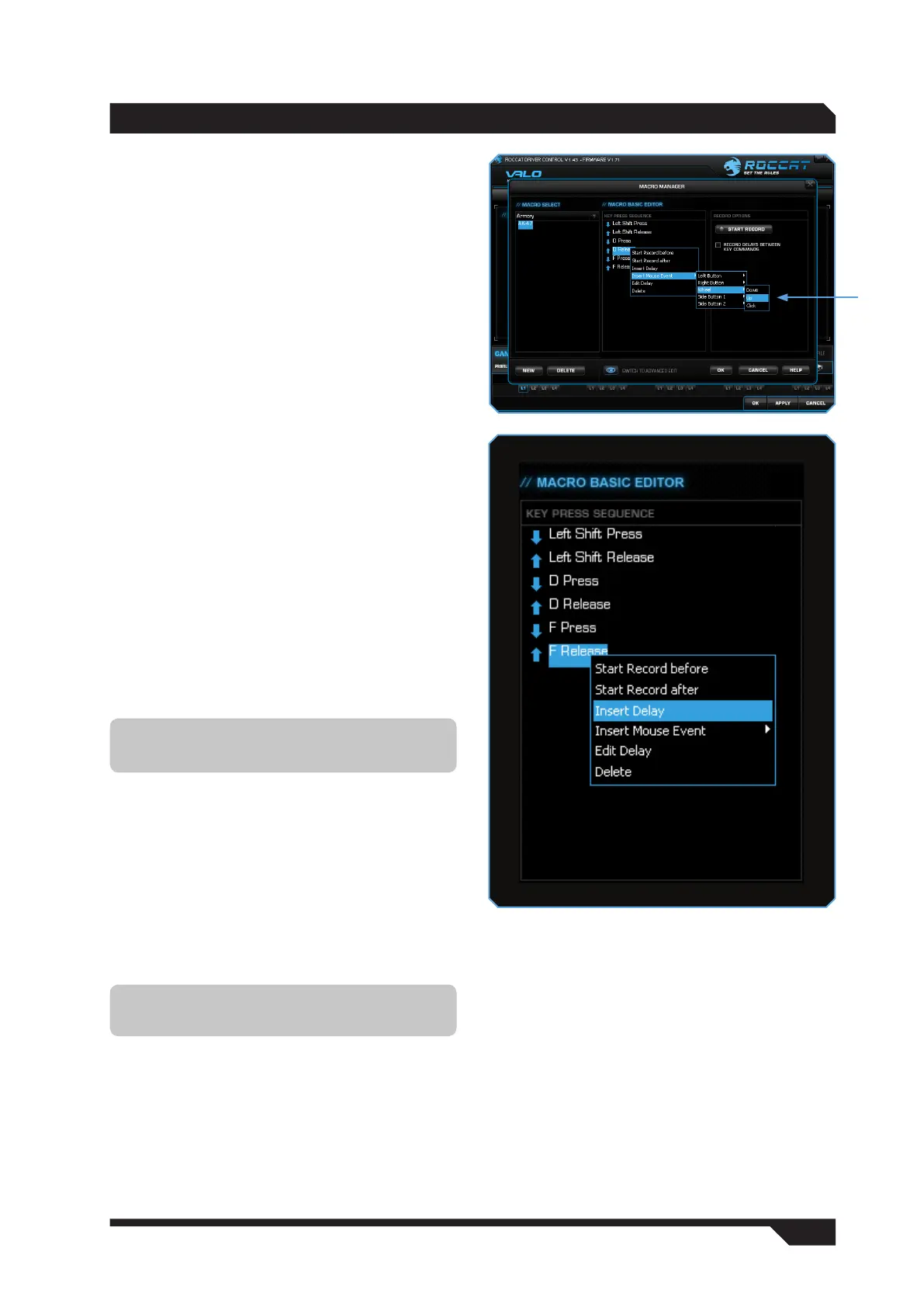
To do that, in ‘Macro Basic Manager’ select the
key command before or after which you want to
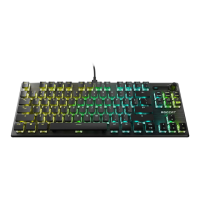
insert a new action. A window with various options
will open when you click the right mouse button:
Start Record before: starts macro recording
before the selected action.
Start Record after: starts macro recording
after the selected action.
Insert Delay: manually lengthen or shorten the
delay between two commands.
Insert Mouse Event: Specify here which mouse
action is to be executed. The following options are
available:
Left Button
Right Button
Wheel
Side Button 1
Side Button 2
Down: keeps the button pressed
Up: releases the button
Click: executes the commands ‘Down’ and
‘Up’ in succession.
Edit Delay: you can manually lengthen or shorten
the delay here. You don’t need to enter the time
designation of ‘ms’ (milliseconds), just the desired
time.
Delete: delete the selected step from the macro’s
key sequence.
Note: Three actions are always available for
selection: ‘Down’, ‘Up’ and ‘Click’.
Note: Some games are unable to detect short
delays.


 To Next Page