- 10 -
WIDTH ADJUSTMENT
See WIDTH ADJUSTMENT WARNINGS at the top of this page.
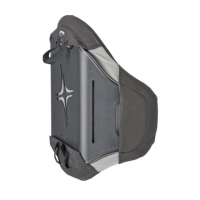
Remove AGILITY from the wheelchair before adjusting the width.
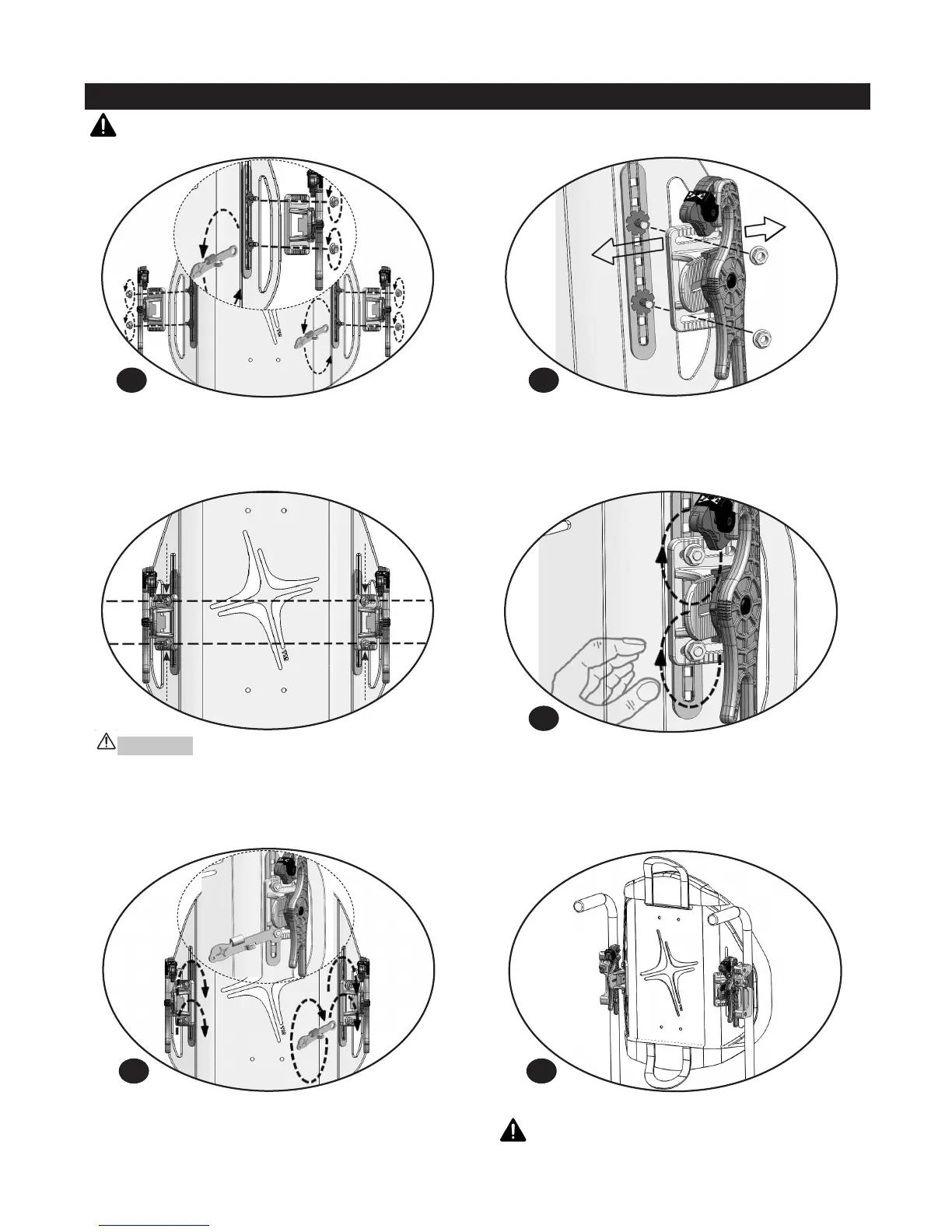
Remove the nuts at the end of the width and height adjustment
bolts with the box end wrench. Detach the triangle brackets from
the back shell.
Refer to the AGILITY Sizing Guide to determine which grooves on
the top and bottom of the triangle brackets match the desired
AGILITY width position. At the desired groove location, slide the
triangle bracket horizontal slots over the flat end of the width and
height adjustment bolts.
Tighten the nuts on the width and height adjustment bolts with
the box end wrench until snug + one-quarter turn. Note: If torque
wrench available, tighten to 42 +/- 2 inch-pounds (4.75 +/- 0.25
Newton-meters).
Replace the nuts on the width and height adjustment bolts. With
the left (L) and right (R) back shell hardware positioned at equal
heights, tighten the nuts so they are snug enough to hold the
hardware in place. Use the box end wrench if necessary.
If height adjustment is needed, proceed to HEIGHT ADJUSTMENT
section.
WARNING: Once adjustment is complete, make sure all
hardware is securely tightened before the individual is
seated in the wheelchair.
WARNINGS: DO NOT remove the AGILITY with the individual in the chair.
DO NOT adjust the width of an AGILITY with the individual in the chair.
1
4
2
3
Install AGILITY on the wheelchair. See AGILITY INSTALLATION.
5
IMPORTANT! Use the reference grooves on the triangle
brackets to make sure that the width and height adjustment
bolts are in the same position within the horizontal slots in the
triangle brackets.


 To Next Page