- 16 -
ACCESSORIES
LUMBAR SUPPORT PAD:
The Lumbar Support Pad provides added support to the lumbar region. (Not included with all models.)
Package contents include hook and loop fastener strips. The hook side of the fastener strip is pre-attached to the back of the Lumbar Support
Pad.
DO NOT install a headrest to an AGILITY with the individual in the chair.
Pay attention to all WARNINGS and CAUTIONS listed in the AGILITY Back Systems Operation Manual when installing
another manufacturer’s headrest.
AGILITY has not been tested with a third-party headrest installed. If a headrest is necessary, follow the headrest
manufacturer’s instructions and safety information.
HEADREST:
To Install a Headrest, refer to the manufacturer’s product information and instructions supplied with headrest.
Note: Before installing another manufacturer’s headrest, consult with a clinician or service provider to ensure the headrest is
compatible with AGILITY.
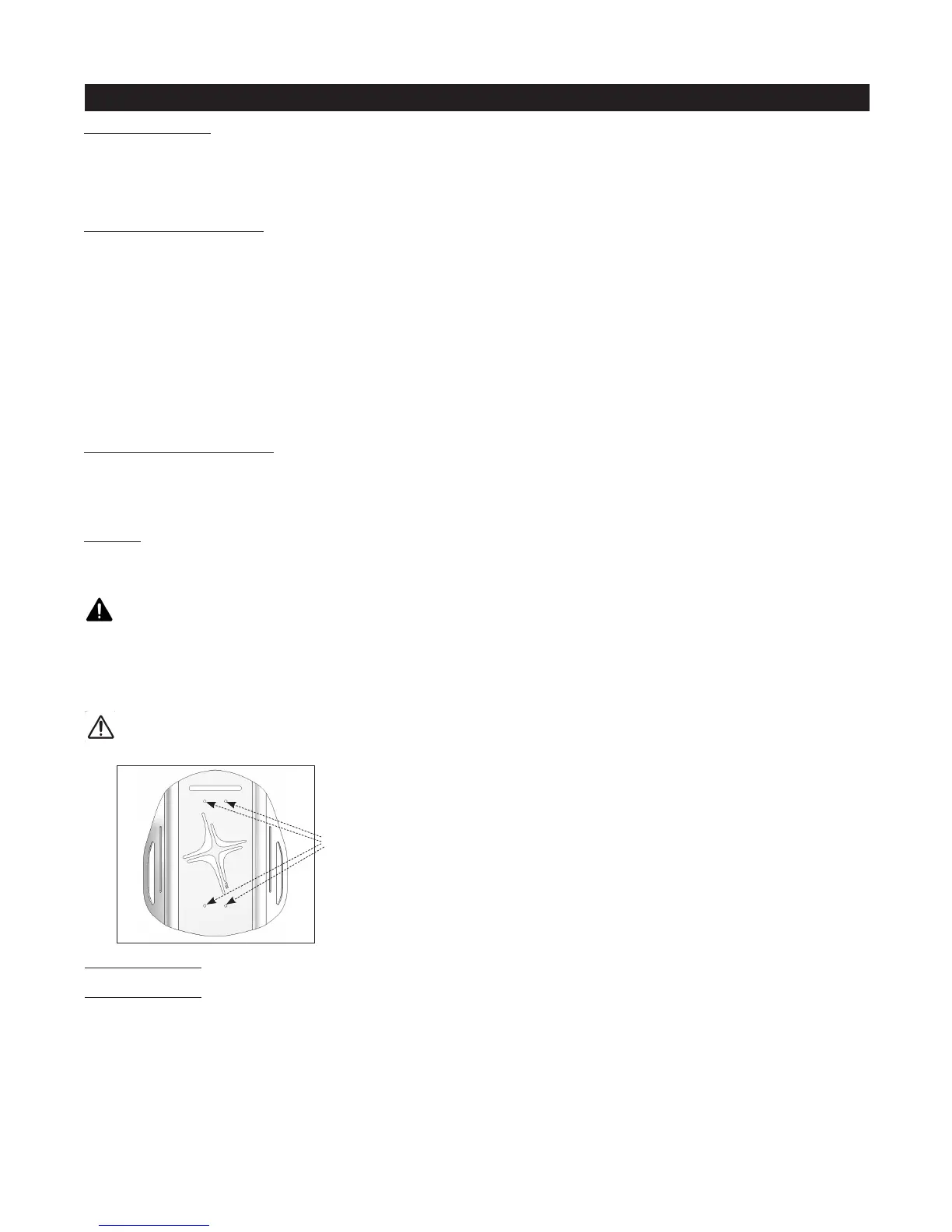
Pre-drilled holes for attaching a universal headrest mount.
Note: Pre-drilled holes not available on AGILITY models 10 in. (25.5 cm) in height.
WARNINGS:
To Install a Lumbar Support Pad:
1. Detach the cover flap closest to the zipper and unzip the cover.
2. Place the lumbar support inside the cover positioned at the curve of the spine, or where it is most comfortable.
Notes: The Lumbar Support may be placed either in front of or in back of the foam pad.
Placement behind the foam pad is recommended for models with the air insert.
Placement in front of the air insert may reduce the performance of the air insert.
3. Remove the backing from the loop side of the fastener strip and secure the lumbar support pad in the desired position.
Note: If the loop fastener strip is attached to the inside of the cover, the fastener strip may need to be replaced after multiple cover
washings.
4. Zip the cover closed and re-attach the cover flap.
To Remove a Lumbar Support Pad:
1. Detach the cover flap closest to the zipper and unzip the cover.
2. Carefully detach the hook and loop fastener strips from each other.
Refer to the product information included in the package with other ROHO accessories.
OTHER ACCESSORIES:
Altering an AGILITY, including, but not limited to, drilling additional holes, to install another manufacturer’s headrest
may void the AGILITY warranty.
CAUTION:


 To Next Page