1.10.4 FOOTSWITCH and HOLD pedal sockets Check
c Connect the two switch pedals (i.e. DP-8) on the Foot Switch E pression and Hold sockets.
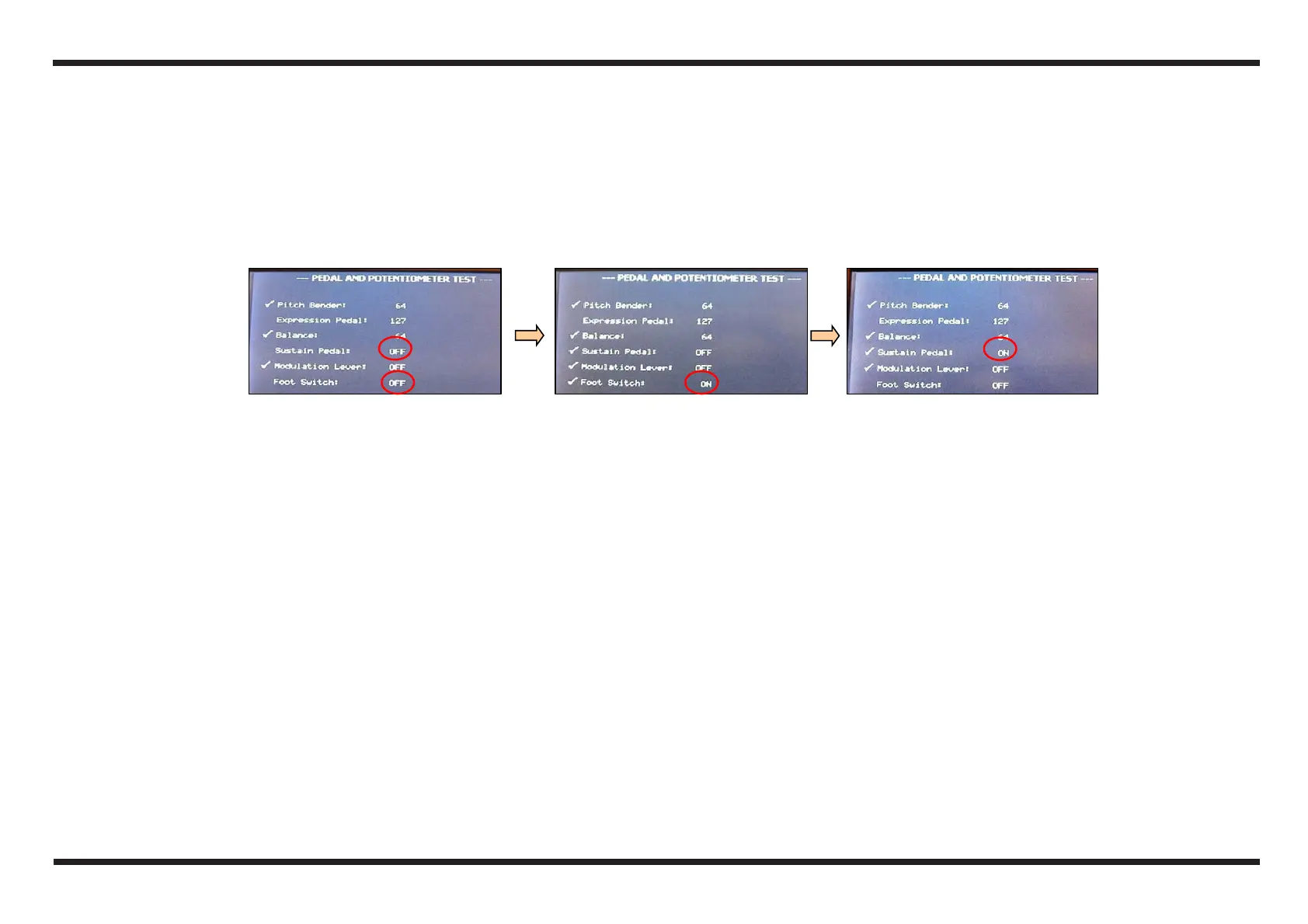
d Check that the display of the E-50 shows the writing OFF near the writings Sustain Pedal and Foot Switch
e Press the SWITCH PEDAL relative to the Foot Switch E pression and check that the display shows ON near the writing Foot Switch
f Press the SWITCH PEDALS relative to the Hold socket and check that the display shows ON near the writing Sustain Pedal
g If all the tests were carried out correctly, the display will show two “marking” symbols.
d e f



 To Next Page