Chapter 5 Feature reference
5-5 Description of Menu Items
Main Menu
P. 84, “Main Menu” (Menu List)
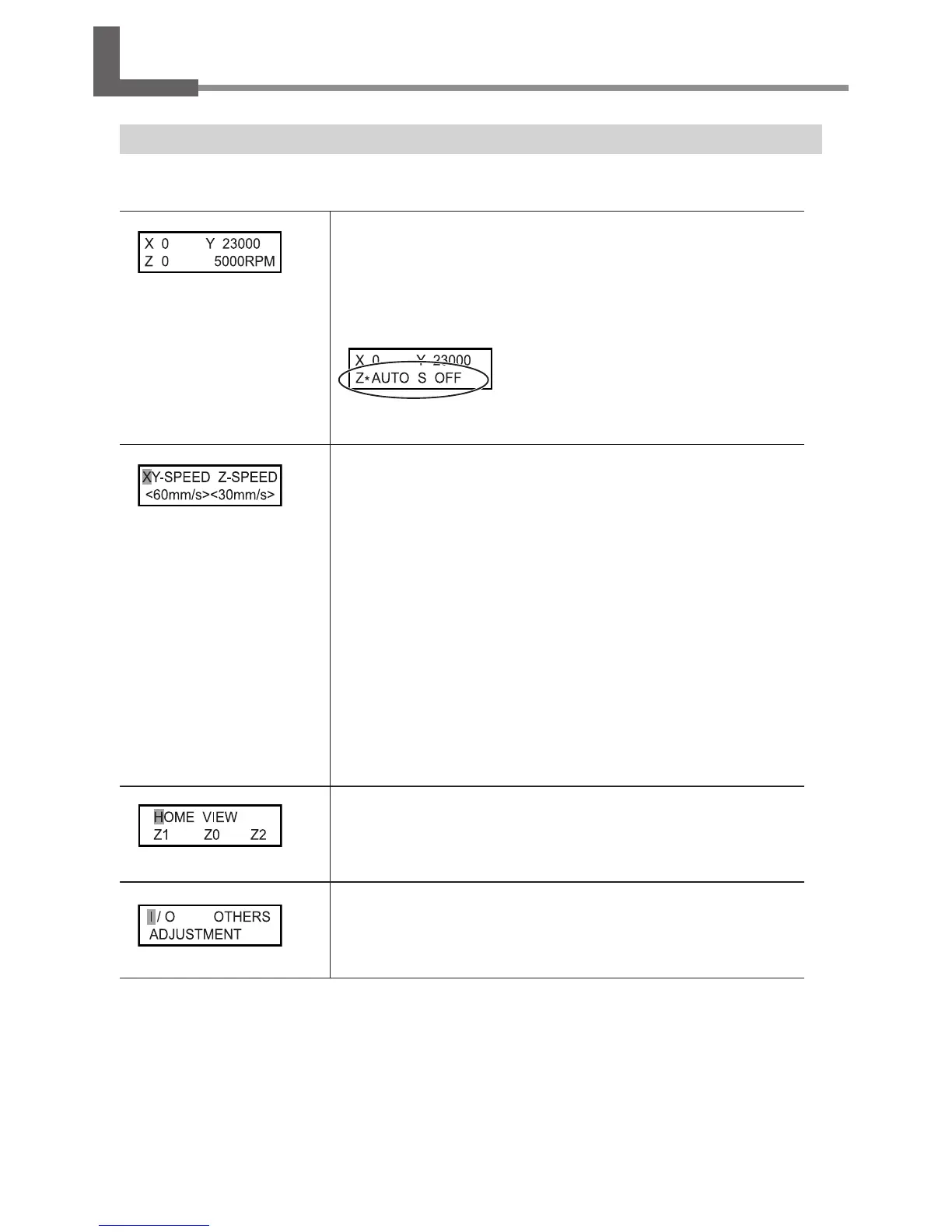
This is the main screen. This screen is displayed at startup and when executing
cutting.
When [AUTO Z CONTROL] is set to “ON,” the Z-axis coordinate display changes to
“AUTO.” When [REVOLUTION] is set to “OFF,” the spindle-speed display changes to
“S OFF.”
P. 90, “Others Menu”
Note: When [AUTO Z CONTROL] is set to “ON,”
“” is displayed to the right of “Z” during Z-axis
origin detection.
This makes the setting for the moving speed of the cutter during engraving, or
the Cutter Feed Rate.
The rates for the X-and Y-axis directions and the Z-axis direction can be respectively
set. For the 3-axis simultaneous feeding operation, the setting of the "ZSPEED" will
be applied. If there are any settings made with the computer, such settings with
the computer will be preferentially applied.
Default setting
X- and Y-axis directions: 2mm/sec
Z-axis direction: 2mm/sec
Setting range
X- and Y-axis directions: 0.1 to 60 mm/sec (From 0.1 to 0.9mm/sec, the setting can
be made with 0.1 increment in between. But the number is displayed without 0
before the decimal point. From 1 to 60mm/sec, the least input increment is 1.)
Z-axis direction: 0.1 to 30mm/sec (from 0.1 to 0.9mm/sec, the setting can be made
with 0.1 increment in between. But the number is displayed without 0 before the
decimal point. From 1 to 30mm/sec, the least input increment is 1.)
The spindle head moves to the selected location.
P. 45, "Moving to a Specic Position Automatically"
These call up the corresponding submenus.
P. 89, "I/O Menu," p. 90, "Others Menu," p. 91, "Adjustment Menu"



 To Next Page
 Loading...



