14
Orion Installation and Operations Manual
Configure user
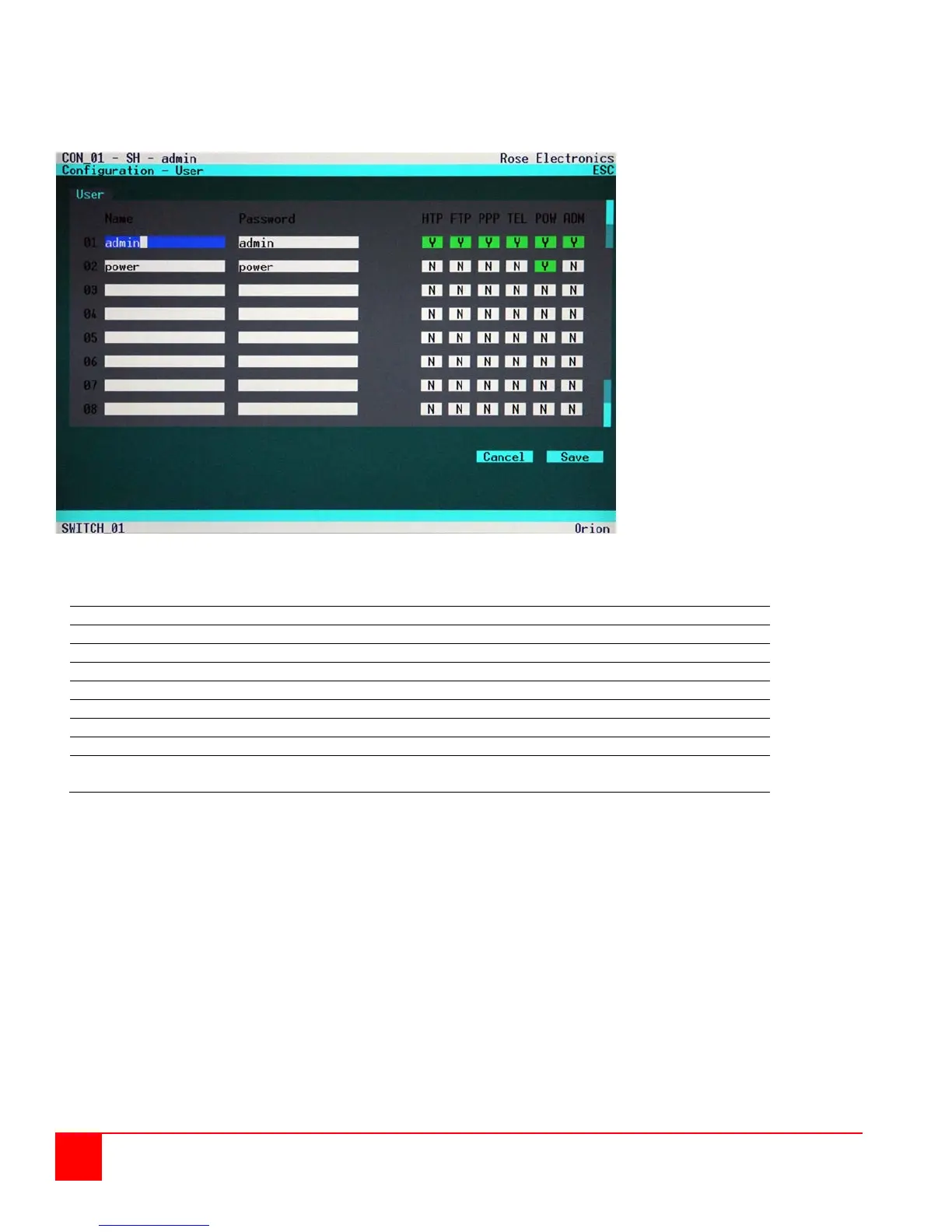
To configure the users of the Orion switch, select the option “User” in the “Configuration” menu by using the cursor
buttons and press enter. ⇒ The “User” mask will display full screen as shown in figure 9.
Figure 9. Configure User menu
In this menu, you can setup user names and privileges.
User Name (case-sensitive)
User Password (case-sensitive)
User may login and access via HTTP
User may login and access via FTP
User may login and access via ‚Internet’ (not available)
User may login and access via Telnet
User is ‚Power-User’ and may activate e.g. the CrossPoint Mode
User is Administrator and may change the configuration or
activate the CrossPoint Mode


 To Next Page