18
Orion Installation and Operations Manual
CON Matrix Configuration
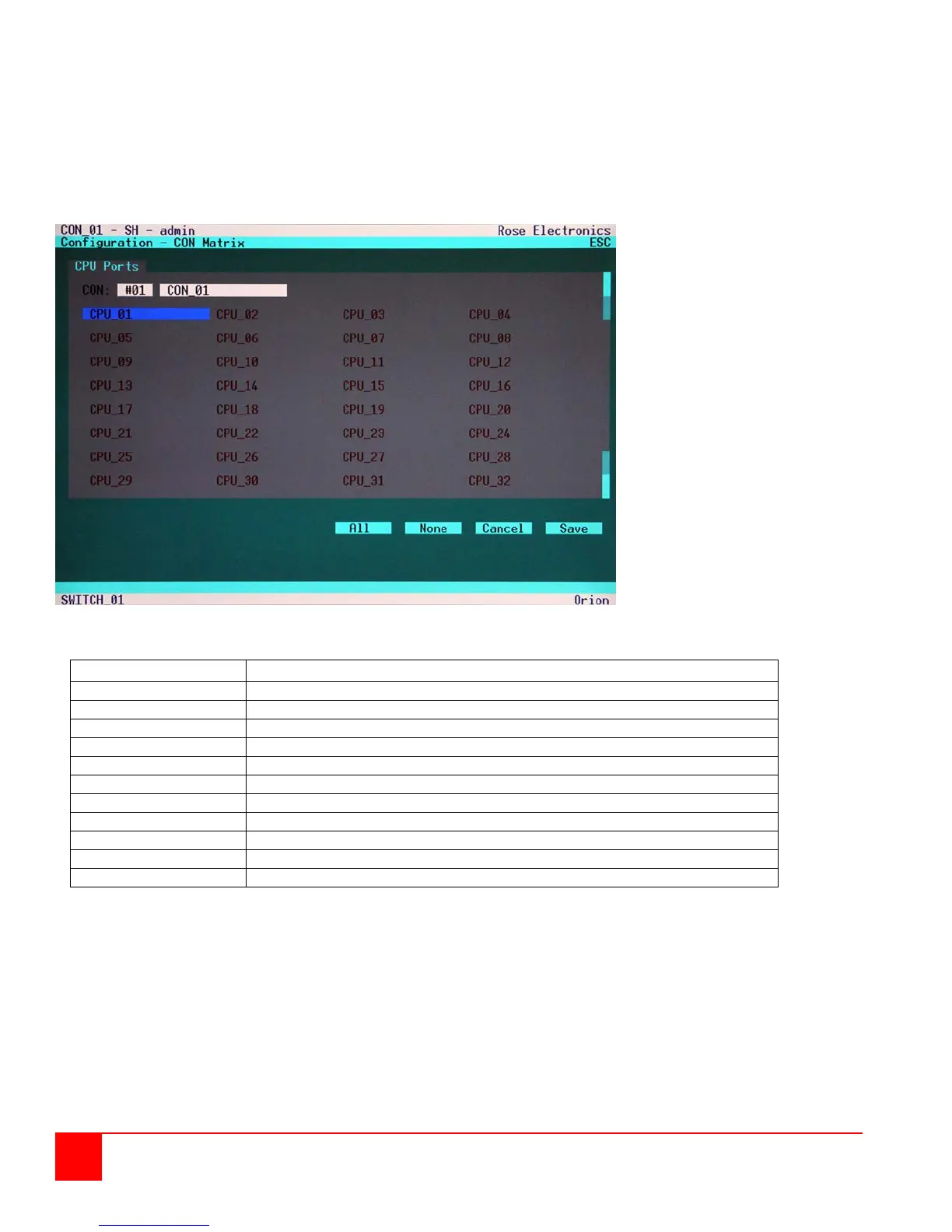
Select the option “CON Matrix” in the “Configuration” menu and press <RETURN>.
The “CON Matrix” mask is displayed full screen as shown in figure 12.
This menu allows the administrator to define for each console a specific set of CPU’s that this
Console can connect to. To assign a CPU to a CON port, select the CPU port and press return
to highlight the selected CPU port. Select all CPU ports that this Console can access. When completed,
“Save” the selections.
Figure 12. CON Matrix Configuration
Page up to previous CON Port
Page down to next CON Port
Release selected CPU-Port for selected CON Port
Release selected CPU-Port for selected CON Port, apply and save data


 To Next Page