20
Orion Installation and Operations Manual
Status Information
Enter the OSD with key sequence <Shift>+ <Shift>+ <O> (Letter ‚o’) The “KVM List” Mask is displayed full screen (If
Option “Listview” is not active, “KVM Switch” Mask will be displayed instead).
Leave the “KVM List” Mask by hitting <ESC>
Select the menu option “Status“ and press <RETURN>
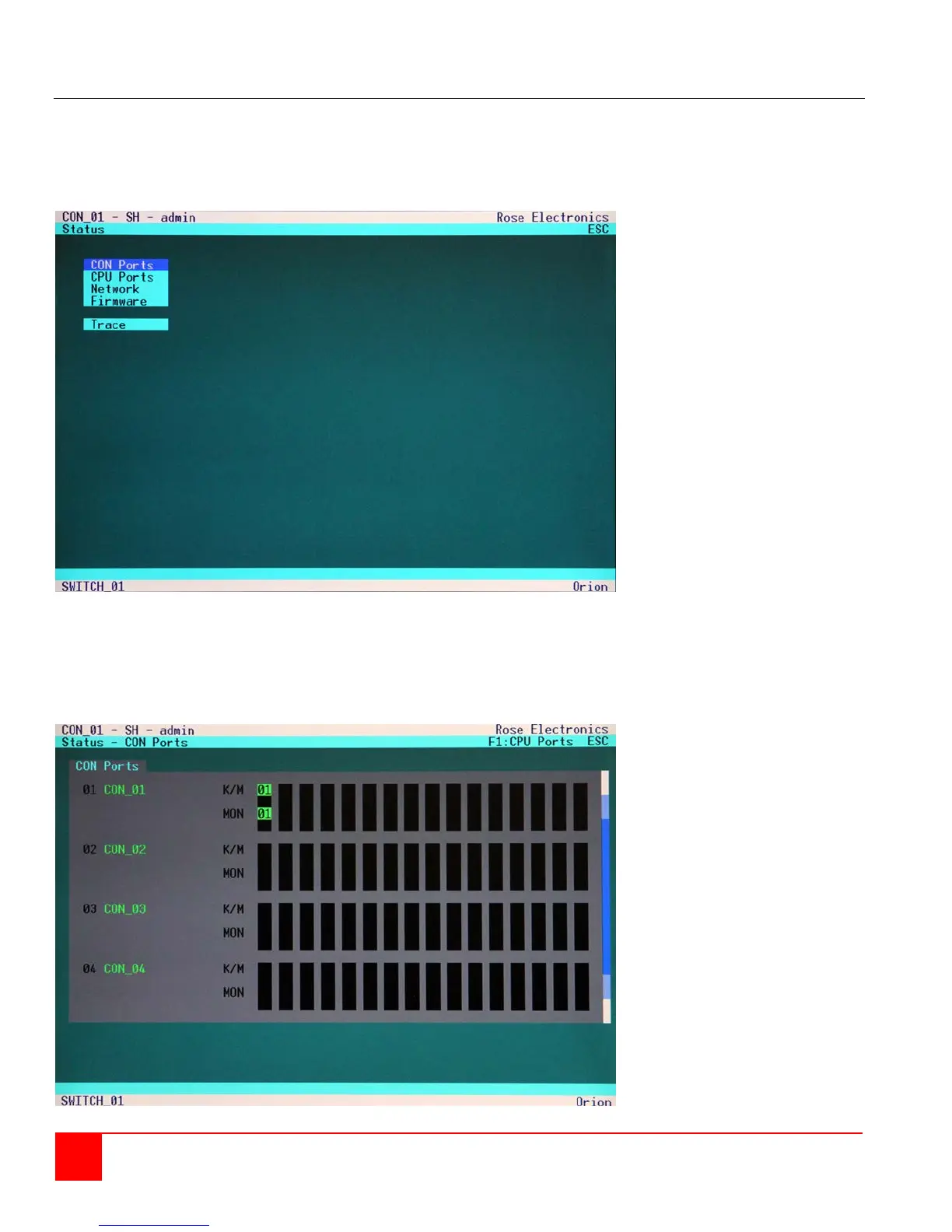
The “Status” mask will displayed full screen as shown in figure 14.
Figure 14. Status menu
Status Display – CON ports
Using the up / down arrow keys, select CON ports and press <Return>. The Console Port status screen
will display as shown in figure 15.
Figure 15. Status - CON ports


 To Next Page