22
Orion Installation and Operations Manual
Status Display – Network
Network functionality is in development at this time.
Status Display – Firmware
Select Firmware from the status menu and press <Return>. The firmware status display will display showing
the firmware versions of the currently installed boards in the unit.
Use the page up and page down keys to view both screens.
Press ESC to return to the Status Menu.
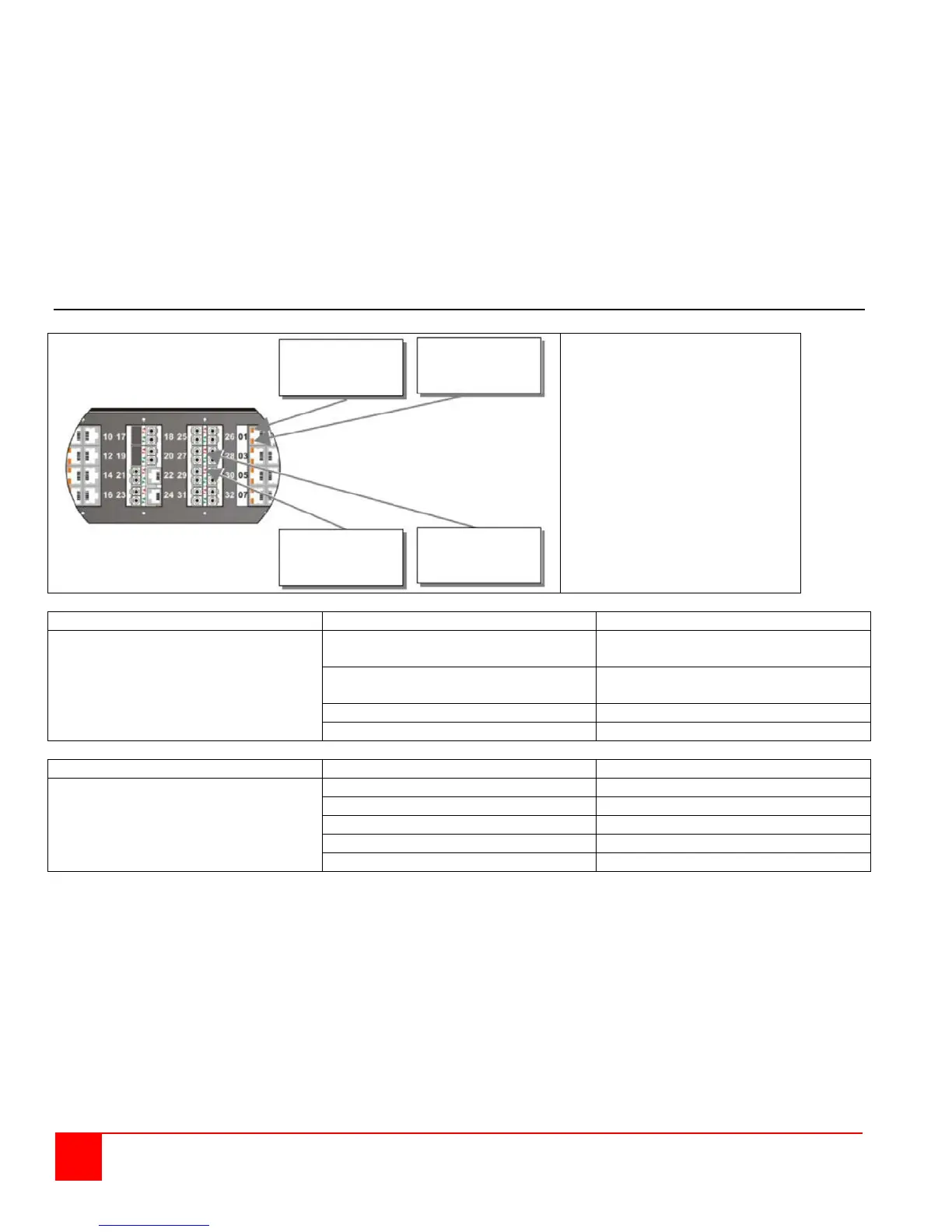
Diagnostic LEDs (CATx cable / Fiber cable)
A- Diagnostic LED
(Link Status, Left socket)
B- Diagnostic LED
(Link Status, Right socket)
C- Diagnostic LED
(Link Status, Left socket)
D- Diagnostic LED
(Link Status, Right socket)
Link Status (Green/Orange LED)
Link cable connection OK
Data transmission active
Link cable connection OK
No data transmission
Port active, no link cable connection
Link Status (Green/Orange LED)
Port activated, signal OK
Port deactivated, signal OK
Port activated, no signal detected
Port activated, module error signal
A B
C D


 To Next Page