3-5
3.2 RERANGING AND TESTING OUTPUTS
MODEL 54 C SECTION 3
PROGRAMING THE ANALYZER
This section describes how the outputs (4-20 or 0-20 mA) can be
reranged.
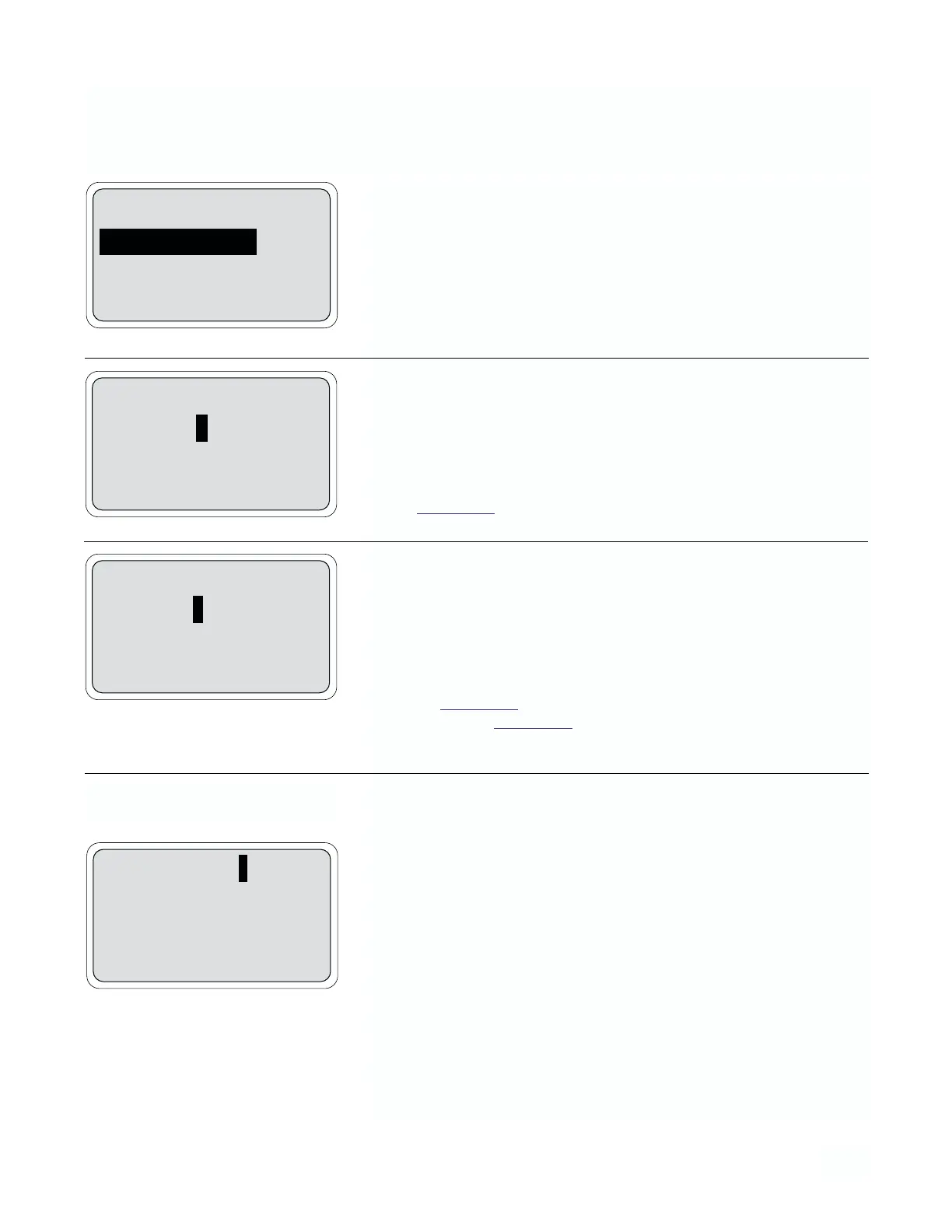
1. From the main menu, move the cursor down to “Program” and press
Enter (F4). On this display, move the cursor to “Rerange outputs”
and press Enter (F4).
2. The top line of this display reads the live output 1 process value in
mA or %. The next two lines allow reranging of the conductivity val-
ues corresponding to 4 mA and 20 mA. Pressing More (F3) allows
reranging of output 2 setpoints.
NOTE
If the analyzer has been configured for 0-20 mA output
(Section 3.4
) the 4 mA label will be replaced by 0 mA.
3. The top line of this display reads the live output 2 value. The next two
lines allow reranging of the 4 and 20 mA values for output 2.
Pressing Test (F3) allows testing (or simulation) of outputs 1 and 2.
Pressing Exit (F1) returns the cursor to the program menu.
NOTE
Output 2 can be configured to temperature or conductivity,
see Section 3.4
. If the analyzer has been configured for 0-20
mA output (Section 3.4), the 4 mA label will be replaced by
0 mA.
The outputs can be simulated between 0-20 mA for the purpose of test-
ing devices such as valves, pumps or recorders.
4. This display allows simulation of both output 1 and output 2. Enter
the value(s) to be simulated and press Enter (F4). The analyzer sim-
ulates output 1 when Enter is pressed and displays the simulate out-
put message. Pressing More (F3) returns the cursor to the output 1
setpoints display. Pressing Exit (F1) returns the output to normal
operation and the cursor to the program menu. Each output is simu-
lated independently. A message will display at the bottom of the
screen:
“Simulating output 1 or 2”
The simulating display will default back to the operating display if
no key is pressed for 20 minutes.
NOTE
Enter (F4) must be pressed after a cursor value is changed
for the analyzer to update.
Testing The Outputs
Alarm setpoints
Rerange outputs
Configure
Exit Enter
Output 1: 12.00 mA
4 mA: 0000 mS/cm
20 mA: 0000 mS/cm
Exit More Enter
Output 2: 12.00 mA
4 mA: 000.0 °C
20 mA: 100.0 °C
Exit Test Enter
Output 1 test: 10.00 mA
Output 2 test: 10.00 mA
Exit More Enter


 To Next Page