5-3
MODEL 54 C SECTION 5
DIAGNOSTICS AND TROUBLESHOOTING
KEYSTROKE GUIDE FOR CHANGING LANGUAGES
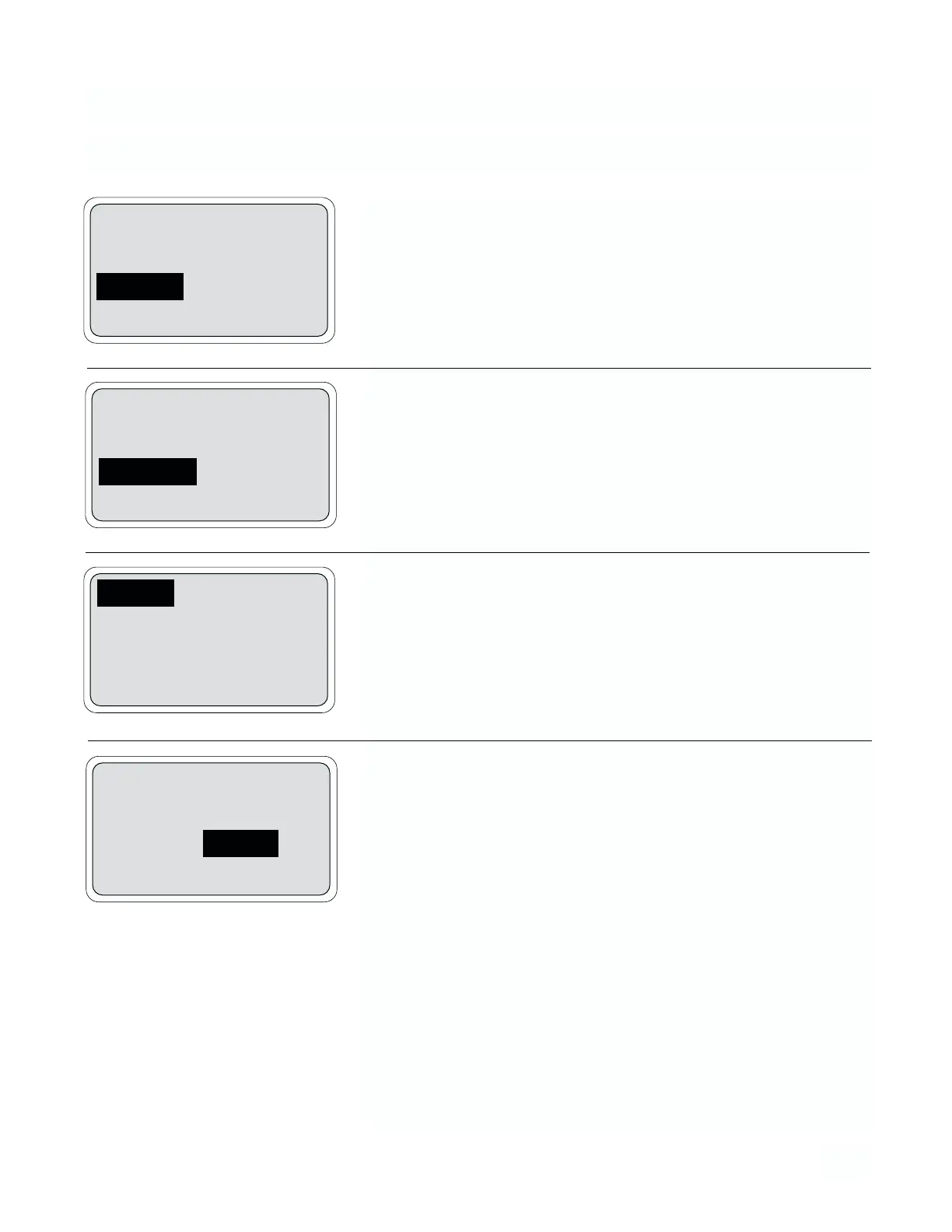
1. From the operating display*, press any key to obtain the main menu.
Display text will be in English, French, Spanish, German or Italian. With
the down arrow key, move the cursor to “Program/Programme/-
Programm/Programmazione” and press F4.
2. Move the cursor to “Configure/Configuration/Configurar/Konfiguration/-
Configurazione” and press F4.
3. With the cursor on “Display/Affichage/Indición/Bildshirm/Impostazioni
visore”, press F4.
4. Press F3 (More/Plus/Más/Weit/Cont) to display the second set of
menu items.
5. Press F4 move cursor to “Language:/Langue:/Idioma:/Sprache:/-
Lingua:” option.
6. With the down arrow key, display the desired display language:
“English/Françias/Español/Deutsch/Italiano” and press F4.
* Screens shown are “English” display.
Calibrate
Diagnostic Variables
Program
Exit Enter
Alarm setpoints
Rerange outputs
Configure
Exit Enter
Display
Outputs
Alarms
Exit More Enter
Output 1 units: %
Output 2 units: mA
Language: English
Exit More Enter


 To Next Page