15
B. Scroll Key (
é
). This key is used to
scroll through menu when selected, or
scroll through digits on the active (flash-
ing) Numeric Display. Holding key down
auto scrolls through the main menu and
Numeric display.
C. ACCESS/ENTER Key. This key is
used to ACCESS the Set Mode (Section
4.1.2) and to ENTER the displayed value
into memory (from Numeric Display).
é
3.1.1 Item Selection and Value Adjustment Keys.
The three keys located on the lower right side of the
keypad are used for menu navigation, value adjust-
ment and entry, and item selection. These keys per-
form the following functions:
A. SELECT/Shift (
ç
) Key. This key is
used to select the displayed menu, or for
shifting to the next digit in the Numeric
Display.
MODEL 1054B pH/ORP SECTION 3.0
DESCRIPTION OF CONTROLS
ç
SELECT
ACCESS
ENTER
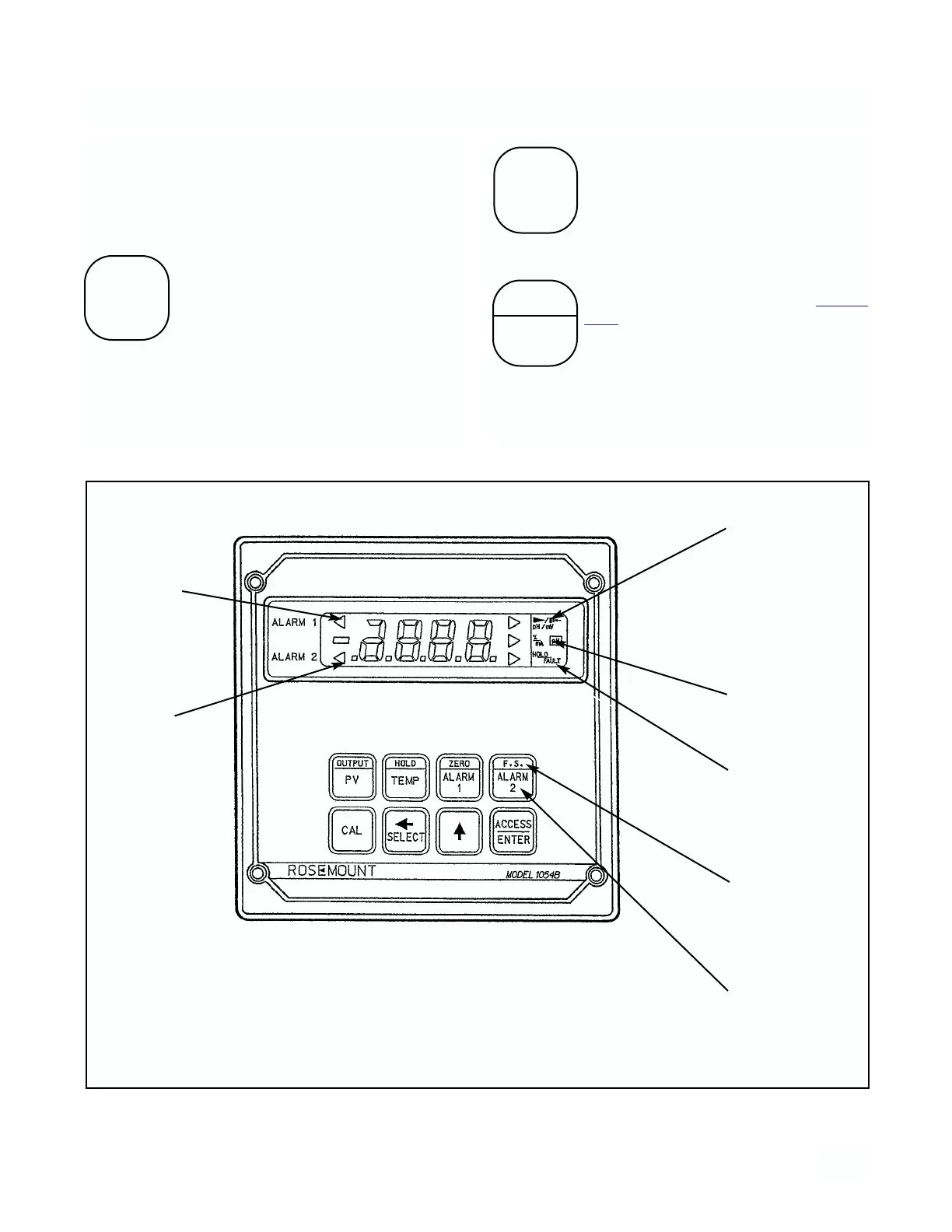
FIGURE 3-1. LCD DISPLAY
RELAY 1
ACTIVATED
RELAY 2
ACTIVATED
pH VALUE:
FLAG ON
mV VALUE-
FLAG BLINKING
(ORP FLAG ON)
% VALUE -
FLAG ON
mA VALUE-
FLAG BLINKING
HOLD STATUS
FLAG ON
FAULT -
FLAG BLINKING
UPPER FUNC-
TION PRESS
TWICE
QUICKLY
LOWER FUNC-
TION PRESS
ONCE



 To Next Page