31
MODEL 1054B pH/ORP SECTION 4.0
CONFIGURATION
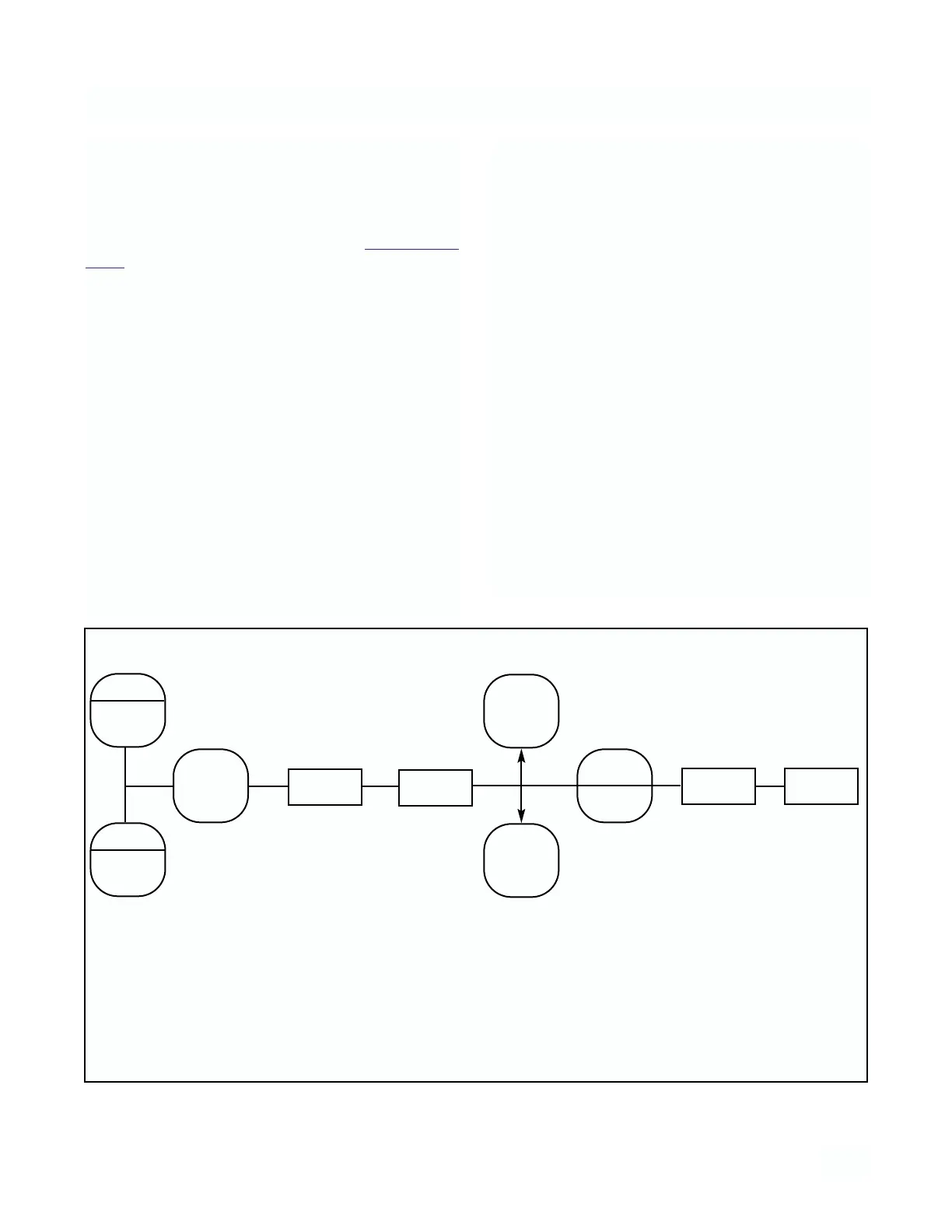
4.11 OUTPUT SCALE EXPANSION. This section
should be followed if it is desired to scale the current
output to an operating range other than the factory
setting of 0-14 pH full scale. The output zero and full
scale value should be adjusted after completing the
configuration procedure as outlined in Sections 4.2
to 4.9.
A. Zero Point (0 mA or 4 mA)
1. Press the PV key to ensure that the analyzer is
not in Set Mode.
2. Press the ALARM 1 key twice. The display will
show LO briefly then display ZERO point.
3. SELECT to adjust the value. The display will
acknowledge briefly with AdJ followed by the
Numeric Display with digit flashing.
4. SCROLL (
é
) and SHIFT (
ç
) to display the
desired value.
5. ENTER value into memory. The display will show
LO and display the entered value.
B. Full Scale (F.S.) Point (20 mA)
1. Press the PV key to ensure that the analyzer is
not in Set Mode.
2. Press the ALARM 2 key twice. The display will
show HI briefly then display FULL SCALE point.
3. SELECT to adjust the value. The display will
acknowledge briefly with AdJ followed by the
Numeric Display with digit flashing.
4. SCROLL (
é
) and SHIFT (
ç
) to display the
desired value.
5. ENTER value into memory. The display will show
HI and display the entered value.
NOTE
For a reverse output, enter the higher
value for zero, and the lower value for
the Full Scale.
ZERO
ALARM
1
F.S .
ALARM
2
ACCESS
ç
SELECT
é
AdJ
LO/HI
ç
SELECT
ENTER
Press
Twice
Press
Once
Displays
Briefly
Displays
Briefly
Numeric
Display
Change to
desired
value
Press
Once
Numeric
Display
of
Output
FIGURE 4-5. Output Scale Expansion



 To Next Page